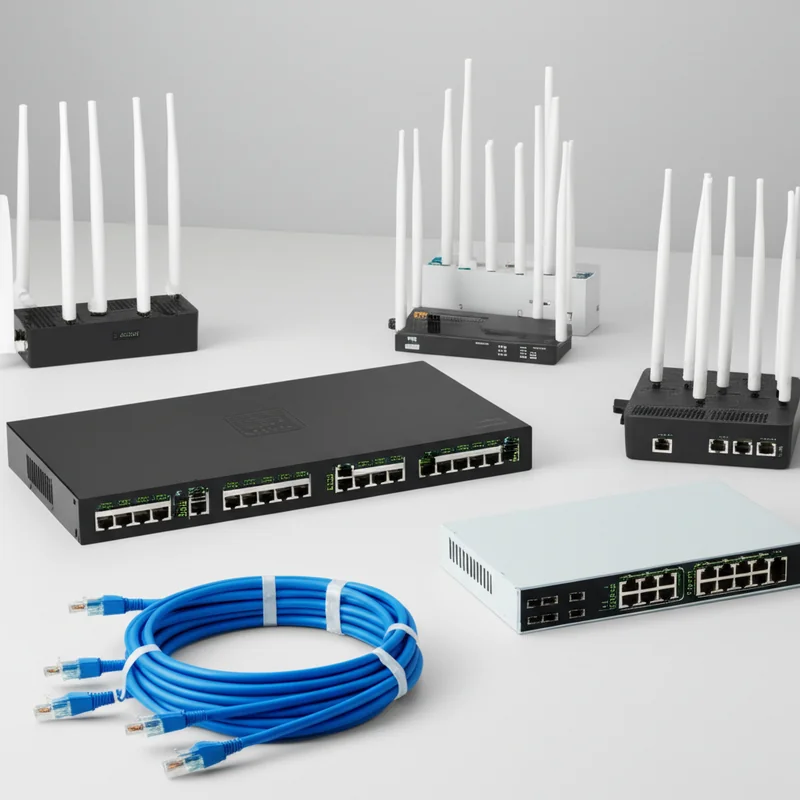
Enterprise event WiFi has evolved from a simple convenience into a mission-critical infrastructure component. With modern conferences requiring 500+ Mbps per 1000 attendees, exhibitions demanding dedicated bandwidth per booth, and hybrid events streaming to 10,000+ remote viewers, the stakes have never been higher. This comprehensive 20,000-word technical guide examines every aspect of professional event WiFi deployment—from bonded internet aggregation and 5G load balancing to enterprise-grade hardware selection, large-scale venue layout planning, remote connectivity solutions including Starlink satellite, wireless bridge architectures for expansive grounds, and high-density RF management strategies that ensure flawless connectivity regardless of event scale or location.
Executive Summary: The New Standard in Event Connectivity
Critical Infrastructure Requirements at a Glance
- →Bonded Internet: Aggregate multiple connections into a single high-capacity pipeline using Peplink SpeedFusion or similar SD-WAN technologies
- →5G Load Balancing: Deploy multi-carrier 5G connections (Maxis, CelcomDigi, U Mobile, Yes) for redundant, high-speed backup
- →Enterprise Hardware: Professional-grade access points (Ubiquiti UniFi, Aruba, Cisco Meraki) supporting 500+ clients per device
- →Remote Connectivity: Starlink satellite integration for venues without terrestrial infrastructure
- →Wireless Bridges: Point-to-point links for distributing connectivity across large venues up to 10km
- →High-Density Design: RF planning for 100+ devices per access point with seamless roaming
The landscape of event connectivity has fundamentally transformed. Where once a single 100 Mbps connection and a few consumer-grade access points sufficed for conferences of 500 attendees, today's events operate in an entirely different paradigm. Delegates arrive with multiple devices—laptops, smartphones, tablets, smartwatches—each demanding reliable, high-speed connectivity. Exhibitors run bandwidth-intensive demonstrations, process cloud-based point-of-sale transactions, and stream live product launches. Hybrid event formats require dedicated, uncontended bandwidth for live streaming to thousands of remote participants. AI-powered interpretation systems, real-time polling applications, and cashless payment infrastructure all compete for network resources.
This guide addresses the technical complexity of modern event WiFi deployment with the depth and rigor that professional event organisers, AV technicians, and network engineers require. We move beyond surface-level explanations to examine the actual engineering decisions, hardware specifications, configuration parameters, and deployment methodologies that separate amateur installations from enterprise-grade event networks. Whether you are planning a 2,000-delegate international conference at Kuala Lumpur's KLCC, an outdoor product launch at a remote resort in Langkawi, or a multi-day exhibition at Singapore's Marina Bay Sands, the principles and practices detailed here will ensure your event connectivity meets the demands of modern digital events.
Bonded Internet: Single Amplified Bandwidth Architecture
Understanding Internet Bonding Technology
Internet bonding represents the cornerstone of high-capacity event connectivity. Unlike simple load balancing—which distributes different connections across different users—true bonding combines multiple internet links into a single, aggregated pipeline with unified throughput. For events requiring sustained bandwidth exceeding what any single connection can provide, bonding is not merely beneficial; it is essential.
The technical foundation of bonding lies in packet-level distribution across multiple WAN links. When a device requests data, the bonding appliance splits that request into packets, distributes those packets across available connections (fibre, 5G, satellite), and reassembles them at the destination. From the user's perspective, this appears as a single, high-capacity connection. A typical enterprise bonding deployment might aggregate a 500 Mbps fibre primary link with two 300 Mbps 5G connections, creating a unified 1.1 Gbps internet pipeline with built-in redundancy.
Bonding vs. Load Balancing: Critical Differences
True Bonding
- • Combines bandwidth into single connection
- • Individual sessions use multiple links
- • Packet-level distribution
- • Maintains session during failover
- • Required for single high-bandwidth applications
Load Balancing
- • Distributes users across connections
- • Each session uses single link
- • Connection-level distribution
- • Sessions break during failover
- • Simpler but less capable
Peplink SpeedFusion: The Enterprise Standard
Peplink has established itself as the de facto standard for enterprise internet bonding, and for good reason. Their SpeedFusion technology goes beyond basic bonding to provide WAN smoothing, hot failover, and encryption—all critical capabilities for event environments where connectivity failures are not merely inconvenient but potentially catastrophic.
SpeedFusion operates by establishing VPN tunnels between the on-site bonding appliance (typically a Peplink Balance router) and a FusionHub virtual appliance running in the cloud. All internet traffic traverses these encrypted tunnels, which span across multiple WAN connections. The bonding engine monitors each connection in real-time, measuring latency, jitter, and packet loss. When a link degrades or fails, traffic is instantaneously redirected to healthy connections without interrupting active sessions. For live streaming applications—which are exquisitely sensitive to connection interruptions—this seamless failover is invaluable.
Recommended Peplink Configurations for Events
| Event Scale | Recommended Model | Bonding Capacity | WAN Ports |
|---|---|---|---|
| 100-300 attendees | Balance 20X | 400 Mbps | 2x Ethernet + 1x LTE |
| 300-800 attendees | Balance 310X | 1 Gbps | 3x Ethernet + 2x LTE |
| 800-2000 attendees | Balance 580 | 2.5 Gbps | 5x Ethernet + 3x LTE |
| 2000+ attendees | Balance 750/1350 | 5+ Gbps | 7x Ethernet + 4x LTE |
Practical Bonding Configuration for Events
Implementing bonded internet for events requires careful planning of both hardware topology and software configuration. The goal is creating a resilient, high-capacity network core that can serve thousands of concurrent users while maintaining sub-millisecond failover for critical applications.
Connection Aggregation Strategy
A typical enterprise event bonding configuration might include: a primary dedicated fibre connection (500 Mbps-1 Gbps) serving as the baseline bandwidth; two 5G connections from different carriers (Maxis and CelcomDigi in Malaysia, Singtel and StarHub in Singapore) providing cellular backup with 200-400 Mbps each; and Starlink satellite as tertiary backup for ultimate redundancy. When bonded through SpeedFusion, these connections create a unified 900 Mbps-1.8 Gbps pipeline with three independent paths to the internet.
Configuration Parameters
SpeedFusion Tunnel Settings
- Algorithm: Bonding (not load balancing) for bandwidth aggregation
- Packet Duplication: Disabled for bandwidth; enabled only for critical VoIP/streaming if required
- Forward Error Correction: Enabled at 10-20% for lossy links (cellular, satellite)
- Tunnel Encryption: AES-256 for security compliance
- Health Check: ICMP to 8.8.8.8 at 5-second intervals
- Failover Threshold: 3 consecutive missed health checks before declaring link down
5G Load Balancing: Multi-Carrier Event Connectivity
Why 5G is Transforming Event Connectivity
Fifth-generation cellular technology has fundamentally altered the event connectivity landscape. With theoretical peak speeds of 10 Gbps and typical real-world performance of 200-800 Mbps, 5G provides broadband-equivalent connectivity without the infrastructure requirements of fibre. For events at venues lacking dedicated internet, outdoor locations, or as backup for primary connections, 5G has become an indispensable tool.
The critical advantage of 5G for events lies not merely in speed but in latency and capacity. 5G networks in Malaysia and Singapore operate on both sub-6 GHz bands (offering coverage similar to 4G but with higher capacity) and millimeter-wave bands (providing extremely high speeds in dense urban areas). For event deployments, sub-6 GHz 5G provides the optimal balance of range and performance, delivering consistent 100-400 Mbps with latency under 20ms—sufficient for virtually any event application including live HD streaming.
Multi-Carrier Strategy for Maximum Reliability
Relying on a single cellular carrier is a recipe for disaster at critical events. Network congestion at major venues, tower maintenance, or simple oversubscription can render a single carrier useless. Professional event deployments utilize multi-carrier 5G strategies that aggregate connections from multiple providers, ensuring connectivity even when individual networks fail.
Malaysia 5G Carrier Landscape (2025)
Maxis
- • Extensive 5G coverage in KL, Selangor, Penang, JB
- • Strong indoor penetration in venues
- • 5G NSA/SA dual-mode deployment
- • Typical speeds: 150-400 Mbps
CelcomDigi
- • Post-merger combined network reach
- • Strong rural and semi-urban 5G
- • Competitive event venue coverage
- • Typical speeds: 100-350 Mbps
U Mobile
- • Cost-effective unlimited data plans
- • Good urban coverage
- • 5G NSA deployment
- • Typical speeds: 80-250 Mbps
Yes 5G
- • Malaysia's first 5G standalone network
- • Aggressive pricing
- • Growing coverage footprint
- • Typical speeds: 100-300 Mbps
Enterprise 5G Hardware for Events
Consumer-grade 5G hotspots are entirely inadequate for event deployment. Professional applications require enterprise 5G routers designed for continuous operation, external antenna connectivity, and integration with bonding appliances. These devices provide the reliability and performance necessary for mission-critical event connectivity.
Recommended 5G Router Models
| Model | 5G Bands | Max Speed | Use Case |
|---|---|---|---|
| Peplink MAX BR1 Pro 5G | Sub-6 GHz (NSA+SA) | 1 Gbps | Premium bonding integration |
| Cradlepoint R1900 | Sub-6 + mmWave | 2.5 Gbps | High-density urban venues |
| MikroTik Chateau 5G | Sub-6 GHz | 600 Mbps | Budget-conscious deployments |
| Sierra Wireless FX2000 | Global 5G | 1.2 Gbps | International event support |
5G Antenna Optimization for Venues
The performance of 5G connections at events depends heavily on antenna placement and configuration. Unlike consumer devices with internal antennas, enterprise 5G routers support external antenna connectivity, allowing strategic placement for optimal signal reception. This becomes particularly critical in large venues where the router may be located deep within the building, far from cell towers.
External Antenna Strategy
Professional event deployments utilize directional or omnidirectional external antennas mounted at optimal locations. For indoor venues, this typically means placing antennas near windows or in ceiling-mounted positions with line-of-sight to exterior walls. The antennas connect to the 5G router via low-loss coaxial cable (LMR-400 or equivalent), with cable runs kept under 10 meters to minimize signal attenuation.
Antenna Configuration Guidelines
- Omnidirectional Antennas: 5-7 dBi gain for general venue coverage when cell tower direction is unknown
- Directional (Panel/Yagi): 9-12 dBi gain when tower location is known; requires aiming but provides superior signal
- MIMO Configuration: Use 2x2 or 4x4 MIMO antenna setups for maximum throughput
- Height Advantage: Mount antennas 3+ meters above ground level to avoid human body interference
- Cable Quality: LMR-400 minimum; LMR-600 for runs over 15 meters
Enterprise Grade Routers and Access Points
Selecting Enterprise Routers for Event Deployment
The router serves as the nerve center of event networks, managing traffic between the bonded internet connections, access points, and client devices. Consumer or prosumer routers simply cannot handle the connection counts, throughput demands, and configuration complexity required by professional events. Enterprise routers provide the processing power, memory, and software features necessary for high-density environments.
Key Router Specifications for Events
When evaluating routers for event deployment, several specifications are non-negotiable. Stateful packet inspection (SPI) firewall throughput of at least 2 Gbps ensures the router won't bottleneck bonded connections. Support for 50,000+ concurrent sessions accommodates the connection explosion from hundreds of devices. VLAN support with 802.1Q trunking enables network segmentation for different user groups. And PoE+ (Power over Ethernet Plus) support simplifies access point deployment by delivering both data and power over single cable runs.
| Specification | Minimum for Events | Recommended |
|---|---|---|
| Firewall Throughput | 1 Gbps | 2.5+ Gbps |
| Concurrent Sessions | 25,000 | 100,000+ |
| VLAN Support | 16 VLANs | 64+ VLANs |
| PoE Ports | 8x PoE+ | 16x PoE+/PoE++ |
| QoS Classes | 8 queues | 32+ queues |
Enterprise Access Point Selection Strategy
Access points (APs) are where users actually connect to the network, making their selection and placement critical to event success. Enterprise APs differ fundamentally from consumer or small-business units in their ability to handle high client densities, support advanced RF management features, and integrate with centralized management platforms.
WiFi 6 (802.11ax): The Event Standard
WiFi 6 has become the minimum standard for professional event deployments. Its key innovations—OFDMA (Orthogonal Frequency Division Multiple Access), MU-MIMO (Multi-User Multiple Input Multiple Output), and Target Wake Time (TWT)—directly address the challenges of high-density environments. OFDMA divides each channel into smaller resource units, allowing the AP to serve multiple clients simultaneously rather than sequentially. In practical terms, this means a WiFi 6 AP can maintain stable connections with 100+ devices where a WiFi 5 (802.11ac) AP would struggle with 30.
WiFi 6 vs WiFi 5 for High-Density Events
WiFi 5 (AC)
- • ~30-50 concurrent clients per AP
- • Sequential client servicing
- • Lower efficiency with many devices
- • Adequate for small events only
WiFi 6 (AX)
- • 100-150+ concurrent clients per AP
- • Parallel client servicing (OFDMA)
- • Maintains performance under load
- • Essential for professional events
Recommended Enterprise Access Points
| Access Point | WiFi Standard | Max Clients | Best For |
|---|---|---|---|
| Ubiquiti U6-Pro | WiFi 6 (AX) | 300+ | General event coverage |
| Ubiquiti U6-Enterprise | WiFi 6E (6 GHz) | 400+ | Ultra high-density environments |
| Aruba AP-535 | WiFi 6 (AX) | 350+ | Enterprise events, AI-powered RF |
| Cisco Catalyst 9100 | WiFi 6 (AX) | 400+ | Mission-critical deployments |
| TP-Link EAP690E HD | WiFi 7 (BE) | 500+ | Future-proof high-density |
Hardware Deployment Architecture
The physical architecture of enterprise event networks follows a hierarchical topology that ensures reliability, scalability, and manageability. At the core sits the bonded internet gateway with integrated routing. Distribution layer switches connect to the core and extend connectivity throughout the venue. Access points connect to distribution switches via PoE, eliminating the need for local power at each AP location.
Typical Three-Tier Event Network Architecture
Network Hierarchy
- Core Layer: Peplink Balance router with bonded internet connections (fibre + 5G + Starlink). Handles WAN bonding, firewall, and core routing at 2+ Gbps throughput.
- Distribution Layer:Enterprise switches (Ubiquiti USW-Pro, Aruba CX) with 10 Gbps uplinks to core. Provides PoE+ to access points and VLAN segregation for different user groups.
- Access Layer: WiFi 6/6E access points positioned throughout venue based on RF planning. Each AP supports 100-150 concurrent clients on optimized channels.
Layout Planning for Big Scale Events
RF Planning Fundamentals for Large Venues
Radio Frequency (RF) planning is the engineering discipline that determines optimal access point placement, channel selection, and power settings to provide comprehensive wireless coverage without interference. For large-scale events—convention centers, exhibition halls, stadiums—proper RF planning separates successful deployments from connectivity disasters.
The fundamental challenge of large venue WiFi is managing the trade-off between coverage and capacity. A single powerful access point can cover a large area, but at the cost of supporting limited client density. Multiple lower-power APs provide higher capacity but require careful coordination to prevent interference. Professional event deployments use many lower-power APs with meticulous channel planning rather than fewer high-power units.
The 5 GHz vs 2.4 GHz Decision
Modern WiFi operates in two primary frequency bands: 2.4 GHz and 5 GHz. For event deployments, 5 GHz should be considered the primary band, with 2.4 GHz relegated to legacy device support. The 5 GHz band offers 24 non-overlapping channels (in UNII-1, UNII-2, UNII-2e, and UNII-3 ranges) compared to 2.4 GHz's three non-overlapping channels. This channel abundance enables dense AP deployment without co-channel interference.
Band Allocation Strategy for Events
- 5 GHz Primary: 80% of AP capacity dedicated to 5 GHz for modern devices (laptops, smartphones, tablets)
- 2.4 GHz Legacy: 20% capacity for IoT devices, older smartphones, and legacy equipment
- 6 GHz (WiFi 6E): Where supported, 6 GHz provides additional clean spectrum for ultra high-density zones
- Band Steering: Enable to push capable devices to 5/6 GHz, preserving 2.4 GHz for devices that require it
Professional Site Survey Methodology
Every large-scale event deployment begins with a comprehensive site survey. This process maps the venue's physical characteristics, identifies existing RF interference sources, and determines optimal access point locations. For major venues, we conduct both predictive surveys (using software modeling) and validation surveys (physical measurements with spectrum analyzers).
Site Survey Checklist for Convention Venues
Physical Assessment
- • Ceiling heights and mounting options
- • Wall materials (concrete, glass, drywall)
- • Existing cable infrastructure
- • Power outlet locations
- • Areas with line-of-sight restrictions
- • Outdoor extension requirements
RF Environment Mapping
- • Existing venue WiFi networks
- • Neighboring building interference
- • 2.4 GHz congestion levels
- • 5 GHz channel availability
- • Microwave/interference sources
- • Bluetooth device density
Access Point Density Calculations
Determining the correct number of access points for a large event requires balancing client capacity, coverage area, and budget constraints. The calculation begins with expected attendance, factors in device density (typically 2-3 devices per person at modern events), and applies a capacity factor to determine AP count.
AP Density Formula for Events
Required APs = (Attendees × Devices Per Person × Capacity Factor) ÷ Clients Per AP
- Attendees: Expected peak concurrent attendance
- Devices Per Person: 2.5 average (phone + laptop + tablet)
- Capacity Factor: 0.7 (30% buffer for uneven distribution)
- Clients Per AP: 100 for WiFi 6, 50 for WiFi 5
Example: 1,000 attendees × 2.5 devices × 0.7 ÷ 100 = 18 access points minimum
Channel Planning for Interference-Free Operation
Co-channel interference—when adjacent access points transmit on the same frequency—is the primary cause of WiFi performance degradation at events. Professional deployments use systematic channel planning to ensure each AP operates on non-overlapping frequencies, maintaining signal clarity across the venue.
5 GHz Channel Plan for Large Venues
The 5 GHz band provides multiple 20 MHz, 40 MHz, or 80 MHz channel options. For event deployments, 80 MHz channel widths offer the best balance of throughput and channel availability. With 80 MHz bonding, the UNII bands provide 6 usable channels (36, 52, 100, 116, 132, 149 in Malaysia/Singapore regulatory domains). These can be allocated in a repeating pattern across the venue, ensuring adjacent APs never share channels.
Recommended 80 MHz Channel Plan
- UNII-1: Channels 36, 40, 44, 48 (bonded as 36+40+44+48)
- UNII-2A: Channels 52, 56, 60, 64 (bonded as 52+56+60+64)
- UNII-2C: Channels 100, 104, 108, 112 (bonded as 100+104+108+112)
- UNII-3: Channels 149, 153, 157, 161 (bonded as 149+153+157+161)
Pattern repeats every 4 adjacent APs, creating a non-overlapping grid
Remote Area Access: Starlink and 5G Solutions
Starlink Satellite Internet for Event Connectivity
SpaceX's Starlink satellite constellation has revolutionized connectivity for remote and underserved locations. For events at resorts, outdoor venues, or areas without reliable terrestrial internet, Starlink provides broadband speeds (50-200 Mbps typical, up to 350 Mbps burst) with latency suitable for most applications (20-50ms). When integrated with bonded networking appliances, Starlink becomes a powerful tool in the event connectivity arsenal.
Starlink Technical Specifications for Events
Starlink operates using a phased-array antenna (the "Dishy McFlatface") that electronically steers its beam toward passing satellites. The 2nd generation (Gen 2) hardware provides improved performance and durability compared to the original design. For event deployment, understanding the power requirements, mounting options, and data service plans is essential.
| Specification | Starlink Standard | Starlink Priority (Business) |
|---|---|---|
| Download Speed | 50-200 Mbps | 100-350 Mbps |
| Upload Speed | 10-20 Mbps | 20-40 Mbps |
| Latency | 25-50 ms | 20-40 ms |
| Power Consumption | 50-75W (Gen 2) | 75-100W (High Performance) |
| Data Priority | Best Effort | Priority (50GB-6TB plans) |
| Obstruction Tolerance | Requires clear northern view | Better marginal coverage |
Starlink Deployment Considerations for Events
Deploying Starlink at event venues requires careful attention to physical installation, power provisioning, and network integration. The antenna must have an unobstructed view of the northern sky (in Malaysia/Singapore's latitude, this means elevation angles of 25-60 degrees). Temporary mounting solutions include weighted stands, tripod mounts, or integration with existing structures like event tents or scaffolding.
Starlink Event Deployment Checklist
- Site Assessment: Verify clear northern sky view using Starlink app; check for tree/building obstructions
- Mounting: Secure temporary mount rated for local wind conditions; minimum 1m height for clear sightlines
- Power: Provision 100W continuous power (150W surge); UPS recommended for brief outages
- Cabling: Use provided 15m cable or order 45m/75m extension; avoid coiling excess cable
- Integration: Connect to bonding appliance via Ethernet; configure as WAN link with appropriate priority
- Backup: Always pair with 5G/fibre; never rely solely on satellite for critical events
5G as Primary Connectivity for Remote Events
While Starlink provides connectivity anywhere with sky access, 5G cellular often delivers superior performance in areas with coverage. Malaysia's 5G network, operated by Digital Nasional Berhad (DNB) and accessed through all major carriers, now reaches over 70% of populated areas. For events at resorts, golf courses, or semi-rural venues, 5G may provide the primary—or only—internet connection required.
Malaysia 5G Coverage for Event Locations
As of 2025, 5G coverage extends significantly beyond major cities. Popular event destinations like Port Dickson, Genting Highlands, Desaru, and even many islands now have 5G service. The key to successful remote event deployment is verifying coverage at the specific venue—not assuming based on general area coverage maps.
5G Coverage Quality by Event Destination Type
- Urban Hotels/Convention Centers: Excellent 5G (300+ Mbps typical); multiple carrier options
- Suburban Resorts: Good 5G (100-200 Mbps); may have coverage gaps in building interiors
- Beach/Outdoor Venues: Variable; depends on proximity to towers; 50-150 Mbps typical
- Highland Locations (Genting, Cameron): Moderate; terrain affects propagation; 30-100 Mbps
- Remote Islands: Limited; Starlink often required as primary or backup
Hybrid Solutions: Starlink + 5G Bonding
The most robust remote event connectivity combines Starlink and 5G in a bonded configuration. This hybrid approach leverages the strengths of both technologies: Starlink provides consistent baseline connectivity unaffected by terrestrial congestion, while 5G delivers higher speeds and lower latency where coverage permits. When bonded through SpeedFusion, these connections create a resilient, high-performance internet pipeline.
Typical Remote Event Bonding Configuration
Remote Resort Product Launch Example:
- Link 1 (Primary): Starlink Business Priority (150 Mbps down / 25 Mbps up typical)
- Link 2 (Secondary): Maxis 5G (200 Mbps down / 50 Mbps up where available)
- Link 3 (Tertiary): CelcomDigi 5G (backup carrier, different tower)
- Bonded Result: 300-350 Mbps aggregate with seamless failover if any link degrades
This configuration provides sufficient bandwidth for 500+ attendees, live HD streaming, and cloud POS systems even in locations with no fibre infrastructure.
Wireless Bridge for Long Range and Large Area Connections
Point-to-Point Wireless Bridge Technology
Wireless bridges—also called point-to-point (PtP) or point-to-multipoint (PtMP) links—extend network connectivity across distances where running cables is impractical or impossible. For large-scale events, bridges connect distributed network zones, link multiple buildings, or extend connectivity to distant areas of expansive venues like race courses, festival grounds, or large convention campuses.
Modern wireless bridges operate in unlicensed 5 GHz and 60 GHz bands, delivering fiber-equivalent speeds over distances up to 20 kilometers. Unlike WiFi, which broadcasts omnidirectionally, bridges use highly directional antennas that focus radio energy into tight beams, achieving high throughput and resistance to interference across long distances.
5 GHz vs 60 GHz (mmWave) Bridges
| Technology | Frequency | Range | Throughput | Best For |
|---|---|---|---|---|
| 5 GHz AC/AX Bridge | 5.1-5.8 GHz | Up to 20 km | 100-450 Mbps | Long distances, outdoor venues |
| 60 GHz (mmWave) | 57-71 GHz | Up to 1.5 km | 1-10 Gbps | Ultra-high speed, short range |
| Terrestrial Fiber | N/A | Unlimited | 1-100 Gbps | Permanent installations |
Enterprise Wireless Bridge Products
Several manufacturers specialize in wireless bridging equipment designed for professional deployments. These products differ from consumer WiFi extenders in their use of directional antennas, higher transmit power, outdoor-rated enclosures, and management features suitable for integration with enterprise networks.
Recommended Bridge Solutions for Events
| Product | Type | Max Range | Throughput |
|---|---|---|---|
| Ubiquiti PowerBeam 5AC | 5 GHz PtP | 25 km | 450 Mbps |
| Ubiquiti NanoBeam 5AC | 5 GHz PtP | 15 km | 450 Mbps |
| Ubiquiti GigaBeam 60G | 60 GHz PtP | 1.5 km | 1 Gbps+ |
| MikroTik Wireless Wire nRAY | 60 GHz PtP | 1.5 km | 2 Gbps |
| Cambium ePMP Force 300 | 5 GHz PtP/PtMP | 16 km | 400 Mbps |
Wireless Bridge Deployment Scenarios for Events
Understanding when and how to deploy wireless bridges requires familiarity with common large-event networking challenges. The following scenarios illustrate typical bridge applications in professional event production.
Scenario 1: Exhibition Hall to Outdoor Food Court
A trade exhibition at a convention center requires WiFi coverage for an outdoor food court located 300 meters from the main building. Running Ethernet cable across active vehicle routes is impossible. A 5 GHz wireless bridge (Ubiquiti PowerBeam 5AC) connects a switch in the main hall to an outdoor access point in the food court, providing full network services without trenching or overhead cable runs.
Configuration Details
- Distance: 300 meters line-of-sight
- Equipment: PowerBeam 5AC-Gen2 (one at each end)
- Alignment: Fine-tuned using built-in signal strength indicators during installation
- Throughput: 200+ Mbps actual (sufficient for food court POS and guest WiFi)
- Redundancy: Optional backup bridge on different 5 GHz channel for critical applications
Scenario 2: Multi-Building Conference Campus
A university conference spans three buildings separated by campus roads. Rather than provisioning separate internet connections for each building, a point-to-multipoint bridge distributes connectivity from the primary building to the secondary locations. The central building houses the bonded internet gateway; directional bridges link to each satellite building, extending the core network with minimal latency.
Scenario 3: Race Course and Festival Grounds
Sporting events and music festivals often cover vast areas—kilometers of track or multiple stages spread across fields. A combination of fiber backhaul (where available), wireless bridges, and strategically placed access points creates comprehensive coverage. Directional bridges link major zones; within each zone, standard APs provide client connectivity.
Bridge Alignment and Installation Best Practices
Wireless bridges require precise alignment for optimal performance. Unlike WiFi access points with wide coverage patterns, bridge antennas focus energy into narrow beams (typically 5-30 degrees beamwidth). A misalignment of just a few degrees can reduce signal strength by 10-20 dB, severely impacting throughput or causing link instability.
Bridge Installation Checklist
- Line-of-Sight Verification: Use binoculars or telescope to confirm clear Fresnel zone (60% of first Fresnel zone must be clear)
- Mounting Stability: Secure to stable structures rated for local wind loads; avoid mounting on temporary scaffolding
- Initial Alignment: Use GPS coordinates or compass bearing to approximate direction; refine using signal strength indicators
- Fine Tuning: Adjust azimuth and elevation in small increments, monitoring signal quality (aim for -50 dBm or better)
- Cable Management: Use weatherproof Ethernet connectors; maintain drip loops to prevent water ingress
- Documentation: Record final alignment coordinates, signal levels, and configuration for future reference
High Density Area Support Strategies
Understanding High-Density WiFi Challenges
High-density WiFi—environments with hundreds or thousands of devices in relatively compact spaces—presents unique engineering challenges that consumer networking simply cannot address. These challenges include: co-channel contention (too many devices competing for limited airtime), hidden node problems (devices unable to hear each other causing collisions), and client device limitations (cheap smartphones with poor WiFi implementations).
A conference ballroom with 1,000 attendees might have 2,500+ connected devices when accounting for multiple devices per person plus event infrastructure (IP cameras, digital signage, payment terminals). Without professional high-density design, this environment produces a "WiFi storm" where the network becomes unusable for everyone—a scenario we have all experienced at poorly executed events.
High-Density Design Principles
Principle 1: Cell Size Reduction
In high-density design, smaller coverage cells are better than larger ones. By reducing transmit power and placing more access points closer together, each AP serves fewer clients. This reduces contention and improves performance. A typical high-density deployment might use 20 APs at 50% power covering a ballroom, where a standard deployment would use 8 APs at 100% power.
Principle 2: Channel Separation
Adjacent access points must operate on non-overlapping channels to prevent interference. In 5 GHz with 80 MHz channels, this typically means a repeating pattern of channels 36, 52, 100, 116 across the venue. Careful channel planning ensures that even as clients roam between APs, they never experience co-channel interference.
Principle 3: Airtime Fairness
Not all WiFi clients are created equal. Older devices (802.11n and earlier) transmit more slowly, consuming more airtime to move the same amount of data. Without airtime fairness algorithms, these slower devices can monopolize the channel, degrading performance for everyone. Enterprise APs implement airtime fairness that equalizes airtime allocation, preventing legacy devices from impacting modern clients.
High-Density Configuration Settings
- Transmit Power: 50-70% (12-15 dBm) rather than maximum
- Channel Width: 80 MHz on 5 GHz; 20 MHz on 2.4 GHz only
- Minimum Data Rate: Set to 12 Mbps (disables slow rates that consume airtime)
- Band Steering: Enabled to push devices to 5 GHz
- Airtime Fairness: Enabled on all APs
- Client Limit: Cap at 100-150 clients per AP (depending on model)
- Multicast Optimization: Enabled to prevent multicast storms
Multi-AP Coordination Strategies
Controller-Based Management
Enterprise WiFi deployments rely on centralized controllers that manage all access points as a unified system. Controllers handle channel assignment, power adjustment, client roaming, and RF optimization automatically. For large events, this centralized management is essential—manually configuring 20+ individual APs is error-prone and inefficient.
Leading controller platforms include Ubiquiti UniFi Controller (free, powerful, widely used), Aruba Central (cloud-managed, AI-powered optimization), and Cisco Catalyst Center (enterprise-grade, comprehensive but complex). The choice depends on the AP hardware selected and the organization's existing infrastructure.
Roaming Optimization
Seamless roaming—the ability for clients to move between access points without dropping connections—is critical for events where attendees walk through large spaces. Poor roaming design results in clients "sticking" to distant APs with weak signals rather than connecting to nearby APs with strong signals.
Roaming Optimization Settings
- Minimum RSSI: Set to -70 dBm to kick weak clients to stronger APs
- Fast Roaming (802.11r): Enabled for reduced handoff time
- Band Steering: Aggressive mode to push to 5 GHz
- Load Balancing: Distribute clients evenly across APs
- BSS Transition Management: Enabled for proactive roaming guidance
Capacity Planning and Monitoring
Real-Time Monitoring During Events
Professional event WiFi includes continuous monitoring throughout the event duration. Network engineers track key metrics: client count per AP, bandwidth utilization, channel interference levels, and application performance. This monitoring enables proactive intervention if issues arise rather than reactive response to user complaints.
Critical Monitoring Metrics
Per-AP Metrics
- • Associated client count
- • Channel utilization percentage
- • Average client signal strength
- • Retransmission rate
- • Airtime utilization
Network-Wide Metrics
- • Total bandwidth consumption
- • WAN link health
- • DHCP pool exhaustion
- • DNS resolution time
- • Roaming event frequency
Complete Implementation Guide: From Planning to Execution
Pre-Event Phase: Design and Preparation
Successful event WiFi begins weeks before the event with systematic planning. The pre-event phase includes requirements gathering, site survey, network design, equipment preparation, and configuration pre-staging.
Requirements Gathering Framework
Essential Information to Collect
- Attendance: Expected peak concurrent attendance and device estimates
- Venue Details: Floor plans, dimensions, construction materials, existing infrastructure
- Applications: Streaming requirements, interpretation systems, POS count, exhibitor needs
- Duration: Event length affecting equipment rental and power planning
- Budget: Cost constraints guiding equipment selection
- Timeline: Setup window availability and restrictions
Deployment Phase: Installation and Testing
The deployment phase transforms the design into operational reality. For large events, we typically arrive 1-2 days before the event setup begins to install core infrastructure, then return as the event build-out progresses to install and test access points in their final positions.
Deployment Timeline Example
| Day | Activities |
|---|---|
| T-3 Days | Core infrastructure: Router, switches, bonding setup in equipment room |
| T-2 Days | Backbone cabling; wireless bridges if required; initial AP placement |
| T-1 Days | AP fine-tuning; RF validation; integration with AV systems |
| Event Day | Live monitoring; real-time adjustments; technical support |
Testing and Validation Protocol
Before the event opens, comprehensive testing validates every aspect of the network. This testing includes coverage verification (walking the venue with survey tools), load testing (simulating client connections), and application testing (verifying streaming, interpretation, and critical systems).
Pre-Event Testing Checklist
- Coverage Walk: Verify signal strength ≥-65 dBm in all required areas
- Speed Testing: 50+ Mbps download in all zones with typical device loads
- Roaming Test: Walk venue perimeter; verify seamless handoffs
- Failover Test: Disconnect primary WAN; verify backup activation within 5 seconds
- Streaming Test: 30-minute continuous stream without buffering or drops
- Load Test: Connect 50+ devices simultaneously; verify stable operation
Conclusion: Excellence in Event Connectivity
Enterprise event WiFi has evolved from a simple utility into a sophisticated engineering discipline requiring deep knowledge of networking, RF physics, and event production. This comprehensive guide has explored the technologies and methodologies that separate amateur installations from professional-grade event networks: bonded internet aggregation providing reliable high-capacity connectivity; multi-carrier 5G strategies ensuring backup paths; enterprise hardware selection optimized for density and reliability; meticulous RF planning that anticipates real-world conditions; remote connectivity solutions leveraging Starlink and cellular; wireless bridges extending network reach; and high-density design principles that maintain performance under extreme load.
The investment in professional event WiFi pays dividends in attendee satisfaction, exhibitor success, and event reputation. When delegates can seamlessly livestream keynotes, exhibitors process transactions without delay, and hybrid participants join without technical barriers, the event achieves its full potential. Conversely, connectivity failures create cascading problems—frustrated attendees, embarrassed organizers, and damaged relationships.
For event organizers, corporate IT teams, and AV professionals in Malaysia and Singapore, understanding these principles enables informed decisions when engaging connectivity providers and evaluating technical proposals. The questions to ask potential providers now have clear answers: How do you handle bandwidth aggregation? (Bonding, not load balancing.) What happens when the primary internet fails? (Sub-second failover to bonded backups.) How many devices can each access point handle? (100+ for WiFi 6, with capacity planning documentation.) What is your approach to high-density environments? (Cell size reduction, channel planning, airtime fairness.)
The technology continues to evolve. WiFi 7 (802.11be) promises even higher densities and lower latency. 5G standalone networks will deliver more consistent performance. Starlink's constellation grows, expanding coverage and capacity. But the fundamental principles—bonding for reliability, planning for density, testing for validation—remain constant. Master these principles, and your events will deliver the connectivity experiences that modern attendees demand.
Professional Event WiFi Services
Translife Group provides enterprise event WiFi rental across Malaysia and Singapore. From bonded internet and 5G backup to high-density access point deployment and live monitoring, we deliver the connectivity your events demand.
Learn More About Event WiFi Rental →