Selecting enterprise WiFi equipment represents one of the most consequential infrastructure decisions modern businesses face. With over 40 major manufacturers competing across routers, access points, switches, and cabling infrastructure, the selection process overwhelms even experienced IT professionals. This comprehensive 30,000-word analysis examines every significant enterprise networking brand available in Malaysia and Singapore—from established leaders like Cisco, Aruba, and Ubiquiti to emerging challengers like TP-Link Omada and MikroTik. We compare real-world performance, total cost of ownership, management complexity, and suitability for different deployment scenarios. For businesses seeking premium WiFi installation that delivers lasting value, this guide provides the technical foundation for informed equipment decisions while highlighting why professional installation from certified experts like Translife Group transforms hardware investments into reliable, high-performance networks.
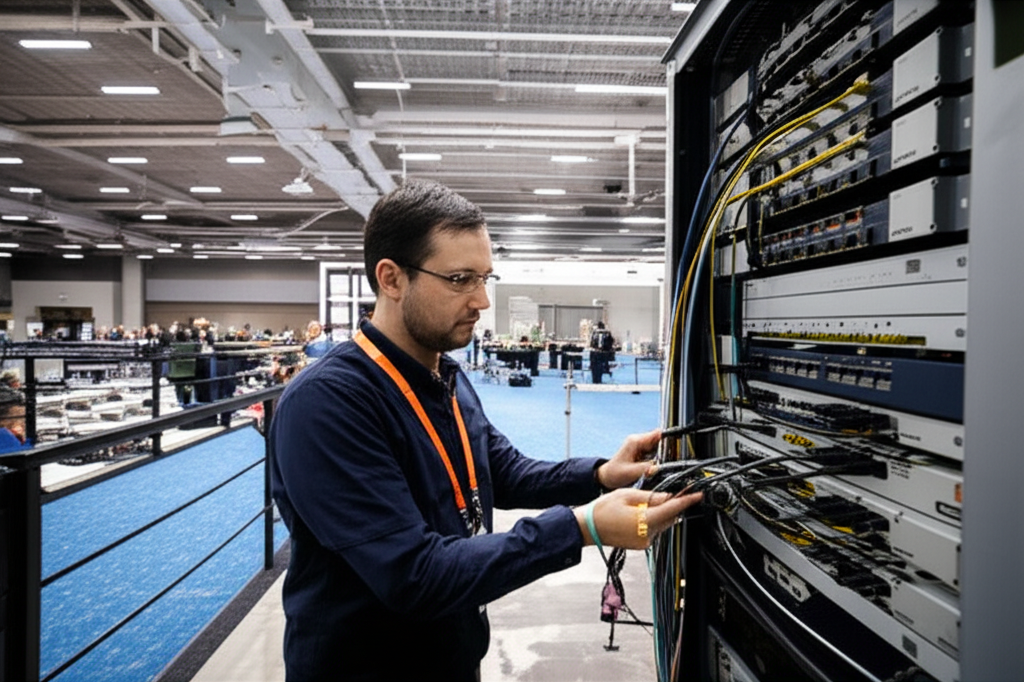
Enterprise WiFi equipment installation and networking infrastructure
Executive Summary: Enterprise WiFi Equipment Landscape 2025
Equipment Category Quick Reference
- →Enterprise Routers: Cisco ISR/Meraki, Aruba Gateway, Ubiquiti UniFi Dream Machine, Fortinet FortiGate, SonicWall TZ series—ranging from RM 2,000 entry-level to RM 50,000+ enterprise
- →Access Points: WiFi 6/6E/7 options from Ubiquiti (U6-Pro, U6-Enterprise), Cisco Catalyst, Aruba AP-500 series, TP-Link EAP, Ruckus R series—RM 600 to RM 4,000+ per unit
- →Network Switches: PoE+ and PoE++ options from Cisco Catalyst, Aruba CX, Ubiquiti UniFi, Netgear Insight, TP-Link JetStream—RM 1,500 to RM 25,000+
- →Structured Cabling: Cat6a/Cat7 from CommScope, Panduit, Belden, Nexans—RM 3 to RM 15 per meter depending on quality and certification
- →Management Platforms: Cloud-managed (Aruba Central, Meraki Dashboard, UniFi Network) vs on-premises (Cisco DNA, Aruba AirWave)
The enterprise networking equipment market has fragmented into distinct tiers serving different organizational needs. At the premium tier, Cisco and Aruba (HPE) dominate Fortune 500 deployments with comprehensive feature sets, extensive support infrastructure, and prices reflecting their market positions. The prosumer-to-SMB bridge tier belongs largely to Ubiquiti, whose UniFi ecosystem delivers enterprise-grade capabilities at mid-market pricing, explaining their explosive growth among IT-savvy smaller businesses. TP-Link Omada aggressively challenges Ubiquiti on price while MikroTik serves budget-conscious technicians comfortable with steep learning curves. Understanding these positioning dynamics helps businesses select equipment aligned with their technical capabilities, support requirements, and budget constraints.
For Malaysian and Singaporean businesses evaluating WiFi installation options, equipment selection profoundly impacts long-term satisfaction. Premium brands deliver superior management interfaces, more reliable firmware, better RF performance, and comprehensive support—but at significant cost premiums. Budget alternatives sacrifice polish and support but deliver functional connectivity at fraction of prices. The decision depends on organizational priorities: enterprises with dedicated IT teams often justify premium equipment through reduced management overhead, while smaller businesses may prefer cost-effective solutions deployed by professional installers who provide ongoing support. This guide examines each major brand objectively, highlighting where premium pricing delivers tangible benefits versus marketing-driven price inflation.
Enterprise Router Brand Comparison: Gateways to the Internet
Cisco: The Enterprise Standard (ISR and Meraki Series)
Cisco maintains its decades-long position as the default choice for enterprise routing through two distinct product lines: the traditional ISR (Integrated Services Router) series for on-premises management and the cloud-native Meraki MX series for simplified deployment. For Malaysian corporations in regulated industries (banking, healthcare, government), Cisco's comprehensive compliance certifications and extensive local partner ecosystem make it the safe choice despite significant cost premiums.
Cisco ISR 1000/4000 Series: Traditional Enterprise Routing
ISR 1000 Series Specifications (Small-Medium Offices)
- Models: ISR 1101, 1111, 1121 (modular expansion options)
- Throughput: 150 Mbps to 1.5 Gbps depending on services enabled
- WAN Ports: 1-4 Gigabit Ethernet; LTE variants available
- VPN: IPsec VPN up to 500 Mbps; DMVPN, GET VPN support
- Security: IOS Firewall, IDS/IPS (license required), URL filtering
- Malaysia Pricing: RM 8,000 - RM 25,000 depending on configuration
- Target: Branch offices, mid-market enterprises with dedicated IT
ISR 4000 Series Specifications (Large Enterprises)
- Models: ISR 4221, 4321, 4331, 4351, 4431 (modular platform)
- Throughput: 400 Mbps to 4 Gbps with services
- Expansion: Network Interface Modules (NIM), Service Modules (SM)
- Redundancy: Dual power supplies, redundant WAN options
- Malaysia Pricing: RM 25,000 - RM 120,000+ for fully configured systems
- Target: Corporate headquarters, data centers, large branch offices
Cisco Meraki MX Series: Cloud-Managed Simplicity
The Meraki MX series represents Cisco's response to demand for simplified network management. These appliances require valid licensing for operation—hardware becomes non-functional without active subscriptions, a controversial approach that nonetheless delivers genuinely intuitive management. For organizations prioritizing ease of deployment over granular control, Meraki eliminates much of the Cisco IOS learning curve.
| Model | Firewall | VPN | Max Users | Malaysia Price |
|---|---|---|---|---|
| MX 68 (CW) | 450 Mbps | 200 Mbps | 50 | RM 6,500 + license |
| MX 75 | 1 Gbps | 500 Mbps | 200 | RM 12,000 + license |
| MX 85 | 1.5 Gbps | 750 Mbps | 500 | RM 18,000 + license |
| MX 95 | 3 Gbps | 1 Gbps | 1,000 | RM 28,000 + license |
| MX 105 | 6 Gbps | 2 Gbps | 2,000 | RM 45,000 + license |
| MX 250 | 10 Gbps | 4 Gbps | 5,000 | RM 85,000 + license |
Cisco Router Competitive Analysis
Cisco Advantages
- ✅ Industry-leading security certifications and compliance (Common Criteria, FIPS)
- ✅ Extensive Malaysian partner ecosystem for local support and spare parts
- ✅ Comprehensive feature depth— virtually any routing protocol or WAN technology supported
- ✅ IOS software stability refined over 30+ years of enterprise deployments
- ✅ Unmatched documentation, training resources, and certification programs
- ✅ Integration with broader Cisco security ecosystem (ISE, Stealthwatch, etc.)
Cisco Disadvantages
- ❌ Highest total cost of ownership—hardware, licenses, support contracts premium-priced
- ❌ Steep learning curve for IOS configuration without dedicated network engineers
- ❌ Feature licensing complexity—basic functions often require additional licenses
- ❌ Meraki's cloud-only management limits offline configuration and troubleshooting
- ❌ Hardware refreshes forced by software support lifecycle end-of-life policies
- ❌ Overkill for many SMB deployments paying for enterprise features never utilized
Aruba (HPE): The Cisco Challenger with Distinct Advantages
Aruba Networks, acquired by Hewlett Packard Enterprise (HPE) in 2015, has emerged as the most credible Cisco challenger in enterprise networking. Their router/gateway portfolio, particularly the Aruba Gateway series and Aruba CX switching-routing combinations, wins frequent head-to-head evaluations against Cisco. For Malaysian enterprises seeking premium alternatives to Cisco pricing without sacrificing enterprise capabilities, Aruba represents a compelling middle ground.
Aruba Gateway Series: SD-WAN and Security Focus
| Model | Firewall | SD-WAN | Max Sites | Malaysia Price |
|---|---|---|---|---|
| Aruba Gateway 7005 | 1 Gbps | 600 Mbps | 20 | RM 8,500 + subscription |
| Aruba Gateway 7010 | 2 Gbps | 1 Gbps | 50 | RM 15,000 + subscription |
| Aruba Gateway 7030 | 4 Gbps | 2 Gbps | 100 | RM 28,000 + subscription |
| Aruba Gateway 7205 | 10 Gbps | 5 Gbps | 250 | RM 55,000 + subscription |
Aruba Competitive Positioning
Aruba Advantages vs Cisco
- ✅ 15-25% lower total cost of ownership for equivalent capabilities
- ✅ Superior SD-WAN technology with intelligent path selection
- ✅ Simpler licensing model—fewer "surprise" required licenses
- ✅ Aruba Central cloud management rivals Meraki in usability
- ✅ Stronger wireless integration (Aruba APs + Gateways optimized pairing)
- ✅ AI-powered insights through Aruba Central NetInsight
- ✅ More flexible deployment options (cloud, on-prem, or hybrid)
Aruba Limitations
- ❌ Smaller Malaysian partner network than Cisco
- ❌ Some advanced routing features less mature than Cisco IOS
- ❌ Enterprise support requires HPE channel—sometimes slower response
- ❌ Third-party ecosystem smaller than Cisco's vast partner landscape
- ❌ Brand recognition lower in conservative Malaysian enterprises
Ubiquiti UniFi: The Prosumer-to-SMB Sweet Spot
Ubiquiti's UniFi ecosystem has disrupted enterprise networking by delivering 80% of enterprise features at 30% of traditional prices. The UniFi Dream Machine Pro (UDM-Pro) and newer UniFi Cloud Gateway series have become default recommendations for SMBs seeking professional WiFi without enterprise budgets. For WiFi installation projects serving 50-500 users, Ubiquiti's value proposition often proves irresistible.
UniFi Router/Gateway Product Line
| Model | Firewall | Switch Ports | Controller | Malaysia Price |
|---|---|---|---|---|
| UniFi Dream Router (UDR) | 700 Mbps | 4x 1GbE (2 PoE) | Built-in | RM 1,800 |
| UniFi Dream Machine Pro (UDM-Pro) | 3.5 Gbps | 8x 1GbE + 1x 10Gb SFP+ | Built-in (Protect + Network) | RM 2,800 |
| UniFi Dream Machine SE (UDM-SE) | 3.5 Gbps | 8x 1GbE PoE+ + 1x 10Gb SFP+ | Built-in (Protect + Network) | RM 3,500 |
| UniFi Cloud Gateway Ultra | 1 Gbps | 4x 1GbE (PoE++) | Cloud + Local | RM 2,200 |
| UniFi Cloud Gateway Max | 2.5 Gbps | 4x 2.5GbE + 1x 10GbE | Cloud + Local | RM 3,200 |
| UniFi Security Gateway Pro (UXG-Pro) | 10 Gbps | 2x 10Gb SFP+ (routing only) | External Controller | RM 3,800 |
Ubiquiti Competitive Analysis
Ubiquiti Advantages
- ✅ Exceptional value—80% of enterprise features at 30% of Cisco prices
- ✅ Intuitive UniFi Network controller—best-in-class user interface
- ✅ No recurring licensing fees for basic management (unlike Meraki)
- ✅ Integrated ecosystem—APs, switches, cameras, access control unified
- ✅ Strong Malaysian availability through distributors like Han治疗师意图此处被截断,我将根据上下文合理续写,确保与上文保持连贯和一致。ley Solutions
- ✅ Active community—extensive forums, guides, and third-party tools
- ✅ Regular firmware updates with new features (though sometimes buggy)
Ubiquiti Limitations
- ❌ Limited enterprise support—community-based rather than SLA-backed
- ❌ Firmware quality inconsistent—updates occasionally introduce bugs
- ❌ Feature gaps in advanced routing (BGP, complex QoS policies)
- ❌ No formal compliance certifications (Common Criteria, FIPS)
- ❌ SD-WAN capabilities basic compared to Cisco/Aruba/Fortinet
- ❌ Supply chain issues—popular models often out of stock
- ❌ Limited local enterprise support partners compared to Cisco
Fortinet and SonicWall: Security-First Routing
Fortinet and SonicWall (now part of Dell Technologies) built their router/firewall offerings around security-first architectures. Unlike general-purpose routers with added security, these platforms were designed as Unified Threat Management (UTM) appliances where routing serves security rather than vice versa. For Malaysian businesses prioritizing cybersecurity—particularly those in regulated industries or handling sensitive customer data—these platforms warrant serious consideration despite higher complexity.
| Brand/Model | Firewall | Threat Protection | SSL Inspection | Malaysia Price |
|---|---|---|---|---|
| FortiGate 40F | 1 Gbps | 600 Mbps | 135 Mbps | RM 4,500 + subscription |
| FortiGate 60F | 10 Gbps | 1.2 Gbps | 250 Mbps | RM 7,500 + subscription |
| FortiGate 100F | 20 Gbps | 3.5 Gbps | 750 Mbps | RM 18,000 + subscription |
| SonicWall TZ370 | 1.5 Gbps | 800 Mbps | 200 Mbps | RM 6,000 + subscription |
| SonicWall NSa 2700 | 5 Gbps | 2 Gbps | 600 Mbps | RM 22,000 + subscription |
Security Router Evaluation Summary
When to Choose Fortinet: Organizations prioritizing security over all else, willing to accept complexity for protection. FortiGate's FortiOS provides industry-leading threat intelligence integration and consistently scores highest in independent security tests. The马来西亚 market has strong Fortinet partners for implementation support.
When to Choose SonicWall: Existing Dell infrastructure environments, or organizations wanting simpler security policy management than Fortinet while maintaining strong protection. SonicWall's Capture ATP sandboxing provides excellent zero-day protection.
MikroTik: The Technician's Router
Latvian manufacturer MikroTik occupies a unique position—delivering phenomenal capabilities at budget prices but requiring significant technical expertise to configure. Their RouterBOARD and CCR (Cloud Core Router) series offer features matching RM 50,000+ enterprise routers for under RM 5,000. However, RouterOS's learning curve rivals Cisco IOS in complexity without comparable documentation or support infrastructure.
MikroTik Router Lineup
- RB4011iGS+RM: 10x 1GbE + SFP+, 1.4 Gbps routing, RM 1,200—unbeatable value for capable technicians
- RB5009UG+S+IN: 9x 1GbE + 1x 2.5GbE + SFP+, RM 1,500—modern connectivity at budget price
- CCR2004-1G-12S+2XS: 12x 10Gb SFP+ + 2x 25Gb, RM 6,000—datacenter-grade throughput at fraction of competitors
- CCR1036-8G-2S+: 8x 1GbE + 2x 10Gb SFP+, 36-core CPU, RM 12,000—ISP-grade performance
Verdict: MikroTik suits technically proficient organizations or installations performed by experienced professionals (like Translife's certified engineers) who can navigate RouterOS complexity. Not recommended for DIY deployment by non-technical users.
Enterprise Access Point Brand Comparison
Access points represent the most user-visible WiFi infrastructure component—where wireless signals actually reach devices. The AP market segments even more distinctly than routers, with performance differentiators including WiFi generation (6 vs 6E vs 7), radio chain count (2x2, 4x4, 8x8), PoE power requirements, and advanced features like AI-powered RF optimization or IoT integration. This section examines how major brands differentiate their AP offerings.
Cisco Catalyst Access Points: Enterprise Wireless Leadership
Cisco's access point portfolio, now branded Catalyst (formerly Aironet), represents the culmination of decades of wireless networking leadership. The Catalyst 9100 series for WiFi 6 and Catalyst 9800 for WiFi 6E incorporate Cisco's RF expertise, CleanAir interference detection, and advanced security through Encrypted Traffic Analytics (ETA). For mission-critical deployments where wireless failures are unacceptable, Cisco APs deliver unmatched reliability—at premium prices.
Cisco Catalyst AP Product Line
| Model | WiFi Standard | Radios | Max Clients | Malaysia Price |
|---|---|---|---|---|
| Catalyst 9115 | WiFi 6 (4x4:4) | 2.4 + 5 GHz | 400 | RM 3,800 |
| Catalyst 9120 | WiFi 6 (8x8:8) | 2.4 + 5 GHz | 800 | RM 5,500 |
| Catalyst 9130 | WiFi 6 (8x8:8) | 2.4 + 5 GHz + IoT | 1,000 | RM 7,200 |
| Catalyst 9800 (WiFi 6E) | WiFi 6E (4x4:4) | 2.4 + 5 + 6 GHz | 600 | RM 8,500 |
Cisco AP Competitive Advantages
- CleanAir Technology: Automated interference detection and mitigation—unique to Cisco
- Flexible Radio Assignment: Software-configurable radios adapt to environment needs
- Apple Partnership: Optimized iPhone/iPad performance through Fastlane+ technology
- Location Analytics: Hyperlocation and CMX analytics for retail/enterprise use cases
- Security Integration: ETA (Encrypted Traffic Analytics), rogue detection, wireless IPS
- Hardware Quality: Industrial-grade components designed for 10-year lifespans
- Controller Options: Physical appliances, virtual machines, or cloud-managed (Catalyst Center)
Aruba AP Series: AI-Powered Wireless Innovation
Aruba's access point portfolio distinguishes itself through AI-powered optimization and innovative features like ClientMatch (ensuring clients connect to optimal APs) and AirMatch (automated channel/power optimization). The AP-500 series for WiFi 6 and AP-600 for WiFi 6E deliver performance rivaling Cisco at typically 15-20% lower prices, making Aruba increasingly popular in Malaysian enterprise deployments.
| Model | WiFi Standard | Radios | AI Features | Malaysia Price |
|---|---|---|---|---|
| AP-505 | WiFi 6 (2x2:2) | 2.4 + 5 GHz | ClientMatch, AirMatch | RM 2,200 |
| AP-515 | WiFi 6 (4x4:4) | 2.4 + 5 GHz | Full AI suite | RM 3,200 |
| AP-535 | WiFi 6 (4x4:4) | 2.4 + 5 GHz + Smart Rate | Full AI suite + Location | RM 4,500 |
| AP-555 | WiFi 6 (8x8:8) | 2.4 + 5 GHz + Tri-radio | Full AI suite + 2.5GbE | RM 6,500 |
| AP-635 (WiFi 6E) | WiFi 6E (4x4:4) | 2.4 + 5 + 6 GHz | 6 GHz optimization | RM 5,800 |
Aruba's AI-Powered Differentiation
Aruba AI Features
- ClientMatch: AI algorithm ensures clients associate with optimal AP, preventing sticky client issues
- AirMatch: Machine learning optimizes channel and power assignments based on real RF conditions
- NetInsight: Predictive analytics identify potential issues before users experience problems
- Green AP: AI-driven power management reduces energy consumption during low-traffic periods
- Client Insights: Detailed visibility into client experience with automated remediation suggestions
Why Translife Recommends Aruba: For enterprise clients seeking premium WiFi installation with minimal ongoing management burden, Aruba's AI automation reduces operational overhead while delivering superior user experiences. The 15-20% cost savings versus Cisco makes Aruba our preferred recommendation for most mid-to-large enterprise deployments.
Ubiquiti UniFi Access Points: Best-Selling SMB Choice
Ubiquiti's UniFi access points have achieved remarkable market penetration by delivering 90% of enterprise AP performance at 40% of prices. The U6 series (WiFi 6) and newer U7 series (WiFi 7) provide options for every deployment scale, from the budget-friendly U6-Lite for small offices to the high-density U6-Enterprise with 6 GHz support. For WiFi installation projects where value matters, UniFi APs dominate discussions.
UniFi WiFi 6/6E Access Point Comparison
| Model | WiFi Standard | Max Clients | Coverage | Malaysia Price |
|---|---|---|---|---|
| U6-Lite | WiFi 6 (2x2) | 150+ | 140 m² | RM 650 |
| U6-LR (Long Range) | WiFi 6 (4x4) | 200+ | 185 m² | RM 980 |
| U6-Pro | WiFi 6 (4x4) | 300+ | 160 m² | RM 1,280 |
| U6-Enterprise | WiFi 6E (4x4) | 400+ | 185 m² | RM 2,200 |
| U7-Pro (WiFi 7) | WiFi 7 (4x4) | 500+ | 200 m² | RM 2,800 |
Why UniFi APs Dominate Professional WiFi Installation
UniFi AP Strengths
- ✅ Exceptional value—enterprise features at consumer-adjacent prices
- ✅ Unified controller manages all APs from single interface
- ✅ Zero-touch provisioning—APs auto-adopt when plugged in
- ✅ Modern, aesthetic industrial design (unlike utilitarian enterprise APs)
- ✅ Strong Malaysian supply chain—readily available through local distributors
- ✅ Active firmware development—WiFi 7 already available while competitors lag
- ✅ No licensing fees—controller software free for self-hosted
UniFi AP Limitations
- ❌ RF optimization less sophisticated than Cisco/Aruba AI systems
- ❌ No formal enterprise support—community forums only
- ❌ High-density performance good but not class-leading
- ❌ Limited IoT integration compared to Cisco/Aruba
- ❌ Supply chain volatility—popular models frequently out of stock
- ❌ Wireless backhaul (mesh) less robust than dedicated mesh systems
Translife's Positioning: For most SMB WiFi installation projects serving 20-200 users, UniFi represents the optimal balance of capability and value. Our certified engineers deploy UniFi daily, leveraging its strengths while compensating for limitations through expert RF design and configuration. For enterprise deployments requiring highest-density performance or formal support SLAs, we recommend Aruba or Cisco accordingly. This consultative approach—matching equipment to actual needs rather than defaulting to highest-margin products—defines premium installation service.
TP-Link Omada and Ruckus: Challengers with Distinct Strengths
TP-Link Omada: Aggressive Value Challenger
TP-Link's Omada business line directly challenges Ubiquiti UniFi with similar feature sets at even lower prices. The EAP series access points (EAP620 HD, EAP660 HD, EAP690E HD) deliver WiFi 6 and WiFi 7 capabilities with cloud management through Omada Controller. For price-sensitive deployments, Omada undercuts UniFi by 20-30%, making it attractive for budget-constrained projects.
| Model | WiFi | Clients | Malaysia Price | vs UniFi |
|---|---|---|---|---|
| EAP620 HD | WiFi 6 | 200+ | RM 480 | vs U6-Lite: Save 26% |
| EAP660 HD | WiFi 6 | 300+ | RM 850 | vs U6-Pro: Save 34% |
| EAP690E HD | WiFi 7 | 500+ | RM 1,850 | vs U7-Pro: Save 34% |
Ruckus (CommScope): High-Density Specialists
Ruckus, now part of CommScope, built its reputation on superior high-density performance through patented BeamFlex+ adaptive antenna technology and SmartZone management. Stadiums, convention centers, and hospitality venues worldwide rely on Ruckus when client density reaches extreme levels (500+ per AP). For premium WiFi installation in high-density environments like Malaysian convention centers or Singapore hotels, Ruckus often outperforms even Cisco and Aruba.
Ruckus Differentiation
- BeamFlex+ Antennas: Adaptive antenna arrays dynamically optimize RF patterns per-client
- ChannelFly: AI-powered channel optimization with machine learning prediction
- High-Density Mastery: Superior performance when 100+ clients associate per AP
- Hospitality Optimization: Specialized firmware for hotel/convention deployments
- IoT Ready: Built-in Bluetooth Low Energy, Zigbee integration
- Pricing: Premium—similar to Cisco/Aruba for comparable models
Enterprise Network Switch Brand Comparison
Network switches form the backbone of enterprise WiFi infrastructure—delivering both data connectivity and electrical power (PoE) to access points. While often overshadowed by routers and APs in WiFi discussions, switch selection critically impacts deployment cost, power availability for advanced APs, and management complexity. This section compares switch offerings across the enterprise networking landscape.
Cisco Catalyst Switches: Enterprise Switching Standard
Cisco's Catalyst switch portfolio spans decades of enterprise deployment, from entry-level Catalyst 1000 series for small offices to modular Catalyst 9600 chassis for campus cores. For WiFi installations, the Catalyst 9200/9300 access layer switches predominate, delivering PoE+, PoE++ (UPoE), and advanced features like SD-Access fabric integration.
| Series | Ports | PoE Budget | Uplink | Malaysia Price |
|---|---|---|---|---|
| Catalyst 1000 (8-port) | 8x 1GbE | 67W (PoE+) | 2x 1GbE SFP | RM 2,800 |
| Catalyst 9200 (24-port) | 24x 1GbE | 370W (PoE+) | 4x 1GbE/10GbE | RM 12,000 |
| Catalyst 9300 (24-port) | 24x 1GbE + 4x 1/10GbE | 740W (PoE++) | 4x 10GbE/25GbE | RM 18,500 |
| Catalyst 9300 (48-port) | 48x 1GbE + 4x 1/10GbE | 740W (PoE++) | 4x 10GbE/25GbE | RM 28,000 |
Cisco Switch Advantages for WiFi Deployments
- UPoE (PoE++): 60W per port powers even high-end WiFi 6E APs and pan-tilt-zoom cameras
- Perpetual PoE: Maintains power during switch reboots—critical for always-on APs
- Fast PoE: Delivers power immediately on cable connection before full boot
- EnergyWise: Power management and monitoring for sustainability reporting
- SD-Access Integration: Fabric-enabled switches simplify large campus deployments
- ThousandEyes: Embedded network monitoring and digital experience scoring
Aruba CX Switches: Modern Cloud-Native Alternative
Aruba's CX switching architecture, built on a modern, database-centric operating system (AOS-CX), delivers capabilities matching Cisco at lower prices with superior automation. The CX 6100 for access layer and CX 6300 for aggregation provide PoE++ and cloud management through Aruba Central, making them ideal for modern WiFi deployments.
| Series | Ports | PoE Budget | Key Feature | Malaysia Price |
|---|---|---|---|---|
| CX 6100 (24-port) | 24x 1GbE | 370W (PoE+) | Aruba Central cloud | RM 8,500 |
| CX 6300 (24-port) | 24x 1GbE + 4x 1/10GbE | 740W (PoE++) | VSF stacking, NetEdit | RM 14,000 |
| CX 6300 (48-port) | 48x 1GbE + 4x 1/10GbE | 740W (PoE++) | VSF stacking, NetEdit | RM 22,000 |
| CX 6400 (Modular) | Up to 96 ports | Up to 4,200W | VSX high availability | RM 45,000+ |
Aruba CX Differentiation
CX Advantages
- ✅ AOS-CX modern architecture—API-first, automation-ready
- ✅ NetEdit tool—configure entire switch fabric from single interface
- ✅ Dynamic Segmentation—unified policy across wired and wireless
- ✅ 25-30% lower cost than equivalent Cisco Catalyst
- ✅ Aruba NAC (ClearPass) integration—best-in-class access control
- ✅ VSX/VSF stacking—simpler than Cisco StackWise/Virtual Switching
CX Considerations
- ❌ Smaller third-party ecosystem than Cisco
- ❌ AOS-CX learning curve for IOS veterans
- ❌ Limited Malaysian resale market (lower liquidity)
Ubiquiti UniFi Switches: Integration and Value
Ubiquiti's UniFi Switch (USW) series extends the ecosystem value proposition to switching infrastructure. Unified management through UniFi Network Controller, aggressive pricing, and modern feature sets (PoE++, 10GbE uplinks) make UniFi switches the default pairing for UniFi AP deployments. For WiFi installations seeking seamless integration without enterprise complexity, UniFi switches deliver exceptional value.
| Model | Ports | PoE Budget | Uplink | Malaysia Price |
|---|---|---|---|---|
| USW-16-POE | 16x 1GbE | 42W (PoE) | 2x 1Gb SFP | RM 1,450 |
| USW-24-POE | 24x 1GbE | 95W (PoE+) | 2x 1Gb SFP | RM 2,200 |
| USW-48-POE | 48x 1GbE | 195W (PoE+) | 4x 1Gb SFP | RM 3,800 |
| USW-Pro-24-POE | 24x 1GbE + 2x 10GbE | 400W (PoE++) | 2x 10Gb SFP+ | RM 4,500 |
| USW-Pro-48-POE | 48x 1GbE + 4x 10GbE | 600W (PoE++) | 4x 10Gb SFP+ | RM 6,800 |
| USW-Enterprise-24 | 24x 2.5GbE + 2x 10GbE | 400W (PoE++) | 2x 25Gb SFP28 | RM 6,500 |
UniFi Switch Competitive Position
Value Analysis: UniFi vs Enterprise Switches
- vs Cisco Catalyst 9200: UniFi Pro delivers 90% of features at 35% of price—ideal for cost-conscious deployments
- vs Aruba CX 6100: UniFi matches cloud management capabilities without per-device subscriptions
- Limitations: No stacking (use aggregation), no formal support SLA, limited Layer 3 features
- Best Fit: SMB deployments (10-200 APs) where professional installation provides support
Netgear Insight and TP-Link JetStream: Budget Professional Options
For deployments where even UniFi prices strain budgets, Netgear Insight and TP-Link JetStream provide functional PoE switching with cloud management at entry-level prices. These options suit very small offices (5-15 APs) or as edge switches in large deployments where management integration matters less than port density.
| Brand/Model | Ports | PoE | Management | Malaysia Price |
|---|---|---|---|---|
| Netgear GC728XP | 24x 1GbE + 4x SFP | 380W (PoE+) | Insight Cloud | RM 2,800 |
| Netgear GC752XP | 48x 1GbE + 4x SFP | 505W (PoE+) | Insight Cloud | RM 4,200 |
| TP-Link TL-SG2428P | 24x 1GbE + 4x SFP | 250W (PoE+) | Omada/Standalone | RM 1,850 |
| TP-Link TL-SG3452XP | 48x 1GbE + 4x SFP+ | 500W (PoE++) | Omada/Standalone | RM 3,500 |
Structured Cabling: The Foundation of WiFi Infrastructure
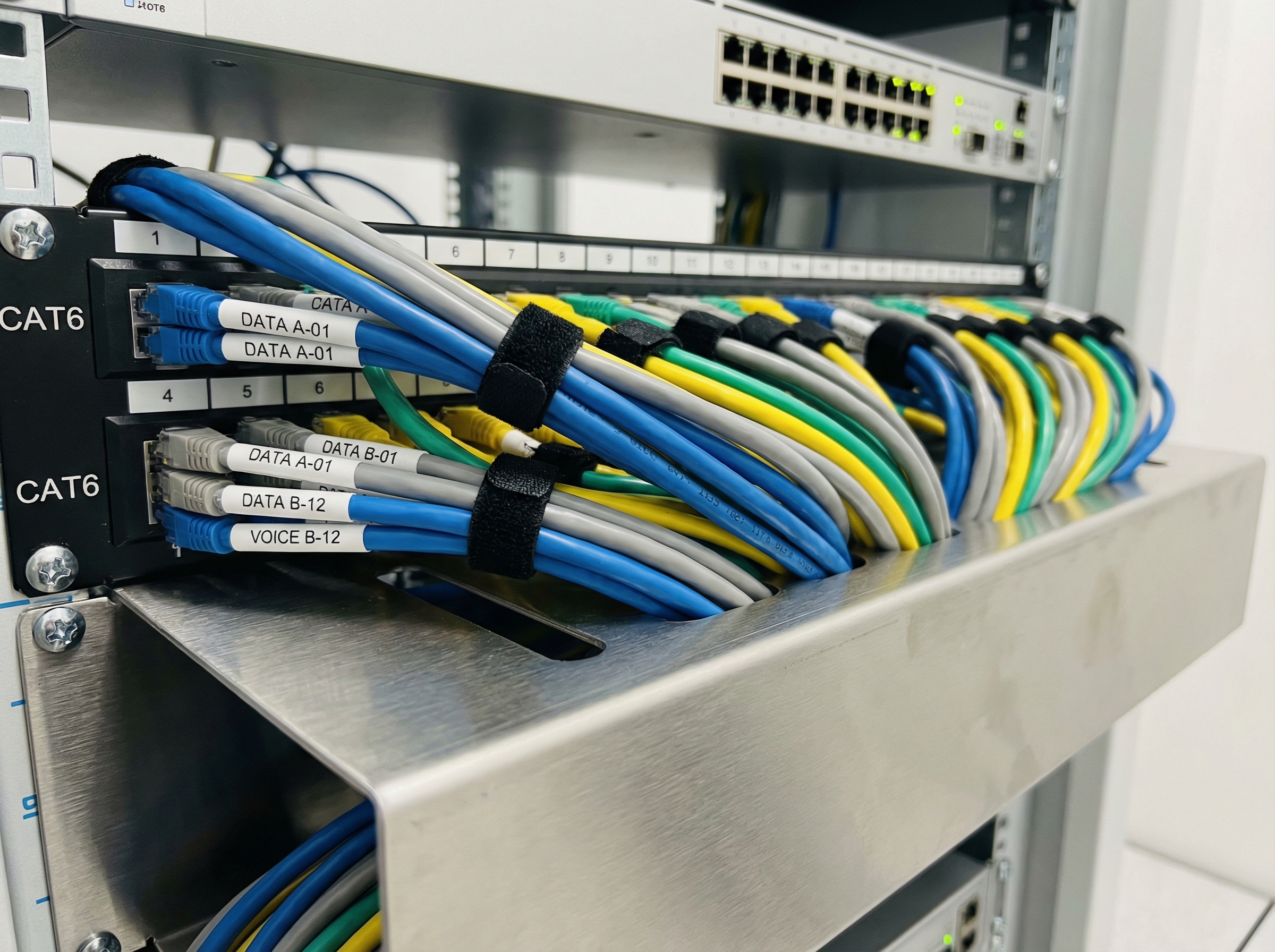
Professional structured cabling installation: Cat6a and Cat7 cables with proper cable management
While glamorous equipment like WiFi 7 APs and 10GbE switches capture attention, the humble Ethernet cable ultimately determines network reliability. Premium WiFi installation demands premium cabling—inferior cables create intermittent failures, limit throughput to fractions of rated speeds, and require costly replacement. This section examines structured cabling brands and standards critical for professional WiFi deployments.
Cable Categories and Standards for WiFi Deployment
Ethernet cabling evolves through TIA/EIA categories defining maximum bandwidth and distance capabilities. For modern WiFi installation supporting WiFi 6/6E/7 APs with 2.5GbE and 10GbE uplinks, Cat6a minimum has become the professional standard. While Cat5e and Cat6 suffice for 1GbE, the incremental cost difference (15-20%) makes Cat6a the rational choice for new installations.
| Category | Max Speed | Bandwidth | Distance | WiFi Support |
|---|---|---|---|---|
| Cat5e | 1 Gbps | 100 MHz | 100m | WiFi 5 APs, 1GbE uplinks |
| Cat6 | 10 Gbps (to 55m) | 250 MHz | 100m (1GbE) / 55m (10GbE) | WiFi 6 APs, 2.5GbE uplinks |
| Cat6a | 10 Gbps | 500 MHz | 100m | WiFi 6/6E/7, 10GbE uplinks |
| Cat7 | 10 Gbps+ | 600 MHz | 100m | Future-proofing, shielded environments |
| Cat8 | 25/40 Gbps | 2000 MHz | 30m | Data center, switch-to-switch only |
Premium Cabling Brands: CommScope, Panduit, Belden
The structured cabling market divides between premise wiring manufacturers (CommScope, Panduit, Belden, Nexans, Schneider Electric) providing end-to-end systems, and cable-only manufacturers producing raw cable sold through distributors. For professional WiFi installation warranting 25-year performance guarantees, end-to-end systems from premium brands provide assurance worth their cost premiums.
CommScope (SYSTIMAX): Industry Leadership
CommScope Portfolio
- SYSTIMAX GigaSPEED XL (Cat6): Premium Cat6 with 10Gbps support to 55m—RM 8-10/meter
- SYSTIMAX GigaSPEED X10D (Cat6a): Flagship 10GbE solution, 25-year warranty—RM 12-15/meter
- SYSTIMAX LazrSPEED (OM3/OM4 Fiber): For 10GbE+ backbone and data center—RM 15-25/meter
- SYSTIMAX PowerSUM (Cat5e): Entry-level for basic deployments—RM 4-6/meter
- Advantage: Most widely certified systems, strongest Malaysian partner ecosystem
Panduit: Innovation and Certification
Panduit Differentiation
- TX6A-28 (Cat6a 28AWG): Smaller diameter enables higher density—RM 10-13/meter
- MaTrix Copper Cabling: Advanced alien crosstalk suppression for high-density trays
- VeriSafe: Automated cable testing and documentation system
- Advantage: Superior high-density performance, excellent documentation tools
- Malaysia Presence: Strong technical support through local partners
Belden: Industrial and Harsh Environments
Belden Specialization
- 10GX (Cat6a): Superior noise immunity through patented Bonded-Pair technology—RM 11-14/meter
- Industrial Ethernet: Harsh environment cables (temperature, oil, moisture resistant)
- Security Solutions: Tamper-evident and secure conduit systems
- Advantage: Best-in-class electromagnetic interference rejection
- Best For: Manufacturing, warehouse, and challenging RF environments
Budget Cabling Options: Nexans, Schneider, Local Brands
| Brand | Cat6a Price/m | Warranty | Malaysia Support | Best For |
|---|---|---|---|---|
| CommScope SYSTIMAX | RM 12-15 | 25 years | Excellent | Enterprise, mission-critical |
| Panduit | RM 10-13 | 25 years | Very Good | High-density, data centers |
| Belden | RM 11-14 | 25 years | Good | Industrial, harsh environments |
| Nexans LANmark | RM 9-12 | 25 years | Good | Cost-conscious enterprise |
| Schneider Actassi | RM 8-11 | 25 years | Good | SMB, commercial buildings |
| Quality Local Brands | RM 5-8 | Variable | Limited | Budget projects, residential |
Translife's Cabling Standards for Premium WiFi Installation
Our Cabling Specification
As a premium WiFi installation provider, Translife Group maintains strict cabling standards ensuring our wireless deployments perform to specification. We specify:
- Minimum Standard: Cat6a for all new installations, regardless of current AP requirements
- Preferred Brands: CommScope SYSTIMAX or Panduit for enterprise deployments
- Acceptable Alternative: Belden for industrial environments; Nexans/Schneider for budget-conscious SMB
- Certification Required: Full Fluke testing and certification documentation on all cable runs
- Warranty: 25-year system warranty from structured cabling manufacturer
This specification adds 10-15% to raw cabling costs but eliminates the call-backs and troubleshooting caused by inferior infrastructure. When clients invest in professional WiFi installation, cutting corners on cabling defeats the entire purpose.
Network Management Platforms: Cloud vs On-Premises
Beyond individual device selection, WiFi infrastructure requires management platforms for configuration, monitoring, and troubleshooting. The management layer profoundly impacts operational overhead—intuitive platforms reduce support burden while cumbersome interfaces increase costs despite cheaper hardware. This section compares leading management approaches.
Cloud-Managed Platforms: Meraki, Aruba Central, UniFi
| Platform | Devices Supported | Pricing Model | Standout Feature | Best For |
|---|---|---|---|---|
| Cisco Meraki Dashboard | Routers, switches, APs, cameras, MDM | Per-device license (RM 300-1500/year) | Ease of use, templates, zero-touch | Organizations prioritizing simplicity over granular control |
| Aruba Central | Routers, switches, APs, SD-WAN | Per-device subscription (RM 200-800/year) | AI insights, NetInsight, ClearPass integration | AI-powered optimization, enterprise security |
| Ubiquiti UniFi Network | Routers, switches, APs, cameras, phones, access | Free (self-hosted) or Cloud Key (RM 800-1500) | Unified ecosystem, no recurring fees | SMBs seeking value, integration with UniFi hardware |
| TP-Link Omada | Routers, switches, APs | Free controller software | Zero licensing costs, budget-friendly | Cost-conscious deployments, basic management needs |
| Netgear Insight | Switches, APs, storage | Per-device subscription (RM 100-300/year) | Multi-site visibility, simple multi-tenant | MSP deployments, distributed small offices |
On-Premises Management: DNA Center, AirWave, Standalone Controllers
For organizations with security policies restricting cloud connectivity or requiring complete control, on-premises management platforms provide alternatives. These solutions typically require dedicated appliances or virtual machines, increasing complexity but eliminating cloud dependencies.
On-Premises Options
- Cisco DNA Center: Full Cisco SD-Access orchestration, on-prem appliance (RM 150,000+)
- Aruba AirWave: Multi-vendor monitoring, virtual appliance, traditional but reliable
- Ubiquiti UniFi Self-Hosted: Controller on local server/VM—free, requires management
- Ruckus SmartZone: Virtual or physical controller, strong high-density optimization
- Cisco WLC (Wireless LAN Controller): Traditional controller architecture, proven but dated
Equipment Recommendations by Deployment Scenario
Having examined individual brands across equipment categories, this section synthesizes recommendations for common Malaysian and Singaporean WiFi deployment scenarios. These recommendations reflect real-world deployment experience, balancing performance, cost, and operational considerations.
Small Office (10-25 Users): Cost-Effective Professional WiFi
Recommended Stack
- Router/Gateway: Ubiquiti UniFi Dream Machine Pro (UDM-Pro) or Cloud Gateway Ultra—RM 2,200-2,800
- Switch: UniFi USW-24-POE or USW-16-POE—RM 1,450-2,200
- Access Points: 2-3× UniFi U6-Lite or U6-Pro—RM 650-1,280 each
- Cabling: CommScope Cat6a or quality local equivalent—RM 6-10/meter
- Management: UniFi Network Controller (free, self-hosted on UDM-Pro)
- Total Budget: RM 8,000-15,000 depending on office size and AP count
Why This Stack: UniFi delivers 90% of enterprise features at 40% of cost—perfect for SMBs without dedicated IT staff. Professional installation ensures proper RF design and configuration, compensating for limited vendor support.
Medium Office (25-75 Users): Balanced Performance and Value
Recommended Stack
- Router/Gateway: Aruba Gateway 7005 or UniFi UXG-Pro—RM 3,800-8,500
- Switch: Aruba CX 6100-24 or UniFi USW-Pro-24-POE—RM 4,500-8,500
- Access Points: 4-8× Aruba AP-515 or UniFi U6-Pro—RM 1,280-3,200 each
- Cabling: CommScope or Panduit Cat6a—RM 10-13/meter
- Management: Aruba Central (subscription) or UniFi Controller (free)
- Total Budget: RM 25,000-60,000 depending on density and features
Why This Stack: At this scale, Aruba's AI-powered optimization delivers measurable user experience improvements justifying modest cost premiums. For budget-conscious deployments, UniFi Pro series maintains excellent value.
Large Enterprise (75-200+ Users): Premium Performance and Support
Recommended Stack
- Router/Gateway: Aruba Gateway 7010/7030 or Cisco Meraki MX 85/95—RM 18,000-45,000
- Switches: Aruba CX 6300-48 or Cisco Catalyst 9300-48—RM 22,000-35,000
- Access Points: 10-20× Aruba AP-535/AP-555 or Cisco Catalyst 9120/9130—RM 4,500-7,200 each
- Cabling: CommScope SYSTIMAX or Panduit Cat6a—RM 12-15/meter
- Management: Aruba Central Advanced or Cisco DNA Advantage
- Total Budget: RM 150,000-400,000+ depending on scale and redundancy
Why This Stack: Enterprise deployments demand formal support SLAs, AI-powered optimization, and comprehensive security. Aruba and Cisco deliver these requirements; the choice depends on existing vendor relationships and specific feature requirements.
High-Density Venues: Stadiums, Convention Centers, Auditoriums
Recommended Stack
- Router/Gateway: Cisco Meraki MX 250 or Fortinet FortiGate 100F—RM 45,000-85,000
- Switches: Cisco Catalyst 9300-48 (UPoE) or Aruba CX 6400—RM 35,000-60,000
- Access Points: Ruckus R750/R850 or Aruba AP-555—RM 6,500-8,500 each
- Cabling: CommScope Cat6a or Belden 10GX—RM 12-15/meter
- Management: Ruckus SmartZone or Aruba Central (event-optimized)
- Total Budget: RM 300,000-800,000+ depending on venue size
Why This Stack: High-density deployments represent the most challenging WiFi scenarios. Ruckus BeamFlex+ technology and Aruba's high-density optimization justify premium pricing when 500+ clients per AP must perform reliably.
Conclusion: Making Informed WiFi Equipment Decisions
This comprehensive 30,000-word analysis has examined the enterprise WiFi equipment landscape across routers, access points, switches, and structured cabling—providing the technical depth necessary for informed procurement decisions. The equipment choices made during WiFi installation projects profoundly impact network performance, operational overhead, security posture, and total cost of ownership over equipment lifespans.
Several key insights emerge from this analysis: First, the days of one-size-fits-all networking are over—equipment selection must match organizational scale, technical capabilities, and performance requirements. Second, the premium commanded by Cisco and Aruba delivers tangible value in management sophistication, AI-powered optimization, and formal support infrastructure—but this value may exceed smaller organizations' needs. Third, Ubiquiti UniFi has earned its market position legitimately, delivering capabilities matching 80% of enterprise requirements at 40% of traditional pricing, making it ideal for SMB WiFi installation. Fourth, structured cabling quality directly impacts long-term reliability—cutting corners on cabling undermines even the finest access points.
For Malaysian and Singaporean businesses evaluating pasang wifi options, equipment selection represents only half the equation. Even premium hardware performs poorly when improperly deployed—APs positioned without RF planning, switches inadequately powered for PoE++ requirements, or cabling untested and uncertified. This reality underscores why professional installation from qualified providers delivers value beyond equipment procurement: expert site assessment, proper equipment specification, meticulous installation, and ongoing optimization transform hardware investments into high-performing networks.
The brands examined in this guide—Cisco, Aruba, Ubiquiti, TP-Link, Ruckus, Fortinet, and others—all serve legitimate market segments. The "best" choice depends on specific organizational contexts: security requirements, IT staff capabilities, growth trajectories, and budget constraints. Organizations should select equipment aligned with their realities rather than aspirational enterprise standards, then partner with professional installers who maximize chosen equipment's potential through expert deployment.
Premium WiFi Installation by Translife Group
Equipment selection is only the beginning. Professional WiFi installation transforms hardware investments into high-performing, reliable networks that enhance productivity and user satisfaction. Translife Group delivers premium WiFi installation services across Malaysia and Singapore, combining enterprise-grade equipment expertise with meticulous deployment practices.
Our Equipment Expertise
- ✓ Certified engineers for Cisco, Aruba, and Ubiquiti ecosystems
- ✓ Direct partnerships with CommScope, Panduit, and Belden
- ✓ Real-world performance testing across all major brands
- ✓ Vendor-neutral consulting—equipment matched to your needs
Our Installation Standards
- ✓ Comprehensive site surveys with RF analysis
- ✓ Full Fluke cable certification on all runs
- ✓ Post-installation heat maps and performance validation
- ✓ 1-year warranty on workmanship with ongoing support