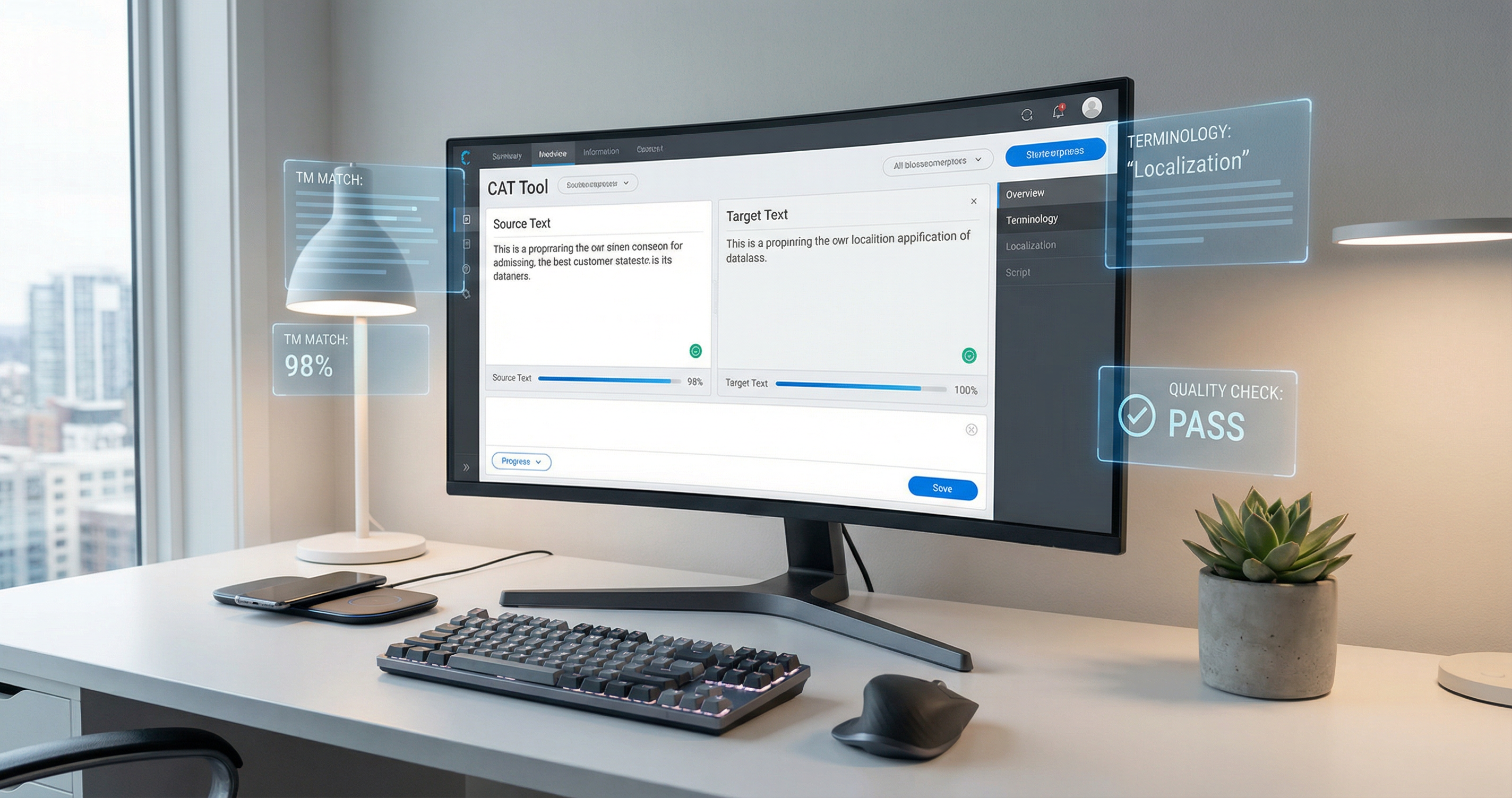
Computer-Assisted Translation (CAT) tools have revolutionized the translation industry, transforming how professional translators work and dramatically increasing productivity. From humble beginnings as simple translation memory systems to today's AI-powered, cloud-native platforms, CAT tools are essential productivity software for any translator seeking to remain competitive in the modern language services market.
Executive Summary: Why CAT Tools Matter
Computer-Assisted Translation tools represent the most significant technological advancement in translation since the advent of word processing. These specialized software applications help translators work faster, more consistently, and with higher quality by leveraging previous translations, managing terminology, and automating quality checks. For professional translators, CAT tools have shifted from competitive advantage to absolute necessity.
The productivity gains from CAT tool adoption are substantial and well-documented. Studies consistently show that translators using CAT tools achieve productivity increases of 30% to 50% compared to working without such tools. For repetitive content types—such as software documentation, legal contracts with standard clauses, or technical manuals with recurring terminology—the gains can exceed 100%. A translator who previously managed 2,000 words per day can often achieve 3,000 to 4,000 words with appropriate CAT tool utilization.
The evolution of CAT tools mirrors broader technological trends. First generation tools in the 1990s focused primarily on translation memory (TM)—storing and retrieving previously translated segments. Second generation tools added terminology management and quality assurance features. Today's third generation platforms integrate neural machine translation, cloud collaboration, and AI-assisted features that would have seemed futuristic just a decade ago. The boundary between CAT tools and machine translation systems continues to blur as vendors incorporate increasingly sophisticated AI capabilities.
Market adoption reflects this technological trajectory. The global CAT tools market, valued at approximately $3.5 billion in 2024, grows at a compound annual growth rate of 12-15%. Enterprise adoption approaches universal levels among major language service providers (LSPs), with SDL Trados, memoQ, and Phrase dominating the enterprise segment. Individual translator adoption varies by region and specialization, but professional translators in major markets increasingly view CAT tool proficiency as a baseline requirement for employment or project allocation.
Key CAT Tool Benefits at a Glance
Understanding CAT Tool Fundamentals
Before diving into specific tools and features, understanding the core concepts underlying CAT technology is essential. These fundamental principles explain why CAT tools work and how they deliver their productivity benefits.
Core Concepts: The Building Blocks of CAT Technology
Translation Memory (TM) forms the heart of every CAT tool. A translation memory is a database that stores previously translated text segments (typically sentences or paragraphs) paired with their source language equivalents. When a translator encounters a new source segment, the CAT tool automatically searches the TM for matches. If an identical or similar segment exists from a previous translation, the tool suggests the stored translation, which the translator can accept, modify, or reject.
The power of translation memory lies in the repetitive nature of translation work. Technical documentation reuses phrases consistently. Legal contracts contain standard clauses that appear repeatedly across agreements. Software interfaces use consistent terminology throughout. By capturing and reusing these repeated elements, TM eliminates redundant work and ensures consistency across large projects and over time.
Terminology databases (also called glossaries or termbases) complement translation memory by managing approved translations for specific words and phrases. While TM handles sentences and paragraphs, terminology focuses on individual terms—product names, technical concepts, brand language, and specialized vocabulary. Effective terminology management ensures that critical terms are translated consistently according to client preferences or industry standards.
Terminology recognition happens in real-time during translation. As the translator works, the CAT tool identifies source terms that have approved translations in the termbase and displays these suggestions prominently. This prevents inconsistency—translating "database" as "base de données" in one paragraph and "base de données relationnelles" in another, for example—without requiring the translator to memorize extensive glossary lists.
Segmentation refers to how CAT tools break source documents into translatable units. Most tools use sentence-level segmentation by default, identifying sentence boundaries through punctuation and capitalization patterns. Advanced segmentation rules handle exceptions— headings, list items, table cells, and specialized content that doesn't follow standard sentence structure. Proper segmentation ensures that TM matches work effectively by creating consistent, reusable units.
Alignment is the process of creating translation memories from existing source-target document pairs. When an organization has previously translated documents but no TM, alignment tools analyze the source and target files, matching corresponding segments to populate a new translation memory. This "legacy TM creation" is crucial for organizations adopting CAT tools for the first time, allowing them to leverage years of previous translation work.
Quality Assurance (QA) in CAT tools encompasses automated checks that identify potential errors before delivery. These checks verify that numbers match between source and target, that terminology follows the approved glossary, that formatting tags are preserved, and that no segments remain untranslated. QA functionality catches errors that are easy to miss during manual review, particularly in large projects with hundreds or thousands of segments.
How CAT Tools Work: The Technical Process
The CAT tool workflow begins with source file analysis and parsing. When a project is created, the tool examines the source files—whether Word documents, Excel spreadsheets, HTML files, or specialized formats like InDesign packages. The parsing engine extracts translatable text while preserving non-translatable elements like formatting codes, graphics, and layout information. This separation of content from presentation is fundamental to CAT tool operation.
Parsing engines vary significantly in sophistication. Basic tools handle common office formats adequately but struggle with complex layouts or specialized file types. Enterprise-grade CAT tools include advanced filters for desktop publishing formats, software localization files, and XML-based content management systems. These filters understand document structure, identifying which elements require translation and which must remain unchanged.
Fuzzy match logic determines how CAT tools identify and score similar segments. When the current source segment doesn't match any TM entry exactly, the tool calculates similarity scores based on character matching, word order, and segment length. Match categories typically include:
- 100% matches: Identical segments with identical context (previous and following segments also match)
- 95-99% matches: Near-identical with minor differences (numbers, dates, or small word changes)
- 85-94% matches: High similarity requiring moderate editing
- 75-84% matches: Lower similarity where the stored translation serves as a useful reference
- No match: Segments requiring translation from scratch
Match thresholds affect both productivity and quality. Higher thresholds (requiring 95%+ for suggestions) ensure high-quality matches but miss opportunities where a 75% match would save time. Lower thresholds increase match volume but require more editing time. Experienced translators configure thresholds based on content type, quality requirements, and personal preference.
Context matches extend basic fuzzy matching by considering the surrounding context. A segment that appears identical in isolation might require different translation depending on what comes before or after. Context matching identifies 100% matches only when the surrounding segments also match, ensuring that identical source segments receive appropriate translation based on their position in the document.
Fragment assembly represents an advanced matching technique where CAT tools combine partial matches from multiple TM entries. If the current source segment combines elements from two previously translated segments, the tool might assemble a suggestion drawing from both. While less reliable than full segment matches, fragment assembly can provide helpful starting points for complex sentences.
Propagation and auto-propagationautomate the application of translations to repeated segments. When a translator translates a segment that appears multiple times in a document, propagation applies that translation to all identical instances automatically. This ensures consistency and eliminates redundant work. Auto-propagation goes further by automatically inserting 100% matches without requiring translator confirmation, though most workflows retain manual review for quality control.
File Format Support: What CAT Tools Can Handle
CAT tool effectiveness depends heavily on file format support. The ability to process a client's source files directly—without manual conversion or workaround—determines whether the tool can be used for a given project. Modern CAT tools support extensive format lists, though capabilities vary significantly between products.
Microsoft Office formats (Word, Excel, PowerPoint) represent the most common translation file types. CAT tools handle these through native filters that preserve formatting, styles, and embedded content. Word documents with complex formatting—tables, headers, footers, footnotes, track changes, and comments—require sophisticated parsing to maintain fidelity. Excel files present challenges with formulas, merged cells, and hidden sheets. PowerPoint adds animation triggers, speaker notes, and master slide relationships to the complexity.
Desktop Publishing formats enable translation of marketing materials, technical documentation, and publications without breaking layout. Adobe InDesign, Adobe FrameMaker, QuarkXPress, and Scribus files contain complex formatting, typography settings, and image relationships that must be preserved through the translation process. DTP-capable CAT tools extract text for translation while maintaining links to the original layout, allowing translated files to retain the original design characteristics.
Web and markup formats include HTML, XML, XLIFF, and JSON—formats common in website localization and software internationalization. HTML filters handle inline tags, entities, and attributes that may or may not require translation. XML support varies widely, with enterprise tools offering schema-aware processing that understands which elements and attributes contain translatable content. JSON has become increasingly important for web application localization and mobile app translation.
Software localization formats include property files, resource files (RESX), PO/POT files, and iOS/Android string files. These formats present unique challenges: variables and placeholders must be preserved, character length constraints may apply to translated strings, and context comments help translators understand usage. CAT tools designed for software localization provide specialized handling for these requirements.
Specialized and legacy formats include SDLXLIFF (SDL Trados's native format), TTX (TradosTag), MQXLIFF (memoQ), TMX (Translation Memory eXchange), and TBX (TermBase eXchange). These industry-specific formats enable interoperability between different CAT tools and facilitate TM exchange between clients and vendors. Support for these interchange formats is essential for working in complex supply chains involving multiple tools and platforms.
| Format Category | Common Formats | Translation Use Case |
|---|---|---|
| Office Documents | .docx, .xlsx, .pptx | Business documents, presentations |
| Desktop Publishing | .indd, .fm, .qxp | Marketing materials, manuals |
| Web/Markup | .html, .xml, .json | Websites, web applications |
| Software Localization | .properties, .resx, .po, .strings | Application interfaces |
| Bilingual/CAT Formats | .sdlxliff, .txx, .tmx, .tbx | TM exchange, bilingual files |
| Subtitle/Video | .srt, .vtt, .ass, .sub | Media localization |
Major CAT Tools: A Comprehensive Deep Dive
The CAT tool market features dozens of products ranging from enterprise platforms to free open-source solutions. Understanding the major players—their strengths, weaknesses, and ideal use cases—enables informed selection decisions for individual translators, agencies, and enterprises.
SDL Trados Studio: The Market Leader
SDL Trados Studio (now part of RWS following the 2020 merger) holds the dominant position in the professional CAT tool market. Originally developed in the 1990s as Trados Workbench, the product evolved through multiple generations to become the industry standard against which other tools are measured. For many enterprise LSPs and corporate translation departments, "CAT tool" effectively means "Trados."
Trados Studio's feature set is comprehensive. The core translation environment provides advanced translation memory with fuzzy matching up to 99%, real-time terminology recognition, and quality assurance checks. The product handles over 100 file formats including complex desktop publishing files, software localization formats, and XML with custom parsing rules. Project management capabilities support large-scale translation workflows with multiple translators, reviewers, and project managers.
SDL MultiTerm, the integrated terminology management component, manages termbases of unlimited size with support for multimedia definitions, term relationships, and complex approval workflows. MultiTerm integrates tightly with Studio during translation, displaying recognized terms with their approved translations and enabling one-click insertion. The termbase structure supports multiple languages, definition fields, and custom attributes for sophisticated terminology governance.
SDL Language Cloud extends Trados Studio with cloud-based translation management and machine translation integration. The platform enables project creation, translator assignment, progress tracking, and delivery through web interfaces accessible to clients and project managers. Neural machine translation from SDL's own engines or third-party providers can be integrated for MT post-editing workflows. This hybrid approach—desktop tool for translators, cloud platform for management—addresses the needs of complex enterprise translation programs.
Pricing for Trados Studio follows a perpetual license model with annual maintenance. Professional licenses range from €695 to €2,995 depending on edition (Freelance, Workgroup, or Professional), with annual maintenance typically 15-20% of the license cost. Freelance editions have limitations—typically maximum TM size and project count—that push serious professionals toward higher-tier licenses. The pricing reflects Trados's enterprise positioning, making it a significant investment for individual translators.
Strengths include unmatched file format support, extensive third-party integration, and market ubiquity that ensures client compatibility. The user community is vast, with training resources, forums, and certification programs widely available. Weaknesses include a steep learning curve compared to newer tools, interface complexity that overwhelms new users, and pricing that excludes budget-conscious freelancers.
memoQ: The Strong Alternative
memoQ, developed by Hungarian company Kilgray (now part of the RWS group following the SDL merger), has emerged as the primary alternative to Trados Studio for professional translators and agencies. Since its initial release in 2006, memoQ has gained market share through a combination of competitive features, aggressive pricing, and responsive customer service that contrasts with Trados's enterprise-focused approach.
The memoQ product line includes multiple editions tailored to different user types. memoQ translator pro targets individual translators with a desktop application that rivals Studio's capabilities at a lower price point. memoQ server provides enterprise deployment with web-based translation interfaces, project management dashboards, and client review portals. memoQ cloud offers hosted deployment for organizations wanting the benefits of memoQ server without infrastructure investment. The product strategy provides upgrade paths as translators and agencies grow.
Key technical differentiators include LiveDocs, a feature that enables translation memory creation from aligned documents without importing into the main TM. This "just-in-time" TM generation provides match suggestions without permanently adding potentially problematic legacy content to the master TM. Machine translation integration is particularly well-implemented, with memoQ supporting over 20 MT engines including DeepL, Google Translate, Microsoft Translator, and custom customer-specific engines.
QTerm, memoQ's terminology management module, provides hierarchical termbase organization that many users find more intuitive than MultiTerm's flat structure. Term extraction tools analyze source documents to identify candidate terms for glossary creation, streamlining terminology preparation for new projects. Termbase sharing and collaboration features support team terminology management.
Pricing for memoQ translator pro starts at €620 for a perpetual license, with subscription options at €49/month providing access to the full feature set without upfront investment. This pricing positions memoQ as a more accessible alternative to Trados Studio, particularly attractive to freelancers building their first CAT tool investment. memoQ server's pricing scales with user count and requires custom quoting for enterprise deployments.
memoQ strengths include excellent MT integration, user-friendly interface design, and strong customer support. The product has earned a reputation for listening to user feedback and implementing requested features. Weaknesses include smaller third-party ecosystem compared to Trados, and some users report occasional stability issues with very large projects. File format support, while comprehensive, lags slightly behind Trados for specialized DTP formats.
Wordfast: The Accessible Option
Wordfast occupies a unique position in the CAT tool market through its dual-edition strategy. Wordfast Pro provides a full-featured desktop CAT tool for professional use, while Wordfast Anywhere offers a free, browser-based translation environment with basic CAT functionality. This approach makes Wordfast accessible to translators at every career stage, from students learning CAT tools to professionals seeking enterprise features.
Wordfast Pro supports standard CAT features including translation memory, terminology management, and quality assurance. The product handles Microsoft Office formats, HTML, and various localization file types. While not as feature-rich as Trados or memoQ, Wordfast Pro covers the essential functionality most translators need daily. The interface prioritizes simplicity over comprehensive options, making it approachable for CAT tool beginners.
Wordfast Anywhere, the free web-based version, provides surprising capability for a zero-cost product. Users can create projects, upload documents in common formats, and translate with TM and glossary support. The free version has limitations—project count, TM size, and file format support—but suffices for small projects and learning purposes. Many translation students begin their CAT tool journey with Wordfast Anywhere before graduating to paid tools.
Enterprise features in Wordfast Pro include server-based TM sharing, project management, and API access for integration with content management systems. While the enterprise ecosystem is smaller than Trados or memoQ, Wordfast serves specific niches effectively. The pricing model is particularly attractive: Wordfast Pro licenses start around $400, with educational discounts and volume licensing available.
Déjà Vu: The Power User Tool
Déjà Vu, developed by Atril Solutions, has maintained a dedicated user base since the 1990s through unique technical approaches and deep format support. While never achieving the market dominance of Trados, Déjà Vu has earned loyalty among translators who value its distinctive features, particularly for complex file formats and database-driven architecture.
Déjà Vu's hallmark is deep file format support. The product handles Microsoft Office formats with particular sophistication, preserving complex formatting that challenges other tools. Excel files with formulas, pivot tables, and complex cell formatting translate accurately. PowerPoint animations and slide transitions survive the translation process intact. For translators working extensively with office documents where layout fidelity is critical, Déjà Vu provides unmatched reliability.
The product's database architecture differs from most CAT tools. Rather than storing translation memories as separate files, Déjà Vu uses an integrated database structure that can manage massive TM volumes efficiently. This design enables fast searching across millions of translation units and supports complex TM organization. The architecture suits enterprise environments with extensive legacy translation assets.
Déjà Vu targets power users who prioritize technical capability over ease of use. The learning curve is significant, and the interface reflects its 1990s origins despite ongoing updates. However, for translators who master its complexities, Déjà Vu rewards with capabilities unavailable in more modern tools. Pricing follows a traditional license model with editions ranging from approximately $400 to $1,200.
OmegaT: The Open Source Pioneer
OmegaT stands alone as the major open-source CAT tool, developed and maintained by a community of volunteer contributors since 2000. Licensed under the GNU General Public License, OmegaT is free to download, use, modify, and distribute without restriction. For translators unwilling or unable to invest in commercial CAT tools, OmegaT provides a genuine zero-cost alternative with professional-grade capabilities.
Feature-wise, OmegaT covers the CAT essentials: translation memory with fuzzy matching, glossary management, and project organization. The tool handles common file formats including Office documents, HTML, and localization files through integration with external libraries. Quality assurance features check for untranslated segments, tag mismatches, and terminology consistency. While lacking the polish and comprehensive feature sets of commercial tools, OmegaT enables productive translation workflows.
The open-source nature creates both advantages and limitations. Users benefit from transparency—no vendor lock-in, no subscription fees, and the ability to modify the software for specific needs. The active community provides support through forums and documentation. However, development resources are limited compared to commercial products, leading to slower feature development and occasional stability issues. User interface refinement and format support expansion lag behind funded competitors.
OmegaT suits specific use cases particularly well. Non-profit organizations with limited budgets can deploy professional translation workflows without licensing costs. Translation students can learn CAT tool fundamentals before investing in commercial products. Freelancers starting their careers can begin working immediately while building revenue for future tool investments. Translators in developing markets where commercial tool pricing represents significant expense find OmegaT enables professional practice.
Memsource/Phrase: The Cloud-Native Platform
Phrase (formerly Memsource) represents the cloud-native approach to CAT tools, positioning itself as a Translation Management System (TMS) rather than merely a translator's workstation. Founded in 2010, the company recognized early that translation workflows were moving to the cloud and built a platform optimized for web-based collaboration from the ground up. The 2021 acquisition by localization platform Phrase created a combined entity serving both traditional translation workflows and modern continuous localization needs.
The cloud-first architecture provides significant advantages for distributed teams. Translators work through web browsers without installing desktop software, enabling work from any device with internet access. Project managers create assignments, allocate resources, and monitor progress through web dashboards. Clients can access review portals to check translation quality and provide feedback. This accessibility eliminates version conflicts, software installation headaches, and cross-platform compatibility issues.
Phrase's feature set emphasizes workflow automation. Integration with content management systems, code repositories, and marketing platforms enables continuous localization—automated translation workflows that trigger when source content changes. Machine translation integration includes proprietary Phrase Neural MT along with third-party engines. Quality estimation technology predicts translation quality without full human review, optimizing quality assurance investment.
Pricing follows a SaaS subscription model with tiers based on user count, feature access, and volume. The Team edition starts around $25/user/month for basic TMS functionality, while enterprise editions with advanced automation and API access require custom pricing. The subscription model suits organizations preferring operational expenses over capital investment and those wanting predictable costs as they scale.
Smartcat: The Marketplace Platform
Smartcat combines CAT tool functionality with a translation marketplace, creating a platform where clients and translators connect while managing projects end-to-end. Founded in 2016, Smartcat has grown rapidly by addressing the friction in translation procurement—finding qualified translators, managing projects, and processing payments.
The platform offers free CAT tool access to translators, removing the barrier of software investment that prevents many from adopting professional tools. Translators build profiles, take tests to verify skills, and receive project invitations based on their qualifications. The marketplace model enables new translators to find initial clients while building reputation through platform ratings and reviews.
Collaboration features support multi-vendor projects where client content is distributed among multiple translators. Project managers can monitor progress across distributed teams in real-time. Payment integration handles automatic payments to translators upon project completion, eliminating invoicing and collection hassles. For clients, this creates a one-stop solution from project creation to delivery without managing multiple vendor relationships.
Smartcat's CAT editor provides core functionality including TM, terminology, and quality assurance. While not as feature-rich as Trados or memoQ, the editor suffices for most translation work and integrates seamlessly with the platform's marketplace and payment features. The combination of free tools, marketplace access, and payment handling creates a compelling value proposition for freelance translators and smaller agencies.
MateCat: The Research-Backed Platform
MateCat originated as a research project at Fondazione Bruno Kessler in Trento, Italy, combining academic research in machine translation with practical translation workflow needs. Launched in 2014, the platform offers free cloud-based CAT tool access funded by research grants and commercial machine translation API sales. This academic backing distinguishes MateCat from commercial competitors and influences its feature development priorities.
The platform's key innovation is deep integration between CAT and neural machine translation. Unlike tools that treat MT as an optional add-on, MateCat was designed around MT post-editing workflows from the beginning. The interface presents MT suggestions alongside TM matches, with quality estimation highlighting segments likely to require more or less editing. This MT-centric approach reflects the research project's focus on improving translation efficiency through AI assistance.
MateCat remains free for translators and translation companies, with revenue coming from API access to the underlying MT technology. The platform supports standard CAT features—TM, terminology, QA checks—and handles common file formats. For academic researchers, language technologists, and budget-conscious translators, MateCat provides a zero-cost professional platform with cutting-edge MT integration.
Lokalise, Crowdin, Smartling: Developer-Focused Platforms
A distinct category of CAT tools targets software developers and product teams rather than traditional translation agencies. These platforms emphasize integration with development workflows, continuous localization, and API-first architectures. While they provide translation editing interfaces, their core value lies in automation and developer experience.
Lokalise targets mobile app and software developers with features like screenshot context, design tool integration (Figma, Adobe XD), and automated string management. The platform integrates with GitHub, GitLab, and Bitbucket to trigger translations when code changes. Mobile SDKs enable over-the-air updates of translated content without app store resubmission. Pricing scales with key count and team size.
Crowdin serves similar developer markets with strong support for game localization, mobile apps, and web applications. The platform emphasizes collaboration features like in-context editing, where translators work directly on live websites or applications. Machine translation integration and translation memory support efficient workflows. Crowdin's pricing model accommodates open-source projects with free access for qualifying initiatives.
Smartling positions as an enterprise globalization platform serving major brands with complex localization requirements. The platform combines translation management with website localization technology, including proxy-based solutions that localize websites without code changes. Smartling's "Global Delivery Network" automatically translates website content in real-time as users request it. Enterprise pricing reflects the platform's positioning for major global brands.
Feature Comparison Matrix
Selecting the right CAT tool requires evaluating specific features against workflow requirements. This comprehensive comparison matrix provides side-by-side evaluation criteria for the major platforms.
| Feature/Capability | SDL Trados | memoQ | Wordfast | Phrase | OmegaT |
|---|---|---|---|---|---|
| Deployment Model | Desktop + Cloud | Desktop + Server | Desktop + Web | Cloud-native | Desktop only |
| Starting Price | €695 | €620 | $400 | $25/mo/user | Free |
| File Formats | 100+ | 90+ | 40+ | 50+ | 30+ |
| MT Integration | Excellent | Excellent | Good | Excellent | Basic |
| DTP Support | Excellent | Very Good | Limited | Good | Limited |
| Learning Curve | Steep | Moderate | Gentle | Moderate | Moderate |
| Collaboration | Very Good | Very Good | Basic | Excellent | None |
| Market Share | ~35% | ~20% | ~5% | ~15% | ~3% |
Platform Availability Comparison
| Tool | Windows | macOS | Linux | Web | Mobile |
|---|---|---|---|---|---|
| SDL Trados Studio | ✓ | Partial | ✗ | Via Language Cloud | ✗ |
| memoQ | ✓ | Via Wine | Via Wine | ✓ (Server) | ✗ |
| Wordfast | ✓ | ✓ | Via Wine | ✓ (Anywhere) | ✗ |
| Phrase | N/A | N/A | N/A | ✓ | ✗ |
| OmegaT | ✓ | ✓ | ✓ | ✗ | ✗ |
Workflow Optimization: Maximizing CAT Tool Efficiency
Tool selection is only the beginning—achieving the productivity gains CAT tools promise requires optimized workflows. These best practices help translators maximize efficiency across the entire translation lifecycle.
Pre-translation Workflow: Setting Up for Success
Effective translation begins before the first segment is translated.File preparation and analysis identify potential issues before they cause delays. Source files should be reviewed for corrupted formatting, missing fonts, password protection, or track changes that might complicate the translation process. Cleaning source files before import prevents conversion errors and preserves formatting integrity.
Most CAT tools provide project analysis functionality that evaluates source files against available translation memories, generating statistics on match rates, word counts, and repetitions. This analysis informs project planning—identifying how much content can leverage existing translations versus requiring new translation. For translators pricing by word count, analysis distinguishes between new words, fuzzy matches, and 100% matches, enabling appropriate pricing differentiation.
Project setup best practices include creating descriptive project names, organizing reference materials systematically, and configuring appropriate match thresholds. Setting up translation memories in priority order ensures the most reliable matches appear first. Preparing glossaries before translation begins prevents mid-project terminology research interruptions. Taking time for proper project setup pays dividends through faster, smoother translation execution.
TM preparation and maintenance directly impacts translation efficiency. TMs should be reviewed periodically to remove outdated or incorrect entries. Duplicate segments waste space and can create confusion if different translations exist for identical source text. Organizing TMs by domain, client, or subject matter helps prioritize the most relevant matches. Some translators maintain a "golden TM" of carefully vetted, high-quality translations as their primary resource.
During Translation: Keyboard Shortcuts and Efficiency Techniques
Mastering keyboard shortcuts separates efficient CAT tool users from those who lose time to mouse navigation. Core shortcuts include confirming segments, copying source to target, inserting matches, and navigating between segments. Advanced shortcuts handle concordance searches, tag insertion, and terminology lookup. Investing time to learn and internalize these shortcuts yields substantial productivity gains over the translation career.
Concordance search enables searching the translation memory for specific words or phrases. When encountering unfamiliar terminology or uncertain how a term was translated previously, concordance shows all TM occurrences with context. This functionality proves invaluable for maintaining consistency across large projects or when working on content related to previous translations. Most tools support both source and target language concordance searches.
Auto-suggest and predictive text features accelerate typing by suggesting completions as the translator types. These features draw from the TM, glossaries, and—increasingly—neural language models that predict likely next words or phrases. While suggestions must always be verified, auto-suggest reduces keystrokes and prevents typos. Advanced users develop workflows that accept appropriate suggestions quickly while overriding incorrect predictions.
Propagation strategies ensure consistency while avoiding incorrect automatic applications. When translating repetitive content, translators must decide whether to enable auto-propagation (automatically applying identical translations) or confirm each occurrence manually. High-confidence content with genuine repetition benefits from auto-propagation. Variable content where context might affect translation requires manual confirmation. Understanding when to trust propagation versus when to verify individually improves both speed and quality.
Post-translation: QA, Review, and Delivery
QA check execution should become a non-negotiable habit before any delivery. Automated checks catch tag mismatches, number inconsistencies, untranslated segments, and terminology deviations that are easy to miss during translation. Most CAT tools generate QA reports highlighting issues by severity, enabling efficient review prioritization. Resolving all critical errors and reviewing warnings before export prevents embarrassing quality issues in delivered files.
Review and proofreading workflows depend on project requirements. Some workflows separate translation and editing (TE), where a second linguist reviews the translator's work. Others combine translation, editing, and proofreading (TEP) for maximum quality. CAT tools support these workflows through status tracking (translated, edited, approved) and reviewer-specific views that hide the original translation to encourage independent review. Understanding and following the client's quality workflow is essential for professional delivery.
Final export and delivery requires attention to file format requirements. Ensure the exported format matches client expectations—some clients want bilingual review files, others want final target-only documents. Verify that formatting has been preserved correctly by opening exported files in native applications before delivery. Document any known issues or limitations to manage client expectations. Professional delivery practices build reputation and reduce revision requests.
Translation Memory Management: Building Your Most Valuable Asset
For professional translators, translation memory represents intellectual property that appreciates over time. Effective TM management transforms scattered translations into organized, searchable, high-quality resources that drive productivity and consistency.
TM creation and organization begins with strategic decisions about granularity. Some translators maintain a single master TM containing all their work. Others organize by client, domain, or language pair to improve match relevance. Domain-specific TMs (legal, medical, technical) ensure that terminology and phrasing appropriate to one field don't contaminate another. Client-specific TMs honor client preferences and terminology requirements. The optimal organization depends on the translator's specialization and client mix.
Import/export strategies enable TM portability and backup. The industry-standard TMX (Translation Memory eXchange) format allows TM transfer between different CAT tools. Regular exports to TMX protect against data loss and enable TM sharing with clients or colleagues. Understanding import options—whether to overwrite existing entries, update existing entries, or keep both versions—prevents unintended TM corruption during consolidation.
TM maintenance and cleanup prevents quality degradation over time. Translation memories accumulate errors—incorrect translations, outdated terminology, and segments where source text was modified after translation. Periodic TM audits identify problematic entries for removal or correction. Duplicate detection removes redundant segments that waste space and processing time. Consistency checking identifies source segments with conflicting translations that could confuse translators.
Leveraging legacy TMs enables productivity gains even when historical translations weren't created in CAT tools. Alignment tools compare source and target documents to create TM entries from previously translated materials. This "reverse engineering" of TMs from existing content transforms past work into reusable assets. For translators with years of previous translation work, legacy TM creation can be immediately transformative for productivity.
Multi-TM workflows combine multiple translation memories with priority ordering. Primary TMs (client-specific or domain-specific) provide first-match priority. Secondary TMs (related domains or general references) provide suggestions when the primary TM doesn't match. This layered approach maximizes match opportunities while prioritizing the most relevant suggestions. Advanced users fine-tune TM priorities for each project type.
TM sharing and exchange becomes relevant for agencies and teams. Centralized TM servers enable multiple translators to access and contribute to shared translation memories in real-time. TM exchange between clients and vendors enables consistency across the translation supply chain. However, TM sharing raises intellectual property considerations—translators should understand who owns TM rights and whether sharing is permitted under their contracts.
Terminology Management: Ensuring Consistency and Accuracy
While translation memory handles sentences and paragraphs, terminology management governs individual words and phrases—the building blocks of consistent, professional translation. Effective terminology work separates amateur translation from expert craft.
Term extraction identifies candidate terms from source documents. Automated term extraction analyzes text for specialized vocabulary, multi-word expressions, and domain-specific language that might require glossary entries. Manual term identification supplements automated extraction by capturing nuanced terms that algorithms miss. The extraction process creates a candidate list that is then reviewed, researched, and formalized into approved terminology.
Termbase creation transforms extracted terms into structured, searchable glossaries. Effective termbases include not just source and target terms, but also definitions, context examples, part of speech, gender information, and usage notes. Some termbases include forbidden terms—alternative translations that should be avoided. Comprehensive termbases serve as authoritative reference resources that enable consistent translation decisions.
Term recognition and insertion during translation happens through CAT tool integration. As translators work, the tool identifies source terms that exist in the termbase and displays approved translations prominently. One-click insertion replaces the source term with its approved equivalent, ensuring consistency and saving typing time. Visual indicators distinguish mandatory terms (must use) from preferred terms (recommended) and forbidden terms (never use).
Term verification workflows ensure terminology accuracy before delivery. QA checks verify that termbase entries appear correctly translated throughout the document. Concordance searches confirm that terms are used consistently. For high-stakes projects, specialized terminology review by subject matter experts validates that technical terms are correctly applied.
MultiTerm, QTerm, and TBX represent terminology technology approaches. SDL MultiTerm provides comprehensive terminology management integrated with Trados Studio. QTerm offers memoQ's alternative with hierarchical organization. TBX (TermBase eXchange) serves as the industry standard format for terminology exchange between different systems. Understanding these technologies enables effective terminology management across different client and tool environments.
Quality Assurance Features: Automated Error Prevention
Even experienced translators make mistakes—omissions, number errors, tag mismatches, and consistency issues that are easy to miss during intensive translation work. CAT tool quality assurance features serve as automated proofreaders that catch these errors before delivery.
Automated QA checks verify translation completeness and consistency. Untranslated segment detection identifies segments where the source was copied to target but not actually translated. Empty target checks find segments with no translation content. Length violations flag translations that exceed character limits common in software localization. These completeness checks ensure no content is accidentally omitted.
Tag and formatting verification preserves document structure through translation. Formatting tags—bold, italic, font changes, color—must appear in the target text to maintain formatting. XML or HTML tags must be preserved correctly to prevent rendering errors. Missing, extra, or malformed tags can break document formatting or cause technical failures. QA checks verify tag consistency between source and target.
Number and date checks catch common translation errors where numerical values change inadvertently. Numbers, percentages, currency amounts, and dates must match between source and target unless intentionally adapted (e.g., date format localization). QA checks flag mismatches for translator review, catching errors that are easy to overlook during manual proofreading.
Consistency validation ensures that identical source segments receive identical translations and that terminology follows the approved glossary. Inconsistent translations of the same source text reduce quality and confuse readers. QA tools identify these inconsistencies across the entire project, enabling correction before delivery.
Spell checking integration catches typographical errors in target text. While most CAT tools include integrated spell checkers, some integrate with external proofing tools for enhanced checking. Custom dictionaries include domain-specific terminology that standard dictionaries flag as errors. Multi-language spell checking supports translators working in multiple target languages.
Custom QA profiles adapt checking to project requirements. Some projects prioritize tag verification over spell checking; others require strict terminology adherence but accept length variations. QA profiles configure which checks run and their severity levels, preventing "warning fatigue" from irrelevant alerts while ensuring critical issues are flagged.
Machine Translation Integration: CAT + MT = Productivity
The relationship between CAT tools and machine translation has evolved from competition to collaboration. Modern CAT platforms integrate neural machine translation as a productivity feature rather than a replacement for human expertise, creating hybrid workflows that combine AI efficiency with human quality assurance.
MT in CAT tools explained: Rather than requiring translators to work in separate MT interfaces, modern CAT tools embed machine translation suggestions directly in the translation environment. The MT engine provides initial draft translations that appear alongside TM matches and terminology suggestions. The translator reviews, edits, and refines the MT output—known as Machine Translation Post-Editing (MTPE)—rather than translating from scratch.
Neural MT APIs integrated into CAT tools include industry-leading engines. DeepL is widely regarded as offering superior quality for European language pairs and has expanded support for Asian languages. Google Translate provides broad language coverage and continuous improvement through Google's AI infrastructure. Microsoft Translator integrates well with enterprise Microsoft environments. Amazon Translate and IBM Watson offer alternatives for organizations with existing cloud provider relationships.
MT post-editing (MTPE) workflows have become standard practice in many translation contexts. Light post-editing focuses on making MT output understandable, correcting only major errors that impede comprehension. Full post-editing aims for publication quality, correcting all errors and polishing style. The appropriate level depends on content purpose, quality requirements, and budget constraints. CAT tools support both approaches through configurable MT integration.
Confidence scores and thresholds help prioritize human review. MT engines estimate translation quality for each segment, highlighting high-confidence segments that require minimal editing and low-confidence segments needing careful review. Translators can focus attention where it's most needed, potentially skipping light review of high-quality MT output while scrutinizing problematic segments.
Adaptive MT represents the cutting edge of CAT-MT integration. Systems like LILT and custom neural MT models learn from translator corrections in real-time, improving output quality continuously as they adapt to specific domains, terminology, and translation style. This personalization creates virtuous cycles where MT quality improves with use, accelerating productivity gains over time.
When to use MT vs. TM depends on content characteristics. TM excels for repetitive content with established translation history. MT provides value for novel content where TM matches don't exist. Most modern workflows combine both—checking TM first for matches, then applying MT for unmatched content. Understanding when MT helps versus when it introduces more editing effort than translation from scratch is key to effective MTPE practice.
Collaboration and Project Management: Team Translation Workflows
Translation is rarely a solo activity. Large projects require coordination among multiple translators, reviewers, and project managers. CAT tools have evolved from single-user applications to collaborative platforms that support complex team workflows.
Cloud vs. desktop workflows represent fundamentally different collaboration approaches. Desktop tools (Trados Studio, memoQ translator pro) create project packages that are distributed to translators, then collected and consolidated upon completion. This package-based approach works well for defined projects with clear handoffs but creates friction for real-time collaboration. Cloud-native platforms (Phrase, Smartcat) enable simultaneous editing where multiple translators work on the same project concurrently with changes synchronized in real-time.
Package-based collaboration in desktop CAT tools involves creating, distributing, and collecting translation packages. Project managers create packages containing source files, TMs, glossaries, and project settings. Translators work offline, then return completed packages. The project manager consolidates multiple translator packages, resolves conflicts, and generates deliverables. While this workflow seems dated compared to cloud solutions, it remains common in enterprise environments with strict security requirements or unreliable internet connectivity.
Real-time collaboration features in modern platforms transform team translation. Multiple translators work simultaneously on the same project, with segments automatically locked during editing to prevent conflicts. Progress tracking shows completion percentages by translator and overall project status. Communication features enable translators to ask questions, share terminology decisions, and coordinate approach without leaving the CAT environment.
Client review integration streamlines the feedback loop. Rather than exporting documents for review in Word with tracked changes, modern CAT tools provide review interfaces where clients can comment on specific segments, suggest alternative translations, and approve or reject individual segments. This contextual review is more precise than document-level feedback and integrates directly into the translation workflow for efficient revision handling.
Project analytics and reporting provide visibility into translation operations. Project managers track productivity metrics, quality indicators, and deadline adherence. Cost analysis shows spending by project, client, or translator. Capacity planning uses historical data to forecast resource needs. These analytics transform translation from an opaque service into a measurable, optimizable business process.
Vendor management features support LSPs working with extensive translator networks. Vendor databases track qualifications, rates, availability, and performance history. Automated project assignment suggests optimal translator matches based on language pair, domain expertise, and workload. Performance analytics identify top performers and those requiring additional support or training.
Selecting the Right CAT Tool: A Decision Framework
With dozens of CAT tools available, selecting the right one can be overwhelming. This decision framework helps translators and organizations navigate selection by matching requirements to tool characteristics.
Individual Translator Criteria
For freelance translators, budget constraints often dominate selection decisions. Entry-level CAT tools like OmegaT (free) or Wordfast ($400) provide professional capabilities without significant investment. As revenue grows, upgrading to memoQ or Trados Studio brings enhanced features and client compatibility. Subscription models (Phrase, Smartcat) lower initial costs but create ongoing obligations.
Client requirements heavily influence tool selection. Clients with established CAT tool preferences may require compatibility with their systems. If major clients use Trados, investing in Trados Studio ensures seamless collaboration. Diversified client bases may require multiple tool investments or choosing tools with strong interoperability (supporting common exchange formats like TMX and XLIFF).
Specialization and content types affect tool suitability. Translators working extensively with InDesign marketing materials need DTP-capable tools like Trados Studio or Déjà Vu. Software localization specialists benefit from tools with strong localization format support like memoQ or Phrase. General business translators have more flexibility in tool selection.
Agency and LSP Requirements
Translation agencies require scalability to accommodate growing translator networks and project volumes. Server-based or cloud-native solutions (memoQ server, Phrase, Trados GroupShare) support team growth better than desktop-only tools. Scalability considerations include user licensing, concurrent project capacity, and infrastructure requirements.
Vendor flexibility matters for agencies working with diverse translator preferences. Supporting multiple CAT tools increases vendor pool access but complicates project management. Standardizing on widely-used tools (Trados, memoQ) ensures broad compatibility but may exclude qualified vendors using other platforms. Many agencies develop expertise in 2-3 primary tools covering most vendor capabilities.
Enterprise Considerations
Enterprise translation programs prioritize integration capabilities. CAT tools must connect with content management systems, document management platforms, learning management systems, and custom enterprise applications. API availability, pre-built connectors, and professional services support for custom integration influence enterprise selection decisions.
Security and compliance requirements shape enterprise tool selection. On-premise deployment options satisfy organizations with strict data sovereignty requirements. SOC 2 compliance, GDPR adherence, and industry-specific certifications (HIPAA for healthcare, ISO 27001 for security) may be mandatory. Enterprise security teams evaluate vendor security practices before approval.
Total cost of ownership extends beyond license fees to include implementation, training, customization, maintenance, and ongoing support. Enterprise selection processes involve comprehensive ROI analysis comparing these total costs across vendor proposals.
Advanced Features and Future Trends
The CAT tool landscape continues evolving rapidly. Understanding emerging features and future directions helps translators and organizations prepare for tomorrow's translation technology.
Speech-to-text integration enables spoken translation input. Translators dictate target text rather than typing, with CAT tools integrating voice recognition for hands-free translation. This accessibility feature benefits translators with repetitive strain injuries and those who think more fluidly when speaking than typing.
Video subtitling capabilities expand CAT tools into multimedia localization. Time-coded subtitle editing, waveform visualization, and video preview integration enable translators to work directly with audiovisual content. As video content proliferates, these capabilities transform CAT tools from document processors into multimedia localization platforms.
AI-assisted translation extends beyond basic MT to provide contextual suggestions, style guidance, and quality prediction. Large language models trained on domain-specific content can suggest alternative phrasings, flag potential errors, and provide reference examples from similar translations. This AI assistance augments translator expertise rather than replacing it.
Predictive typing leverages machine learning to suggest completions based on partial input, previous translations, and context. Unlike simple auto-complete, predictive typing understands translation context and can suggest entire phrases or clauses that fit the specific sentence being translated.
Voice commands enable hands-free CAT tool operation. Translators can confirm segments, insert matches, navigate documents, and execute common commands through speech rather than keyboard shortcuts. This accessibility feature expands tool accessibility for translators with mobility limitations and enhances productivity for all users.
The future of CAT tools points toward increasingly intelligent, integrated, and invisible translation assistance. Rather than translators operating distinct software, translation functionality will embed seamlessly in content creation and consumption environments. Real-time translation, automatic quality improvement, and ambient translation assistance will transform how multilingual content is created and consumed.
Training and Certification: Building CAT Tool Expertise
Tool proficiency directly impacts productivity and earning potential. Professional CAT tool training transforms basic users into power users capable of leveraging advanced features and optimizing workflows.
Official training programs from major vendors provide structured learning paths. SDL Trados offers certification programs at multiple levels, from basic user to advanced project manager. memoQ provides official training courses covering core functionality and advanced features. Phrase offers product training for both translators and project managers. These vendor programs ensure comprehensive coverage of tool capabilities.
Certification options demonstrate proficiency to clients and employers. SDL Trados certification is widely recognized in the translation industry. memoQ certification serves similar validation purposes. Vendor-neutral certifications from translation associations (ATA, ITI) increasingly include CAT tool components. Certification requires investment in training and examination but provides credible credentials.
Learning resources extend beyond official programs. YouTube tutorials, blog posts, and user forums provide informal learning opportunities. CAT tool user communities share tips, workarounds, and best practices freely. Trial versions enable hands-on learning before purchase decisions. The wealth of free resources enables motivated learners to develop substantial expertise without formal training investment.
Community and forums provide ongoing support and knowledge sharing. ProZ.com forums host active CAT tool discussions across multiple platforms. Vendor-specific communities (memoQ Forums, SDL Community, Phrase Community) connect users with similar challenges. These communities solve specific problems, share productivity tips, and influence product development through feedback channels.
Best practices documentation evolves as tools and workflows develop. Blogs, white papers, and conference presentations document effective approaches to CAT tool utilization. Staying current with best practices ensures that tool investment translates to productivity gains. The translation industry increasingly professionalizes, with CAT tool mastery becoming a core competency for career success.
Conclusion: CAT Tools as Essential Professional Infrastructure
Computer-Assisted Translation tools have transformed from productivity accessories to essential professional infrastructure. Translators working without CAT tools operate at substantial productivity disadvantages, delivering fewer words per day with lower consistency than their tool-enabled counterparts. For translation buyers, CAT tool utilization signals professional commitment and process maturity.
The key takeaways from this comprehensive analysis are clear: First, CAT tool selection should match workflow requirements, budget constraints, and client expectations rather than pursuing feature maximization. Second, tool investment is only the beginning—workflow optimization, TM management, and continuous learning unlock full productivity potential. Third, the CAT tool landscape continues evolving rapidly, with AI integration and cloud migration reshaping how translation work is performed.
The productivity impact of CAT tools is substantial and well-documented. Translators achieving 30-50% productivity gains through effective CAT tool utilization can either increase income through higher output or improve work-life balance through reduced hours. In an industry facing price pressure from machine translation and global competition, CAT tools provide competitive advantage through quality and efficiency improvements that justify professional rates.
The future outlook for CAT tools points toward deeper AI integration, more seamless collaboration, and increasingly automated quality assurance. Tools will become more intelligent, anticipating translator needs and reducing manual effort. However, human expertise remains essential—CAT tools amplify translator capabilities rather than replacing them.
For translators at every career stage, the recommendation is clear: invest in CAT tool proficiency as a core professional competency. Whether choosing free tools like OmegaT to begin, commercial tools like memoQ or Trados for professional practice, or cloud platforms like Phrase for collaborative workflows, the investment in learning and mastering CAT tools pays dividends throughout a translation career.
At Translife, we recognize that CAT tools are fundamental to delivering efficient, consistent, high-quality translation services. Our translators leverage industry-leading CAT platforms combined with optimized workflows and extensive translation memory resources. Whether you need certified document translation, technical documentation localization, or large-scale enterprise translation programs, our CAT tool-enabled workflows ensure productivity, consistency, and quality. Contact us to learn how professional CAT tool utilization benefits your translation projects.
Professional CAT-Enabled Translation Services
Translife combines expert translators with industry-leading CAT tools to deliver efficient, consistent, and high-quality translation services. Contact us to discuss how our CAT-enabled workflows can optimize your translation projects.