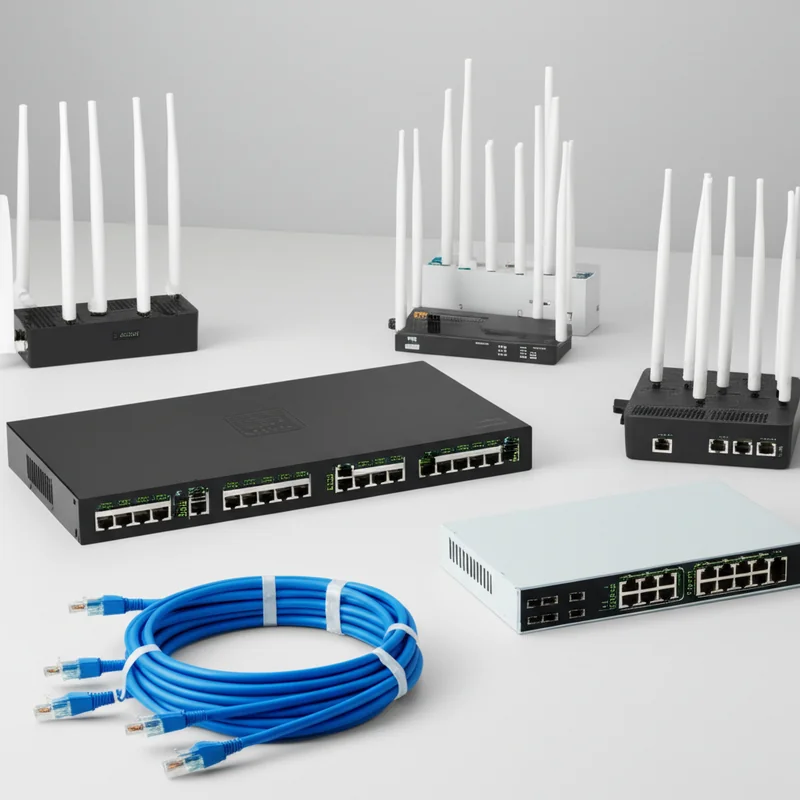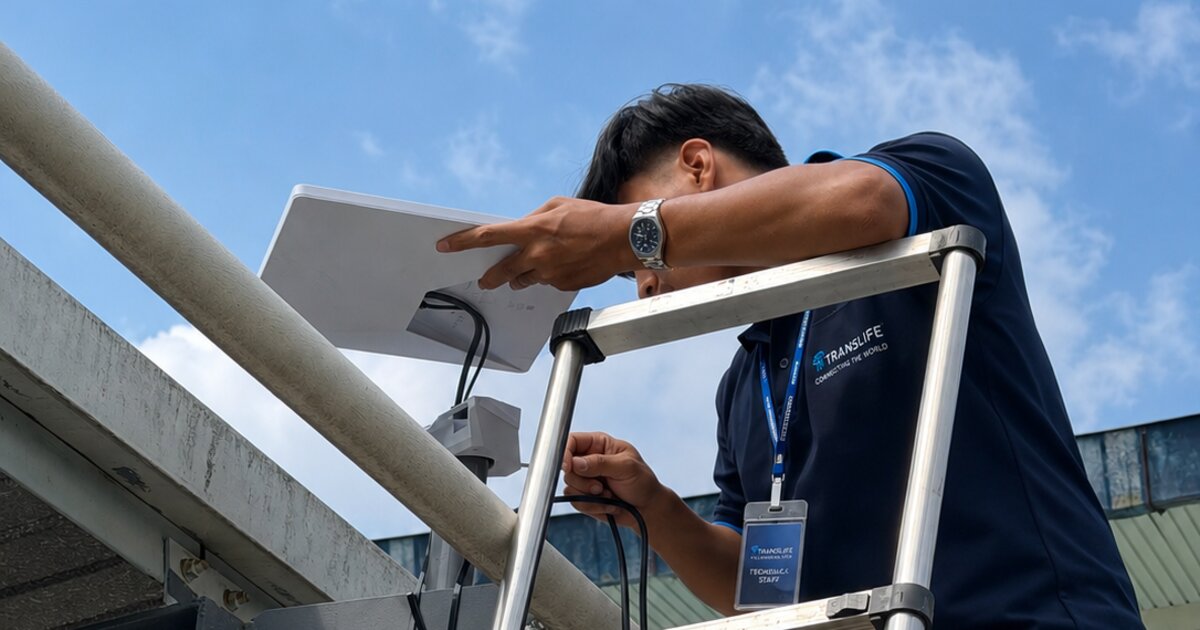
A new generation of events is stress-testing venue networks like nothing before it. AI hackathons, corporate AI training programmes, agentic coding workshops, and vibe-coding meetups put hundreds of developer laptops in one room—each pulling multi-gigabyte model weights, container images, and datasets while holding dozens of persistent connections to AI coding assistants and cloud GPU platforms. A network that comfortably serves a 1,000-delegate conference can collapse under a 150-person AI hackathon. This complete guide explains why AI events have fundamentally different connectivity requirements, how to model their bandwidth demand accurately, and how a professionally engineered solution—combining multiple internet sources including dedicated fibre, multi-carrier 5G, and Starlink satellite—delivered through high-density access points and disciplined planning keeps every participant building, training, and shipping without interruption.
The Surge: Why AI Events Are Redefining Event Internet
What Makes AI Events Different — At a Glance
- →Gigabytes per seat, not megabits: a single participant may download 10–40 GB of models, containers, and dependencies in the first hour alone
- →Sustained, not bursty: AI coding assistants and cloud GPU sessions hold long-lived connections for the entire event, unlike conference browsing that spikes and idles
- →Uplink matters as much as downlink: git pushes, dataset uploads, checkpoint syncs, and live demos punish the asymmetric links most venues rely on
- →Zero tolerance for outages: a dropped connection can kill a fine-tuning run, an agent session, or a live demo in front of judges
- →The fix is architectural: multiple internet sources (fibre + multi-carrier 5G + Starlink), high-density access points, aggressive caching, and real capacity planning
The AI Hackathon and Training Boom in Malaysia and Southeast Asia
Walk through any co-working space, university campus, or corporate training centre in Kuala Lumpur, Penang, or Singapore in 2026 and you will find the same phenomenon: rooms full of people building with AI. The generative AI wave has produced an entirely new category of events—AI hackathons where teams build and ship products over a weekend, corporate AI training programmes where entire departments learn to work with large language models and AI coding assistants, agentic coding workshops where developers orchestrate autonomous coding agents, university AI bootcamps, prompt engineering masterclasses, and community meetups built around live coding sessions. Malaysia's national push for AI adoption, the rapid growth of the data centre corridor in Johor, and regional investment in AI skills have multiplied the number of these events—and the number of organisations discovering, usually the hard way, that their venue's internet cannot support them.
The demand surge is structural, not a fad. Enterprises now treat AI literacy as a workforce requirement, which means recurring internal training cohorts. Developer communities run monthly build nights. Technology vendors host hands-on workshops to drive adoption of their AI platforms. Universities run semester-long AI programmes punctuated by intensive bootcamp weekends. Government agencies and industry bodies sponsor hackathons to seed local AI talent. Every one of these events shares a single non-negotiable dependency: strong, stable, high-capacity internet. Remove it and the event simply does not function—there is no "offline mode" for a workshop whose entire purpose is building against cloud-hosted models.
At Translife, we have supported this shift first-hand across Malaysia and Singapore. The requests have changed noticeably: where event organisers once asked for "WiFi for 200 people to check email," they now ask whether the network can survive "150 developers all running Claude Code and pulling Docker images at 9am." It is a fundamentally different engineering problem, and this guide documents how we solve it.
The New Event Formats and Their Connectivity Profiles
"AI event" covers several distinct formats, and each stresses the network differently. The AI hackathon is the most demanding: continuous building for 24–48 hours, the full spectrum of workloads from model downloads to live deployments, and an uplink-heavy judging climax. The corporate AI training programme substitutes duration for intensity—days or weeks of scheduled labs whose synchronised exercises produce sharp, predictable demand spikes, often complicated by corporate VPNs and managed devices. The university or academy bootcamp multiplies the training profile by hundreds of students on identical lab sheets, which makes it the format where local mirroring pays off most spectacularly. The community meetup and live-coding night is smaller but unforgiving in its own way: a single presenter's connection carries the whole event, live, in front of an audience of professionals. And the demo day or AI product launch concentrates everything into one latency-critical hour where every demo runs against live cloud services while press and livestream traffic runs alongside. One architecture serves them all—multi-source backhaul, high-density delivery, caching, QoS—but the sizing, the cache contents, and the traffic priorities are tuned per format, which is why the planning conversation matters as much as the equipment list.
Why an AI Event Is Not a Normal Conference
Traditional event WiFi planning is built on a well-understood usage profile. Conference delegates browse, check email, post to social media, and occasionally watch a video. Usage is bursty—short peaks during breaks, low demand during sessions—and overwhelmingly downlink-biased. Per-device planning figures of 0.5 to 3 Mbps have served the industry well for a decade. An AI event violates every one of those assumptions at once.
First, the device profile inverts. A conference is 80–90 per cent smartphones; an AI hackathon or training event is 90 per cent laptops—often accompanied by a phone as a second device. Laptops transfer data at far higher sustained rates than phones, use more spatial streams, and run background processes (cloud sync, package managers, IDE telemetry, container daemons) that phones do not. Second, the traffic pattern inverts. Instead of short bursts, AI workloads generate sustained transfers: a participant pulling a quantised open-weight model is saturating whatever bandwidth the network will give them for minutes at a time. Third, the criticality inverts. If conference WiFi slows down, delegates grumble and switch to mobile data. If hackathon internet fails, the event itself stops—teams cannot reach the APIs, models, and repositories their projects are built on.
This is why AI event organisers increasingly engage a dedicated event WiFi and internet provider rather than relying on venue infrastructure. The venue's shared broadband—sized for hotel guests and the occasional business meeting—was never designed for a room full of developers, and no amount of on-the-day troubleshooting can conjure capacity that was never provisioned. The solution has to be engineered in advance, and it has to be engineered around the actual behaviour of AI workloads, which we examine next.
What AI Workloads Actually Do to a Network
Accurate capacity planning starts with understanding the traffic. AI events generate four broad classes of network load, each with distinct characteristics: bulk downloads, interactive AI tooling, cloud compute sessions, and collaboration traffic. Underestimating any one of them is how events end up with a network that benchmarks well at 8am and collapses at 9:15am.
Model Weights, Datasets, and Containers: The Gigabyte Problem
The single most destructive traffic pattern at AI events is the synchronised bulk download. Within the first hour of a hackathon or the first lab session of a training day, a large fraction of participants will simultaneously fetch the same categories of large artefacts: open-weight model files from repositories like Hugging Face (a 7–8B parameter model is typically 4–16 GB depending on quantisation, and larger models scale from there), CUDA-enabled Docker images (commonly 5–10 GB or more), Python environments with GPU-enabled machine learning frameworks (a modern deep learning stack can exceed 3 GB of packages), Node.js toolchains for AI application development, and training or evaluation datasets that range from hundreds of megabytes to tens of gigabytes.
Do the arithmetic and the problem becomes obvious. If 100 participants each need 15 GB of artefacts, the event must move roughly 1.5 terabytes of data through its internet connection—ideally within the first hour so that building can begin. Sustained over 60 minutes, that is approximately 3.3 Gbps of continuous throughput. Even spread over three hours it demands more than 1 Gbps sustained. A venue offering "high-speed 500 Mbps WiFi" is short by an order of magnitude, before anyone opens a video call. This is why serious AI events need both aggregated multi-source bandwidth and local caching strategies (covered later in this guide) that prevent the same gigabytes from crossing the WAN a hundred times.
Bulk downloads also behave adversarially toward other traffic. Package managers and model downloaders open many parallel connections and will consume every megabit available to them. Without per-device rate limiting and quality-of-service (QoS) policy, a handful of early downloaders can starve the API calls, video streams, and collaboration tools that everyone else depends on. Managing this contention is a core part of professional AI event network design.
AI Coding Assistants and Agentic Workflows
The defining tool of the current era is the AI coding assistant—IDE copilots, chat-based pair programmers, and increasingly autonomous coding agents that plan, edit, run, and test code in loops. From a network perspective, these tools have a distinctive signature: they are not especially bandwidth-hungry in raw megabits, but they are extremely sensitive to latency, jitter, and connection stability. Each agent session streams tokens continuously over long-lived encrypted connections, punctuated by bursts when the agent reads repositories, fetches documentation, or pulls dependencies.
A single developer running an agentic coding session might sustain only 1–3 Mbps on average—but they may hold ten or more concurrent connections, and they experience every network hiccup directly as a stalled or failed agent run. Multiply that by 150 participants, each running one or more assistants plus an IDE with cloud features, and the network must gracefully sustain thousands of concurrent encrypted sessions with consistent low latency. This stresses connection-tracking tables in undersized routers and exposes any instability in the WAN links. Connection state is also why failover design matters so much for AI events: a crude failover that resets all sessions mid-event will abort hundreds of in-flight agent runs, while a well-engineered bonded or session-persistent setup rides through a link failure without dropping work.
Inference API traffic follows a similar pattern. Teams building AI products call hosted model APIs continuously during development and demos. Individual requests are small, but tail latency directly affects the perceived quality of every demo in the room. QoS policy should therefore protect interactive AI traffic from the bulk-download class described above—a distinction that generic "per-user speed limit" configurations completely miss.
Cloud GPU Platforms, Notebooks, and Remote Development
Because few participants carry GPU workstations, AI events run heavily on cloud compute: hosted notebook environments, cloud GPU instances, managed training platforms, and remote development environments. Each of these holds a persistent interactive session—terminal, notebook kernel, or remote IDE—whose responsiveness depends on stable low-latency connectivity. Uploading a dataset to a cloud bucket, streaming training logs and metrics dashboards, downloading model checkpoints for local evaluation: these flows run all day, in both directions.
Remote sessions are unforgiving of packet loss. A congested, interference-prone wireless environment—the natural state of an unmanaged network in a room with 300 radios—manifests as laggy keystrokes, dead kernels, and dropped SSH sessions, even when a speed test still shows respectable numbers. This is why professional AI event networks are engineered for airtime efficiency and low retransmission rates, not just headline throughput: the metric that matters is whether every one of 300 concurrent sessions stays responsive, not whether one laptop can hit 400 Mbps on a speed test.
The Hidden Bottleneck: Uplink
Conventional event connectivity is planned almost entirely around download speed, because conventional event traffic is 80–95 per cent downlink. AI events are different: uplink demand routinely reaches 30–50 per cent of total traffic. Participants push code to repositories continuously, upload datasets and fine-tuning corpora to cloud storage, sync multi-gigabyte model checkpoints, publish container images, deploy applications to hosting platforms for judging, and—at hybrid events—stream video of themselves and their screens.
This breaks the economics of consumer-grade connectivity. A typical venue broadband plan might offer 500 Mbps down but only 50–100 Mbps up; a single team uploading a container image can consume most of that uplink for minutes, stalling every git push in the room. Uplink saturation also degrades downlink performance, because TCP acknowledgements queue behind bulk uploads. Any serious AI event design therefore provisions symmetric or near-symmetric capacity—dedicated fibre where available, supplemented by the strong uplink characteristics of bonded 5G—and applies QoS to keep small interactive flows ahead of bulk uploads. When we design event internet for AI workloads, uplink capacity is a first-class requirement, not an afterthought.
Anatomy of a Failure: The Venue WiFi Autopsy
It is worth walking through how an unprepared network actually dies at an AI event, because the sequence repeats with remarkable consistency. At 8:45am, doors open and the first participants associate; the network feels fast, and the organiser relaxes. By 9:10am, environment setup begins: package managers and model downloads open thousands of parallel connections, and the venue's broadband saturates within minutes. DNS lookups start timing out—not because DNS is heavy, but because those small packets are queued behind bulk transfers. By 9:30am, AI assistant sessions stall mid-generation, cloud notebooks disconnect, and participants instinctively switch phones to hotspot mode. Now thirty to fifty personal hotspots light up inside the room, each a rogue radio shouting over the venue access points, and the wireless layer collapses along with the WAN. By 10am the organiser is apologising from the stage, and the event never fully recovers—because the underlying constraints (capacity, uplink, AP density, spectrum hygiene) cannot be fixed on the day.
Every element of the architecture described in the rest of this guide exists to break a link in that chain: multi-source aggregation and caching absorb the 9:10 surge; QoS keeps DNS and interactive traffic alive under load; high-density AP design with proper spectrum management removes the incentive to open hotspots; and live monitoring catches the early symptoms while they are still adjustable. Failure at AI events is not random bad luck—it is a predictable cascade, and it is entirely preventable with engineering that respects the workload.
Bandwidth Planning for AI Training Events and Hackathons
With the workload classes understood, we can model demand properly. The planning method we use for AI events differs from conference planning in three ways: per-seat figures are much higher, concurrency is effectively 100 per cent (every participant is actively working, all the time), and the model must account separately for downlink, uplink, and the bulk-transfer surge windows at the start of each session.
Per-Seat Bandwidth Modelling
The table below summarises the per-seat planning figures we apply to AI events, compared with the conventional conference figures. These are sustained planning averages—individual devices will burst far higher, which is precisely why aggregate headroom and QoS matter.
| Usage Profile | Downlink / Seat | Uplink / Seat | Traffic Character |
|---|---|---|---|
| Conference delegate (browsing, email) | 0.5–1 Mbps | 0.1–0.3 Mbps | Bursty, idle-heavy |
| AI training participant (guided labs) | 3–6 Mbps | 1–2 Mbps | Sustained, synchronised peaks |
| Hackathon builder (full stack + AI) | 5–10 Mbps | 2–5 Mbps | Sustained + heavy bursts |
| Setup surge (models, containers, environments) | 20–50+ Mbps | 2–5 Mbps | Saturating, 30–90 minutes |
| Demo / judging session | 3–5 Mbps | 5–10 Mbps | Latency-critical, uplink-heavy |
Two features of this table deserve emphasis. The setup surge row is the one that breaks unprepared networks: it is not an average but a synchronised event, when everyone arrives and provisions their environment at once. We handle it with a combination of aggregate capacity, per-device rate shaping, and local caching so the surge drains in minutes rather than hours. The demo session row inverts the usual traffic direction—during judging, uplink becomes the scarce resource as teams deploy, present, and stream simultaneously.
Sizing by Event Profile
Applying the per-seat model to common AI event formats produces the following aggregate targets. These figures include protocol overhead and a 25–30 per cent headroom margin, which experience shows is the minimum safe buffer for developer-heavy audiences.
| Event Format | Typical Size | Aggregate Downlink | Aggregate Uplink | Recommended Sources |
|---|---|---|---|---|
| Community AI meetup / live coding | 30–80 devs | 300–600 Mbps | 100–200 Mbps | Fibre + 1×5G failover |
| Corporate AI training cohort | 50–150 seats | 500 Mbps–1 Gbps | 200–400 Mbps | Fibre + 2×5G (dual carrier) |
| AI hackathon (24–48 hours) | 100–300 builders | 1–2.5 Gbps | 400 Mbps–1 Gbps | Fibre + multi-carrier 5G bonding + cache |
| University AI bootcamp | 200–500 students | 1.5–3 Gbps | 500 Mbps+ | Dedicated fibre + 5G + local mirrors |
| Remote / outdoor AI event | 50–150 devs | 400 Mbps–1 Gbps | 150–300 Mbps | Multi-carrier 5G + multiple Starlink units |
Burst versus Sustained: Planning for the Timeline, Not the Average
A useful discipline when planning AI event connectivity is to model the event as a timeline rather than a single number. A 48-hour hackathon typically shows: a violent download surge in hours 0–2; a long sustained plateau of mixed API, cloud, and collaboration traffic through the build phase; secondary surges after meals and at the start of day two as participants pull updated dependencies; an uplink-dominated crunch in the final six hours as teams deploy and record demo videos; and a latency-critical judging window where every team is presenting against live cloud services at once. Each phase stresses a different part of the architecture. Provisioning for the average would fail four of the five phases; provisioning and shaping for each phase is what keeps the event smooth end to end.
Multiple Sources of Internet: The Core Architecture
The central engineering principle behind reliable AI event connectivity is simple to state: never depend on a single internet source. Every serious deployment we build combines two or more independent links—dedicated fibre, multiple 5G connections on different carriers, and Starlink satellite—aggregated and managed by an SD-WAN edge so that capacity adds up and failures disappear. This is the "multiple sources of internet" architecture, and it exists because no single link, however fast on paper, can offer both the capacity and the availability an AI event demands.
Why Single-Link Connectivity Fails AI Events
Single links fail AI events in two distinct ways. The first is capacity: as the sizing tables above show, a mid-sized hackathon needs 1–2.5 Gbps of real, deliverable throughput. Venue broadband rarely exceeds 500 Mbps of shared capacity, and even where gigabit fibre exists, its uplink is often a fraction of the headline figure. The second is availability: fibre gets cut by roadworks, building distribution fails, carrier backbones have bad days. At a conventional event an outage is embarrassing; at an AI event it terminates hundreds of stateful agent sessions, kills remote training runs, and can invalidate a competition's judging schedule. A multi-source design addresses both failure modes at once: independent links on independent infrastructure add their capacity together during normal operation and cover for each other during faults.
Independence is the operative word. Two broadband lines from the same provider terminating in the same street cabinet are not two sources—they are one source with two invoices. Genuine multi-source design combines links with disjoint physical paths and disjoint providers: wired fibre, cellular 5G on two or more different carrier networks, and satellite connectivity that bypasses terrestrial infrastructure entirely. That is the combination we deploy: fibre where the venue has it, multi-carrier 5G everywhere, and Starlink wherever outdoor space and sky view allow.
Bonding versus Load Balancing: Choosing the Right Aggregation
There are two ways to make multiple links behave as one, and choosing correctly matters for AI workloads. Load balancing distributes sessions across links: one participant's connection rides link A, another's rides link B. It is efficient and simple, and for the many-users-many-sessions profile of an AI event it spreads load well. Its limitation is that any single session is capped at the speed of one link, and if a link dies, the sessions on it break and must reconnect. Bonding (as implemented by SD-WAN technologies such as Peplink SpeedFusion) splits traffic at the packet level across all links inside an encrypted tunnel: a single session can use the combined bandwidth, and if a link fails, packets simply stop using it—sessions survive.
For AI events we typically deploy a hybrid policy. Bulk-download and general participant traffic is load-balanced across the link pool, which maximises aggregate throughput with minimal overhead. Critical traffic classes—organiser operations, live streams, judging infrastructure, and payment systems—ride bonded tunnels with session persistence, so a 5G carrier hiccup or a fibre flap never resets what matters. This hot-failover property is exactly what long-running agentic coding sessions and remote GPU sessions need: the link fails, the tunnel re-routes within packets, and the SSH session never notices. Our enterprise event WiFi guide covers the bonding hardware tiers in depth.
Choosing the Source Mix
| Source | Typical Real Throughput | Strengths | Watch-outs |
|---|---|---|---|
| Dedicated event fibre | 500 Mbps–10 Gbps symmetric | Highest capacity, lowest latency, symmetric uplink | Lead time to provision; single physical path |
| 5G (per modem, per carrier) | 100–800 Mbps down / 30–100 Mbps up | Fast to deploy anywhere; multi-carrier diversity; strong in urban Malaysia | Shared spectrum—performance varies with congestion and placement |
| Starlink (per terminal) | 50–250 Mbps down / 10–40 Mbps up | Works anywhere with sky view; independent of all local infrastructure | Needs clear sky view; heavy rain fade; higher latency than fibre |
| Venue broadband | 100–500 Mbps shared | Already present; zero setup | Shared, asymmetric, unmanaged—use as supplementary only |
The right mix follows from the venue and the event profile. A city convention hall hosting a 300-person hackathon gets dedicated fibre as the backbone, plus two to four 5G modems on different carriers for overflow and failover. A corporate training centre with good building fibre may need only dual-carrier 5G as insurance. A resort hackathon or outdoor innovation festival inverts the design: multi-carrier 5G and multiple Starlink terminals become the primary sources, aggregated into a pool that comfortably exceeds what any remote venue could offer natively. In every case the participant experience is identical—one fast, stable WiFi network—because the aggregation happens invisibly at the network edge.
5G for Events in Malaysia: Multi-Carrier Strategies
The Malaysian 5G Landscape for Event Connectivity
Malaysia's 5G rollout has reached the point where cellular connectivity is a genuine backbone-grade option for events, not just a failover. Nationwide 5G coverage in populated areas is extensive, with all major mobile operators—Maxis, CelcomDigi, U Mobile, Yes, and Unifi Mobile—offering 5G service, and the market moving from a single wholesale network toward a dual-network model that further improves capacity and redundancy. In practical terms for event deployment: in Kuala Lumpur, Penang, Johor Bahru, and most urban centres, a well-placed 5G modem with external antennas will sustain hundreds of megabits; across carrier combinations, an aggregated multi-modem pool can reliably deliver 1 Gbps or more of combined throughput with no fixed-line infrastructure at all.
For AI events specifically, 5G brings two properties that matter beyond raw speed. Deployment time is measured in minutes, not weeks—critical when an event is confirmed at short notice or a venue's promised bandwidth turns out to be fictional on move-in day. And uplink performance, while asymmetric, aggregates well: four modems each delivering 40–60 Mbps up yields an uplink pool that rivals dedicated fibre, which directly serves the git-push-and-deploy-heavy profile of hackathon traffic.
Multi-Carrier Design: Diversity as an Engineering Principle
The naive way to use 5G is one modem with one SIM. The professional way is several modems spread across different carriers, for three reasons. First, capacity: each carrier connection is an independent slice of spectrum and backhaul, so throughput adds across the pool. Second, congestion independence: carrier networks degrade at different times and places—when one network cell is saturated (for example, because your own 300 attendees just associated their phones to it), the others usually are not. Third, fault isolation: carrier outages, while rare, are carrier-specific; a multi-carrier pool turns a total outage into a capacity reduction. We routinely deploy two to six 5G connections across two or three carriers, selected based on pre-event signal surveys at the actual venue—carrier performance varies street by street, and the only reliable way to choose is to measure on site.
5G Hardware and Placement
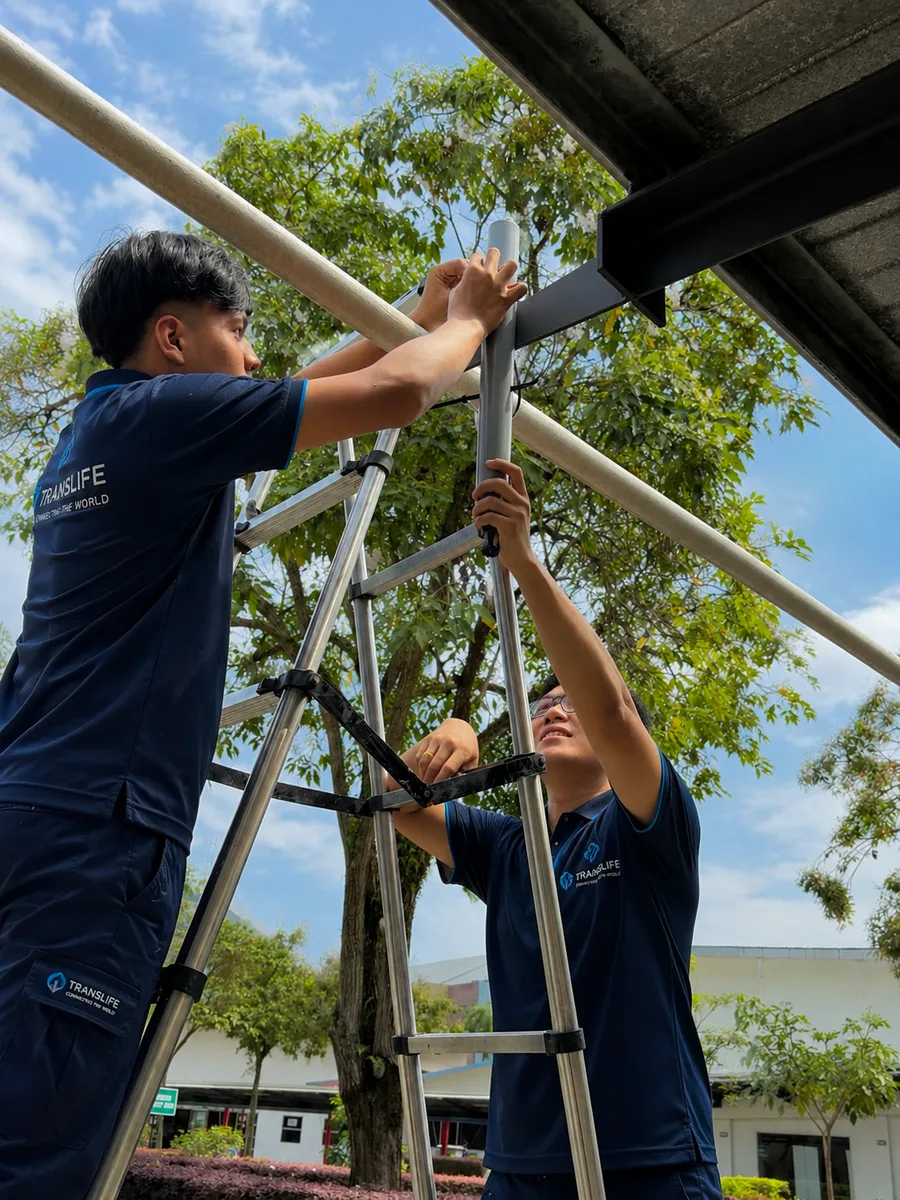
Consumer 5G routers (MiFi units and home CPE) are not designed for event duty—they throttle under sustained load, their internal antennas underperform indoors, and they offer no integration with an SD-WAN edge. Event-grade deployments use enterprise cellular routers and modems with external high-gain antennas, mounted where the RF actually is: near windows, on rooftops, or on masts outside the building. Deep inside a convention hall, 5G signal can be 20–30 dB weaker than at the building's skin, which is the difference between 600 Mbps and 30 Mbps from the same modem. Our standard practice is to survey signal at multiple candidate mounting points, place modems and antennas at the strongest, and run cabled backhaul from there to the core network—so the radios live where the signal is, and the network lives where the event is.
SIMs, Data Plans, and Fair-Use Realities
A frequently overlooked failure mode in DIY 5G setups is the data plan itself. Consumer "unlimited" plans almost universally carry fair-use policies that throttle heavy users—and an AI event is the heaviest user imaginable, capable of moving hundreds of gigabytes through a single SIM in a day. A modem that benchmarked at 500 Mbps on Friday can be silently throttled to a crawl by Saturday afternoon, right when the hackathon enters its most intensive phase. Professional deployments use enterprise-grade or genuinely high-quota data plans sized against the event's modelled transfer volume, spread the load across multiple SIMs so no single line approaches its threshold, and monitor per-SIM consumption in real time so any throttling risk is visible hours in advance. Data plan logistics are unglamorous, but they are the difference between "5G worked brilliantly" and "5G mysteriously died on day two."
The same discipline applies to hardware thermals and power. Enterprise cellular routers running at sustained high throughput in Malaysian ambient temperatures need ventilation or shading—a modem in a sealed enclosure in direct sun will thermally throttle exactly like a cheap plan. Our outdoor mounts pair weatherproofing with airflow, and every radio position gets UPS-backed power so a venue power blip does not force a several-minute modem reboot cycle in the middle of a demo.
Starlink for AI Events: Connectivity Without Infrastructure
What Starlink Realistically Delivers
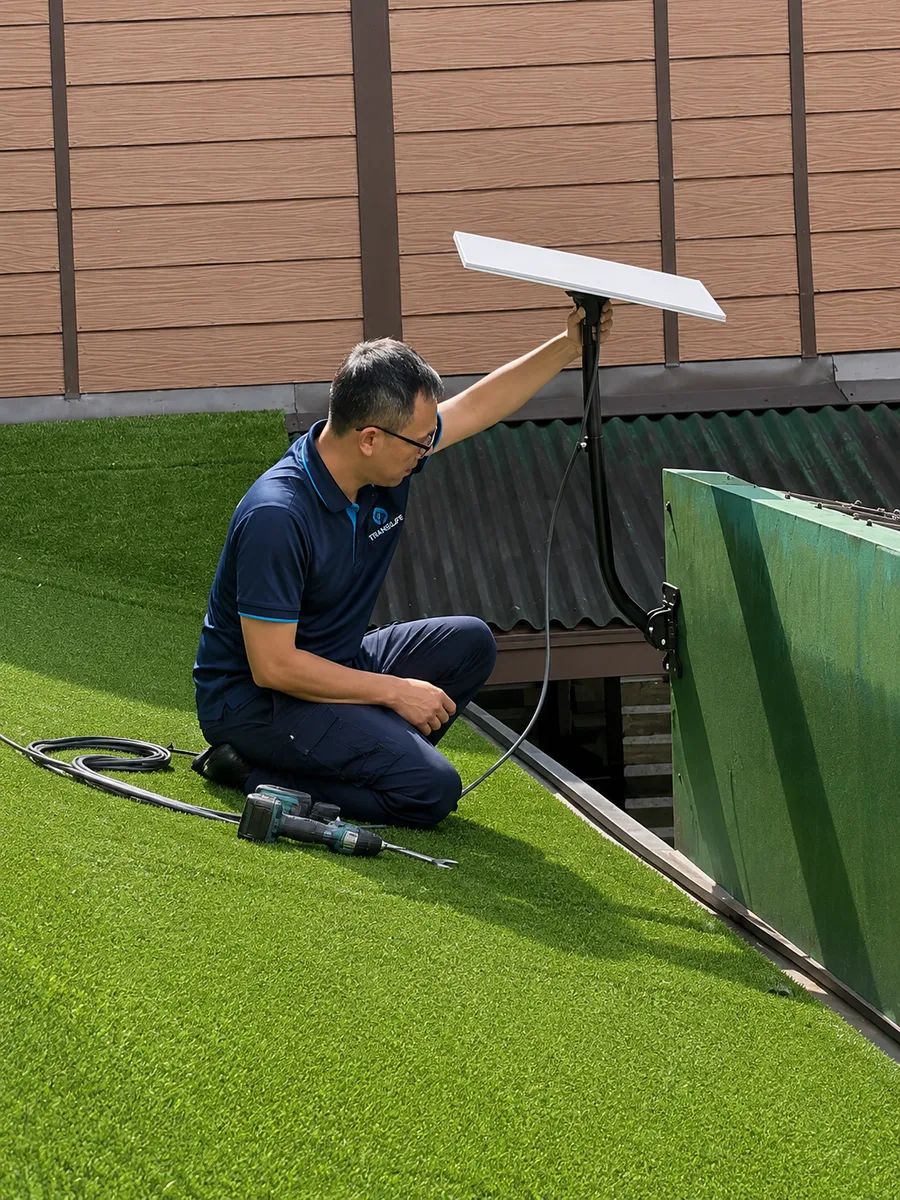
Starlink's low-earth-orbit satellite service, licensed and available throughout Malaysia, changed the economics of remote event connectivity. A single terminal typically delivers 50–250 Mbps down and 10–40 Mbps up with latency in the 25–60 ms range—low enough for interactive SSH sessions, AI coding assistants, video calls, and inference API traffic to feel indistinguishable from terrestrial broadband. For AI events, that means a beachside resort in Langkawi, a highland retreat in Cameron Highlands, or a purpose-built innovation campus that fibre has not reached yet can host a hackathon with genuinely professional connectivity.
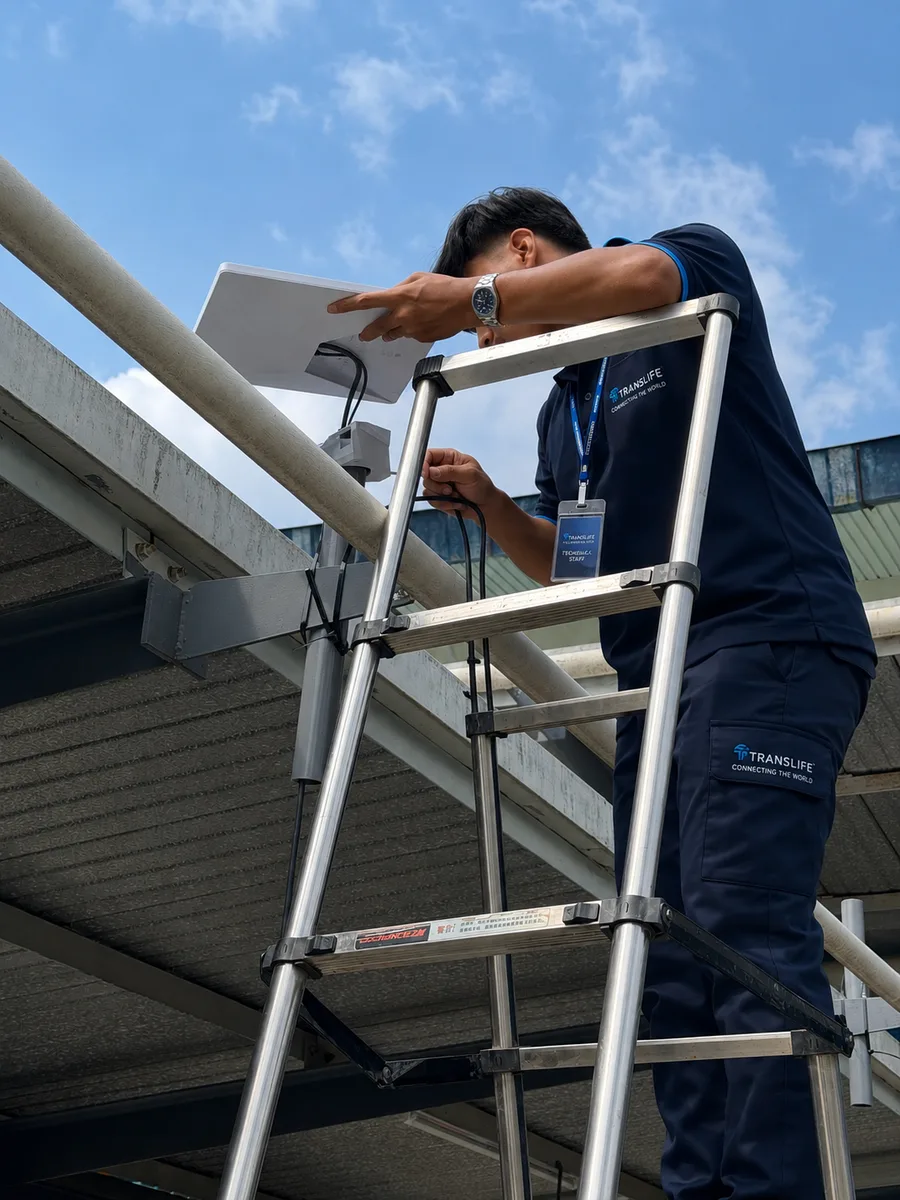
The engineering honesty matters here: one Starlink terminal is not a hackathon backbone. It is one source in a pool. Its throughput varies with satellite geometry and network load, tropical downpours can degrade it temporarily (rain fade), and its uplink alone will not carry a deploy-heavy demo session for fifty teams. That is why our remote-event architecture deploys multiple Starlink terminals aggregated with multi-carrier 5G: two or three terminals plus two to four 5G modems, bonded at the edge, produces a resilient pool of several hundred megabits to a gigabit—in places where, five years ago, an event of this kind would have been simply impossible. Full deployment details are in our Starlink Malaysia installation guide.
Primary, Secondary, or Failover: Assigning Starlink Its Role
In urban venues with good fibre and 5G, Starlink plays the role of ultimate failover: it shares no infrastructure with any terrestrial provider, so the failure modes that take down fibre and cellular simultaneously (backbone cuts, regional power events, carrier core incidents) do not touch it. For high-stakes events—finals with livestreamed judging, government innovation showcases, product launches with AI demos—that independence is worth having even when it idles all day. In remote venues the roles invert: Starlink terminals carry the base load, 5G contributes what local coverage allows, and the bonding layer arbitrates continuously based on measured link quality. Because assignment happens per traffic class, we can pin latency-sensitive AI tooling to the lowest-latency healthy link while bulk downloads ride whatever has spare capacity.
High-Density Access Point Design for Laptop-Heavy Rooms
Aggregating a multi-gigabit internet pool is only half the problem. The other half is delivering it over the air to several hundred high-throughput clients packed into a few hundred square metres—the classic high-density WiFi problem, made harder by the AI event device profile.
Laptops Are Not Phones: Density Maths for Developer Events
A hackathon room holds two to three radios per seat: a laptop, a phone, and often a tablet or secondary device. Three hundred participants means 600–900 associated clients. But raw client count understates the challenge, because laptops dominate airtime in a way phones do not: they move more data per transaction, hold more concurrent flows, and their sustained transfers occupy the channel for long stretches. Where a conference access point comfortably serves 60–80 phone-dominated clients, the same hardware serving hackathon laptops is realistically good for 30–50 clients per radio before per-client throughput and latency degrade. Our AI event designs therefore deploy roughly one enterprise access point per 25–40 seats— about double the AP density of an equivalent-sized conference—with transmit power deliberately reduced so each AP serves a small, clean cell.
WiFi 6, 6E, and 7: The Features That Matter for AI Events
Modern WiFi standards were effectively designed for this problem. WiFi 6's OFDMA lets an access point serve many small transactions—API calls, token streams, git operations—in a single transmission window, collapsing the per-packet contention that kills dense networks. BSS colouring reduces interference between neighbouring cells, and target wake time keeps the hundreds of idle phones in bags from polluting the spectrum. WiFi 6E and WiFi 7 add the 6 GHz band: a wide expanse of clean spectrum with no legacy devices, which modern developer laptops (typically refreshed within a few years) can actually use. Steering laptops to 6 GHz and 5 GHz while relegating phones and legacy clients to 2.4 GHz is one of the highest-leverage configurations available for an AI event: the working devices get clean, wide channels, and the passive devices stay out of their way.
Channel Planning, Wired Backhaul, and the Switching Layer
High-density RF design follows rules that feel counterintuitive to anyone used to home networking: more access points at lower power, not fewer at higher power; 20 or 40 MHz channels reused carefully across the floor rather than a few 160 MHz channels shouting over each other; ceiling or truss mounting with clear line of sight to seats; and—non-negotiably—wired multi-gigabit backhaul to every access point. An AP serving forty laptops at 5–10 Mbps each needs more than a gigabit of clean backhaul; mesh or wireless uplinks would burn the very airtime the clients need. Behind the APs sits a PoE switching layer with 2.5 or 10 Gbps uplinks into the core, sized so that no switch uplink becomes the quiet bottleneck that no speed test at the seat can explain. During deployment we validate every link in that chain—seat to AP, AP to switch, switch to core, core to the bonded WAN pool—because an AI event will find any weak link within the first hour.
Wired Drops: The Hybrid Access Layer
The best wireless network in the world still shares a medium, and AI events contain a handful of use cases that deserve better than shared: the demo stage, the judging bench, the livestream encoder, instructor workstations, and any team whose project involves sustained high-volume transfer. For these we run wired Ethernet drops— gigabit or multi-gigabit switch ports delivered to the seat with a patch cable. A wired drop removes RF variability entirely: no contention, no roaming events, no interference, just deterministic capacity. At hackathons we increasingly offer wired table drops to every team pod as a premium tier of the access layer; developers recognise the value instantly, and every laptop that moves to copper hands its airtime back to the wireless pool. The cost is modest— switches and cabling we deploy anyway for AP backhaul, extended one hop further—and the reliability payoff during judging, when it matters most, is total.
Network Design for AI Events: Segmentation, QoS, and Caching
SSID and VLAN Design for AI Events
The segmentation model we use for conferences—separate networks for delegates, operations, exhibitors, and press—adapts to AI events with one important addition: a distinct, higher-trust network for participant workstations, separate from the general phone-and-guest network. Participant laptops get the clean 5/6 GHz spectrum, higher per-device bandwidth allocations, and firewall policy that permits developer traffic (SSH, container registries, package mirrors, model repositories, cloud platforms) without the aggressive filtering appropriate for a guest network. Phones, spectators, and general guests land on a standard guest SSID with conservative limits. Organisers, judges, streaming, and payment systems each get isolated VLANs with reserved bandwidth—so the livestream of the final pitches never competes with a team's last-minute model download.
Quality of Service for AI Traffic Classes
Effective QoS for an AI event recognises the traffic classes described earlier and treats them differently. Interactive traffic—AI assistant sessions, SSH, notebook kernels, API calls, DNS—gets absolute priority; it is small in volume and enormous in perceived importance. Collaboration and video traffic rides second. Bulk transfers—model downloads, container pulls, dataset syncs—are shaped into the remaining capacity: they will still complete quickly whenever headroom exists (which is most of the time on a properly sized multi-source pool), but they can never starve the interactive classes. Per-device fairness rules prevent any single machine from monopolising the pool. The practical result, visible on every deployment dashboard we run: latency for interactive traffic stays flat even while the network moves terabytes of bulk data around it.
Local Caching and Mirrors: The Highest-ROI Optimisation
The most elegant solution to the gigabyte problem is to stop moving the same gigabytes repeatedly. When 100 participants need the same base model, the same CUDA image, and the same Python packages, a local cache on the event LAN converts one hundred WAN downloads into one. We deploy on-site cache and mirror services for the artefact types that dominate AI event traffic: a pull-through container registry cache, package mirrors for Python and Node.js ecosystems, and a pre-staged model and dataset store populated before the event from the organiser's known workshop requirements. Participants download at LAN speed— hundreds of megabits to gigabit per seat over the wired demo drops or full wireless speed over the air—while the WAN pool stays free for the traffic that genuinely must leave the building.
Pre-staging works because AI training events are largely predictable: instructors know the lab environment, hackathon sponsors know which models and platforms their challenges promote. A thirty-minute conversation with the organiser two weeks before the event—"send us your requirements.txt, your Dockerfile, and the models on your list"—lets us arrive with a cache that absorbs the entire setup surge. On events where we have deployed this, the 9am spike that would have saturated a gigabit WAN for an hour instead drains from the local store in minutes, and the difference in participant experience is dramatic: everyone is building by 9:15 instead of watching progress bars until 11.
Public IPs, CGNAT, and Webhook Demos
Here is a failure mode that only surfaces at developer events: a team builds an application that receives inbound traffic—a webhook from a payment platform, a callback from a model provider, a phone scanning a QR code to reach a locally hosted demo—and discovers at demo time that nothing can reach them. The cause is usually carrier-grade NAT (CGNAT): 5G connections and Starlink terminals generally sit behind carrier-side address translation, which means no inbound connections, no port forwarding, and no public IP to point a webhook at. Venue broadband frequently has the same property. Conference organisers never notice; hackathon teams hit it constantly.
A well-designed AI event network solves this in advance rather than leaving each team to fight it at 2am. The options we deploy, depending on the event: static public IP addressing on the fibre backbone with controlled port mapping for teams that need it; a pre-configured tunnelling story (the network permits and QoS-protects developer tunnelling tools, so exposing a local service takes one command); and for judged demos, a wired demo VLAN with deterministic routing so the thing being scored never depends on a NAT traversal trick. This is a small engineering detail with outsized event impact—the difference between a demo that works on the first scan and a team debugging networking instead of presenting their product.
Security for AI Events: Credentials, Code, and Clean Spectrum
Protecting Credentials and Code on a Room-Sized Network
An AI event network carries unusually sensitive traffic: API keys for model providers and cloud platforms (often issued as sponsor credits worth real money), private repositories, unreleased product code, and at corporate trainings, connections into enterprise systems. The security baseline for a professional deployment reflects that: modern WPA2/WPA3 encryption on all participant networks rather than open SSIDs, client isolation on guest networks, controlled inter-client communication on team networks (teams need to reach their own machines and shared services—not each other's laptops indiscriminately), an enterprise firewall between every VLAN, and rogue access point detection so nobody can stand up a convincing "Event WiFi" twin and harvest credentials. Organisers distributing sponsor API keys should pair network security with operational hygiene—scoped keys, per-team quotas, and revocation at event end—and we advise on that workflow as part of planning.
Hotspots, Rogue Radios, and Spectrum Hygiene
Developer audiences are self-reliant: the moment connectivity feels slow, they open personal hotspots—and fifty hotspots will destroy a wireless deployment faster than any external attacker. Spectrum hygiene at AI events is therefore partly an engineering task and partly a service-level one. The engineering half: continuous RF monitoring that identifies interfering radios, band steering that keeps capable devices in clean spectrum, and cell design with enough capacity margin that no seat experiences the slowness that triggers hotspot behaviour in the first place. The service half: visible, fast, on-site support, and an opening announcement that the network is engineered for exactly this workload—because participants who trust the WiFi never reach for the hotspot toggle. The best rogue-AP mitigation is a network so good nobody wants an alternative.
Hybrid and Livestreamed AI Events
A growing share of AI events is hybrid by design: workshops streamed to remote cohorts, hackathon finals broadcast to sponsor audiences, training sessions recorded and simulcast across offices. Streaming stacks a second demanding workload on top of the developer traffic— sustained high-bitrate uplink that must never stutter, plus real-time interaction (remote judges asking questions, remote participants in breakout tools) that shares the latency-critical class with AI tooling. Our hybrid designs give production infrastructure its own VLAN with reserved bonded capacity, wire the encoder rather than trusting wireless, and rehearse the stream against full participant load during the pre-event test—not at 9am on show day. For events combining streaming with AI interpretation or live feed production, a single integrated network design covers all of it—one provider, one QoS policy, no finger-pointing between vendors when something contends.
Effective Planning: From Site Survey to Show Day
Coordinating with Organisers, Instructors, and Sponsors
The best AI event networks are planned around the curriculum, not just the headcount. Our planning process starts with a structured requirements conversation: How many participants and devices? Which cloud platforms, model repositories, and AI tools does the programme use? Are there scheduled moments—environment setup, dataset distribution, submission deadlines—where everyone will hit the network at once? Will judging involve live demos against cloud services? Is the event hybrid or streamed? Each answer maps directly to an architectural decision: source mix, uplink provisioning, cache contents, QoS classes, and where to place wired drops for teams that want guaranteed stability during final demos.
We also encourage organisers to publish a pre-event preparation note to participants: install your base tools before arriving, bring devices that support 5 GHz or 6 GHz WiFi, and expect a local mirror for the big downloads. A hundred participants who arrive with their IDE installed is several hundred gigabytes the event network never has to move. This costs the organiser one email and buys back the first hour of the event.
Site Survey and Load Testing
The site survey for an AI event covers everything a conference survey covers—venue geometry, wall materials, mounting points, power, existing RF environment—plus the connectivity survey: measured 5G performance per carrier at candidate antenna positions, fibre availability and real provisioned speeds, and sky view for satellite terminals. Before doors open, we load-test the deployed network against the event's actual profile: simultaneous bulk transfers from the seats, sustained encrypted sessions to real cloud endpoints, and failover drills where we deliberately drop each WAN link and verify that sessions survive. A network that has only been speed-tested is not a tested network; the test that matters simulates 9am on hackathon day.
Live Operations During the Event
During the event, an on-site engineer monitors the deployment continuously: per-link WAN health, per-AP client counts and airtime, per-SSID throughput, latency to key AI endpoints, and cache hit rates. The point of live operations at an AI event is proactivity—spotting the AP that is accumulating too many clients as teams cluster, moving capacity toward the demo stage before judging starts, or absorbing a surprise (a sponsor announcing a new model mid-event, and two hundred people downloading it simultaneously) with rate policy rather than letting the network discover it the hard way. For multi-day events, each morning starts with a review of the previous day's telemetry and an adjustment pass for the day ahead.
The Deployment Timeline: What Happens When
For organisers who want to know what engaging a connectivity partner actually looks like, the standard timeline runs as follows. Four to six weeks out: requirements conversation, venue documentation review, and—where dedicated fibre is in play—circuit ordering, since provisioning lead time is the one thing money cannot compress at the end. Two to three weeks out: on-site survey with per-carrier 5G measurements and sky-view checks, final network design, and the cache manifest agreed with instructors or sponsors. One week out: all equipment staged and configured at our facility, the full network built and burn-tested on the bench, and the pre-event participant note sent out. Setup day (usually the day before doors): physical installation— antennas and terminals mounted, APs rigged, drops cabled—followed by the load test against the event's modelled traffic profile and a deliberate failover drill on every WAN link. Show days: continuous monitored operation with an engineer on site. After: teardown that leaves the venue clean, and the telemetry report that makes the next event easier to plan than this one. Organisers retain exactly one connectivity responsibility throughout: telling us early when the programme changes. Everything else is ours.
Real-World Scenarios
Scenario One: 48-Hour AI Hackathon, 300 Builders, Kuala Lumpur
A sponsor consortium runs a weekend AI hackathon for 300 participants (75 teams) at a KL event hall. The design: a dedicated 1 Gbps symmetric fibre line provisioned for the weekend, four 5G modems across three carriers contributing a measured 1.1 Gbps of aggregate overflow and failover capacity, and an on-site cache pre-staged with the sponsor's promoted models, container images, and package mirrors. Wireless delivery through fourteen WiFi 6E access points on truss and wall mounts, one per five-team pod, with laptops steered to 5/6 GHz. Wired drops at the demo stage and for any team requesting one. QoS pins AI assistant and SSH traffic to the top class. Outcome profile: setup surge absorbed by the cache in under twenty minutes; sustained weekend load of 600–900 Mbps riding predominantly on fibre; one carrier degradation on Saturday night absorbed invisibly by the remaining pool; judging-day uplink crunch handled with reserved capacity for the stage VLAN.
Scenario Two: Corporate GenAI Upskilling, 120 Staff, Penang
A manufacturer runs a two-week AI upskilling programme for 120 engineers at an offsite training centre whose house broadband is a shared 300 Mbps line. The design: dual-carrier 5G (two enterprise modems with rooftop antennas, measured on-site at a combined 700 Mbps), load-balanced with the house line, and a compact cache appliance mirroring the course's lab environment. Six WiFi 6 access points across two training rooms and a breakout area. Corporate device policy meant the participant network also carried VPN tunnels back to headquarters—another latency-sensitive class the QoS design protected. The programme ran ten consecutive working days with zero connectivity-related session interruptions, on a venue whose native capacity would have supported perhaps a quarter of the cohort.
Scenario Three: Resort Innovation Retreat with AI Workshops, Johor
A technology company holds a three-day leadership retreat with hands-on AI workshops for 80 participants at a golf resort with no meaningful fixed-line capacity in its event pavilion. The design: two Starlink terminals mounted with clear sky view, two 5G modems on the strongest locally measured carriers, all four sources bonded at the edge for a resilient pool measured at roughly 500 Mbps down and 120 Mbps up. Weatherproof enclosures and UPS power for the tropical outdoor segments; four access points covering the pavilion and poolside breakout spaces. An afternoon thunderstorm produced visible rain fade on both satellite links—during which the 5G links carried the load without a single dropped workshop session, exactly as the bonding design intended.
Scenario Four: University AI Bootcamp, 500 Students, Klang Valley
A university runs an intensive one-week AI bootcamp for 500 students across two lecture halls and a converted examination hall. Campus WiFi exists but is administratively locked down—students cannot reach the container registries and model repositories the curriculum requires, and the IT department cannot re-architect campus policy for a one-week event. The design: a parallel, fully independent event network with a dedicated 2 Gbps fibre link negotiated for the week, dual-carrier 5G failover, twenty-two access points across the three halls, and—decisively—a local mirror pre-staged with the entire curriculum: every dataset, every model checkpoint, every package in the instructors' lab sheets. Daily lab sessions began with 500 students pulling identical artefacts simultaneously; the mirror served over 95 per cent of that volume at LAN speed, and the WAN pool never exceeded half utilisation. The bootcamp completed all ten lab modules on schedule—something the faculty had not achieved in two previous attempts on campus infrastructure.
Measuring Success: Telemetry and Post-Event Reporting
AI events are organised by technical people, and technical organisers deserve technical evidence. Throughout each deployment we collect the telemetry that matters: peak and sustained throughput per WAN source, latency and packet loss to the AI endpoints the event depended on, per-AP client distribution and airtime utilisation, cache hit rates, failover events and their duration, and per-phase traffic profiles that show exactly how the event used the network. After the event, organisers receive a report translating that telemetry into decisions for next time: whether the source mix was right, which hours defined the peak, what the cache saved, and where capacity should grow as the event does. For recurring events—annual hackathons, quarterly training cohorts—this longitudinal data turns connectivity planning from guesswork into an engineering baseline that improves every cycle.
Budgeting and Cost Planning for AI Event Connectivity
AI event connectivity costs more than conference WiFi for the same headcount—the bandwidth pool is larger, the AP density is roughly double, and the cache and monitoring layers add engineering time. The primary cost drivers are the aggregate bandwidth target (which sets the source mix: dedicated fibre provisioning, number of 5G modems and data plans, Starlink terminals), access point count (set by seat count and venue geometry), uplink and redundancy requirements, caching and pre-staging scope, event duration, and on-site engineering coverage. As broad orientation for Malaysian deployments: a community-scale AI meetup or workshop can start in the low thousands of ringgit; a corporate training cohort with dual-source internet and managed WiFi typically lands in the mid four to low five figures; a full hackathon deployment with multi-source bonding, high-density coverage for hundreds of builders, caching, and round-the-clock on-site support is a five-figure project. Every deployment is quoted item-by-item after a requirements conversation—and every quote includes the site survey, equipment, installation, monitoring, on-site support, and teardown as standard, consistent with our event WiFi service.
One budgeting note specific to AI events: the cost of connectivity failure is unusually visible. A hackathon with 300 participants, a sponsor stage, and press coverage that loses its network for two hours does not merely inconvenience people—it publicly damages the sponsor brands the event exists to promote, and it can invalidate the competition itself. Set against venue, catering, prizes, and production, professionally engineered connectivity is a single-digit percentage of the event budget protecting the one dependency every other line item relies on.
The AI Event Connectivity Checklist
For Organisers: Ten Questions to Settle Before Your AI Event
- 1.How many participants, and how many devices each? (Assume 2–3 radios per person, laptop-dominated.)
- 2.What will they download in the first hour? Models, containers, packages—list them and size them.
- 3.Which AI platforms and APIs must stay responsive throughout? These define the latency-critical traffic class.
- 4.What is the real, measured venue bandwidth—down AND up? (Ask for proof, not the brochure figure.)
- 5.How many independent internet sources will the event have, and are they genuinely independent?
- 6.Is there a local cache or mirror plan for the shared big downloads?
- 7.What happens to live sessions when a link fails—do they survive (bonding) or reset (basic failover)?
- 8.Is uplink provisioned for the deploy-and-demo crunch, not just the download surge?
- 9.Who is watching the network during the event, and can they act in real time?
- 10.Has the network been load-tested against the event's actual traffic profile before doors open?
If any answer is "we're not sure," that is the gap to close before event day. A provider who cannot answer questions 5, 7, and 10 concretely is offering conference WiFi with an AI label on it.
The Organiser's Glossary: Decoding the Proposal
Connectivity proposals are full of terms that sound interchangeable but decide what you actually get. For organisers comparing quotes, here is what the vocabulary in this guide means in practice. Backhaul is the internet feed itself—fibre, 5G, satellite—as distinct from the WiFi that distributes it; a provider quoting "WiFi for 300 people" without specifying backhaul capacity has quoted you the taps without the water supply. Bonding combines several backhaul links at packet level so sessions survive a link failure; load balancing spreads sessions across links but lets a link failure reset whatever was riding it—ask which one protects your critical traffic. SD-WAN is the managed edge layer that does the combining, monitoring, and steering. QoS (quality of service) is the policy that decides whose packets wait when demand exceeds supply—without it, the loudest download wins.
On the wireless side: high-density design means many low-power access points serving small cells, engineered per seat count—not a big router with a strong signal. Band steering pushes capable laptops onto the cleaner 5 GHz and 6 GHz spectrum. Wired drops are Ethernet ports delivered to seats or stages for deterministic connectivity. And on the services side: local caching or mirroring stores the event's big shared downloads inside the venue so they arrive at LAN speed; CGNAT is the carrier address translation that silently blocks inbound demo traffic unless the network design accounts for it; and an SLA with on-site engineering means a named person in the room with the tools and authority to fix issues live—not a hotline. If a proposal cannot speak this vocabulary concretely, it is describing conference WiFi, whatever the headline says.
Frequently Asked Questions
How much bandwidth does an AI hackathon need?
As a planning rule: 5–10 Mbps sustained downlink and 2–5 Mbps uplink per builder, plus capacity for a setup surge where individual devices pull 20–50 Mbps for their initial downloads. A 100-person hackathon is comfortable with roughly 1 Gbps of aggregate downlink and 400 Mbps of uplink, backed by local caching; a 300-person event should plan for 2–2.5 Gbps aggregate. These figures exceed what almost any venue offers natively, which is why multi-source aggregation is standard for serious AI events.
Can 5G alone power an AI training event?
For small and mid-sized events in well-covered Malaysian urban areas, yes—two to four enterprise 5G modems across multiple carriers, with properly placed external antennas, can deliver an aggregated pool of 500 Mbps to 1 Gbps or more. The keys are multi-carrier diversity (so congestion on one network does not sink the event), enterprise-grade modems that sustain load, on-site signal surveys before committing, and a caching layer to keep bulk downloads off the WAN. For larger events, 5G works best alongside a fibre backbone.
Does Starlink work for hackathons in remote venues?
Yes, with the right architecture. A single terminal suits a small workshop; hackathon-scale events at remote venues use multiple Starlink terminals bonded with whatever 5G coverage exists, producing a resilient pool of several hundred megabits. Terminals need unobstructed sky view, weatherproof mounting, and UPS power, and the design must tolerate tropical rain fade—which is exactly what multi-source bonding provides.
Why does venue WiFi fail at AI events even when the speed test looks fine?
A speed test measures one device on a quiet network for ten seconds. An AI event applies hundreds of laptops making sustained transfers and holding thousands of concurrent encrypted sessions for hours. Venue networks typically fail on aggregate capacity, uplink, access point density, and router connection-tracking limits—none of which a speed test reveals. The fix is a dedicated network engineered for the event's actual traffic profile.
How far in advance should we plan connectivity for an AI event?
Four to six weeks is comfortable for most events: enough time for the requirements conversation, site survey with carrier measurements, dedicated fibre provisioning where needed, and cache pre-staging. Shorter timelines are workable—5G and Starlink deploy in days—but dedicated fibre lead times and venue coordination reward early planning. If your event is already inside that window, talk to us anyway; multi-source designs are precisely what make short-notice events feasible.
Do participants need anything special to use the network?
No—the participant experience is deliberately ordinary: join the WiFi, authenticate once, work. Devices from the last several years support the 5 GHz and 6 GHz bands where we place the working spectrum, and wired drops are available for teams that want them. The organiser can help by circulating our pre-event note (install tooling in advance, bring a current laptop), but nothing about a professionally engineered network demands special client configuration—the engineering happens on our side so that the participant side stays simple.
Can teams host demos that receive inbound traffic, like webhooks?
Yes, if it is planned. Cellular and satellite links sit behind carrier-grade NAT, which blocks inbound connections by default. We handle this with public IP addressing on the fibre backbone where required, a supported tunnelling path for exposing local services, and wired demo VLANs with deterministic routing for judged presentations. Tell us during planning that inbound demos matter, and demo day will not be the day anyone learns what CGNAT is.
We are a venue or training centre—can this be permanent instead of rented?
Yes. Venues that host recurring AI trainings and developer events increasingly install permanent high-density infrastructure—it becomes a genuine selling point when bidding for technology events. We design and install permanent structured cabling and enterprise WiFi with the same architecture described here, and the rental fleet then supplements it for peak events rather than replacing it.
Conclusion: Build the Network Like the Event Depends on It
AI hackathons, training programmes, and coding events are the most network-dependent gatherings ever staged: the entire activity—every model pulled, every agent session, every cloud GPU notebook, every demo in front of judges—travels through the internet connection. The old event WiFi playbook, written for browsing delegates, does not survive contact with a room full of builders. What works is the architecture this guide has detailed: multiple independent internet sources—dedicated fibre, multi-carrier 5G, and Starlink—bonded into one resilient pool, delivered through high-density enterprise access points, shaped by QoS that understands AI traffic, accelerated by local caching, and operated live by engineers who watch it end to end.
Translife designs and operates exactly these deployments across Malaysia and Singapore—from community AI meetups to multi-hundred-seat hackathons and multi-week corporate AI programmes, in convention centres, offices, campuses, and venues with no infrastructure at all. If you are organising an AI event and connectivity is on your risk list, move it to the solved list: explore our event WiFi and internet service or request a quote with your event profile, and we will design the network your event actually needs.