
Evidence-led network operations
Business WiFi Maintenance
& Network Support Malaysia
Keep a permanent business network observable, documented and change-controlled with agreed monitoring, fault triage, configuration backups, scheduled maintenance and lifecycle planning.
Mon–Fri 9–6 GMT+8 · MY: +60384081397 · SG: +6586605216
Direct answer
Business WiFi maintenance should detect change, preserve evidence and restore the affected service—not repeatedly reboot equipment.
A useful support arrangement defines which sites, devices and services are covered; who owns administrator access; what monitoring exists; how incidents are prioritised; when remote or onsite work is available; which changes require approval; and what evidence closes a case. It maintains inventory, supported software, configurations, diagrams and known dependencies so a weak WiFi report can be traced through client, radio, cabling, switching, internet and application layers. Response hours and restoration targets apply only when written into the selected support scope.
Technical review
Translife connectivity team
Updated
- Support for offices, shops, restaurants, hotels, campuses, warehouses and commercial premises
- Monitoring, incident triage, preventive reviews, controlled changes and network documentation
- Client, WiFi, cable, switch, gateway, provider and application boundaries investigated separately
- Business-hours, scheduled, project-based and custom coverage models quoted by requirement
100+
Languages
10,000+
Clients Served
21+
Years Experience
PM-led
Project-Managed
Selected clients in Malaysia
Search by symptom
The network problems this service addresses
Start with the operational symptom, then measure the radio, cabling and traffic conditions that can produce it.
Intermittent WiFi has no evidence
By the time support arrives, the symptom has disappeared. Timestamps, affected devices, controller history, switch counters and provider observations can turn a vague complaint into a testable path.
Nobody owns administrator accounts
Former suppliers, departed staff or personal emails may control devices and licences. Support cannot be reliable until authorised ownership, recovery and change approval are established.
Configuration changes are untracked
A quick firewall, wireless or switch edit can create a later outage or security gap. An approved baseline, configuration backup and change record make the current state explainable.
Old hardware stops receiving updates
End-of-support equipment can continue passing traffic while accumulating operational and security risk. Lifecycle reviews provide time to budget and stage replacement before an emergency.
Every provider blames another layer
The ISP, WiFi vendor, application supplier and device owner may each see only their boundary. A service-path record helps place evidence and escalation with the responsible party.
The support contract promises too little—or too much
A phone number is not an operating model. Covered hours, priorities, response, remote access, onsite conditions, exclusions, spares and customer duties need explicit written definitions.
Diagram 1
Network incident from observation to verified closure
This workflow keeps symptoms, evidence, changes and validation connected. The exact response route follows the selected coverage and the parties that own each service.
- 1
Observe
User report or monitoring identifies time, site, device, service, impact and available evidence.
- 2
Triage
Support confirms scope, priority, safety, access and the likely client, LAN, WAN or application boundary.
- 3
Diagnose
Logs, counters, RF, cable, configuration and provider evidence test competing causes.
- 4
Change or escalate
An approved corrective action is applied, or evidence is handed to the responsible provider or vendor.
- 5
Validate & record
The affected workflow is retested and the cause, action, result and follow-up are documented.
Diagram 2
One user symptom can cross five support boundaries
The maintenance model assigns evidence and ownership at each layer so WiFi is not blamed for every cloud, device or internet problem.
User & endpoint
Device radio, driver, local settings, identity, software state and the exact reported workflow.
Wireless & cable
RF conditions, access point, Ethernet link, PoE, switch port and physical pathway.
LAN services
Switching, VLAN, addressing, DNS, routing, firewall, authentication and local resources.
Internet & provider
WAN health, latency, loss, failover, carrier handoff and external route conditions.
Application & vendor
Cloud or local service availability, account, licensing, platform changes and supplier ownership.
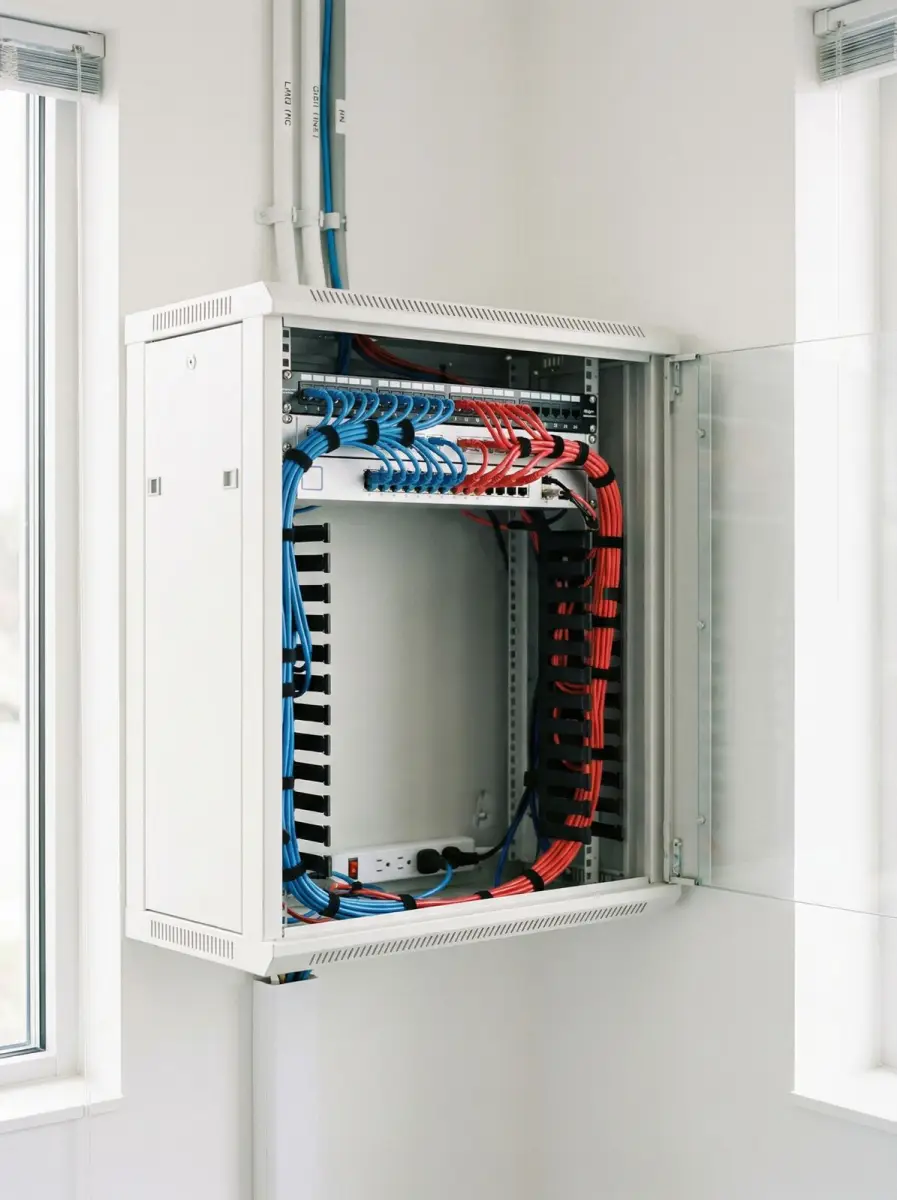
Establish operational truth
Inventory, topology, accounts, configurations and service ownership
Maintenance begins with a known baseline; otherwise every incident starts by rediscovering what exists and who may change it.
The onboarding inventory records sites, gateways, firewalls, switches, access points, controllers, key cables and fibre links, internet services, UPS units, licences and management platforms within scope. Each item has a location, role, model, identifier, current software where available, warranty or support state and operational owner. Shadow devices, unmanaged switches and equipment controlled by personal accounts are recorded as risks. Discovery is bounded by authorised access and does not assume every device can be safely interrogated during business operation.
A practical topology shows the path between users, access points, switching, gateway, provider and critical applications. It includes network purposes, important segments, uplinks, building distribution and third-party handoffs without exposing unnecessary secrets. The service map names who supports internet, POS, CCTV, identity, cloud applications and building systems. This makes escalation faster and prevents a network contractor from altering an application or security device that belongs to another responsible party.
Administrator ownership is confirmed before routine support. The organisation decides authorised users, approval roles, emergency access, multifactor options, recovery contacts and secure credential storage. Configuration exports and licence records are stored through an approved protected method, not attached to ordinary email or treated as non-sensitive documents. CISA guidance recommends central configuration storage and warns against treating the running device itself as the trusted configuration source. The support model applies that principle according to platform capability and customer policy.
- Inventory covered devices, sites, providers, licences, software and responsible owners.
- Document the user-to-application path and every supplier handoff that affects it.
- Transfer or confirm authorised administrator, recovery and approval ownership.
- Protect configuration records and management access as security-sensitive assets.
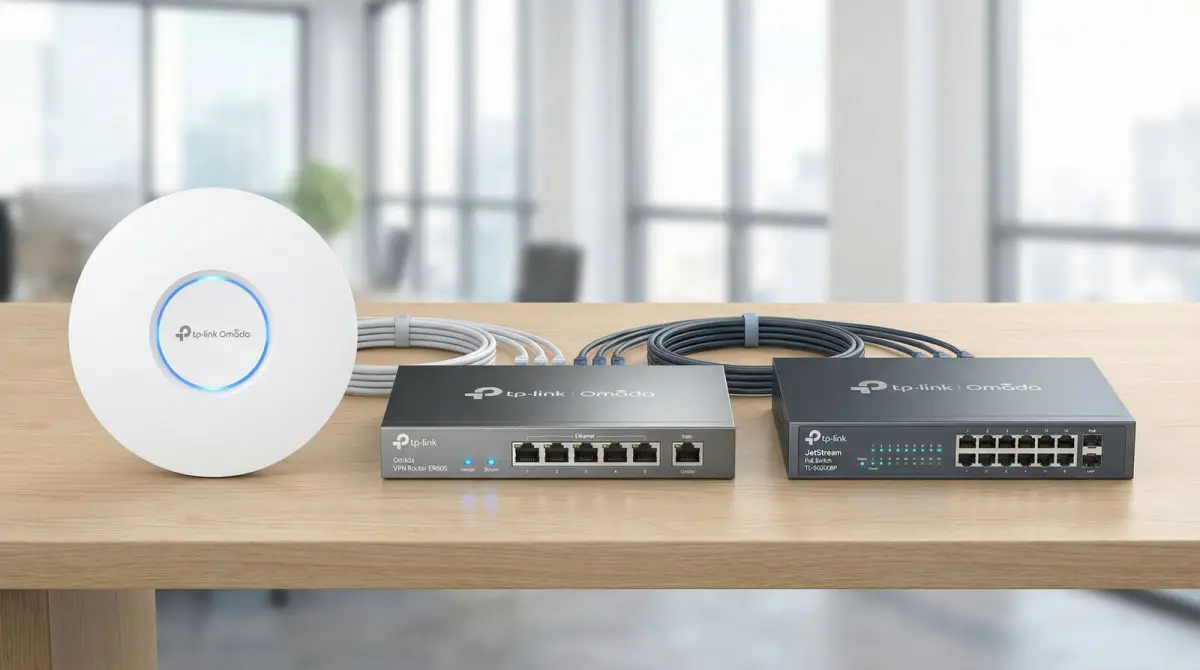
Observe what matters
Availability, RF, clients, uplinks, configuration and environmental signals
Monitoring should lead to a defined decision; collecting every metric without ownership creates noise rather than support value.
Monitoring coverage is selected by risk and platform capability. It may include device reachability, access-point and switch state, uplink errors, client counts, channel use, PoE condition, internet health, configuration changes, licence expiry and temperature or power alerts where sensors exist. A baseline shows ordinary differences between working hours, busy periods and quiet sites. Thresholds are tuned from that baseline instead of treating every transient event as an emergency.
Wireless telemetry helps identify association failures, repeated authentication problems, overloaded areas, abnormal interference or a failed access point. It does not reproduce every client experience, so incident review still needs device, location, time and application information. Cisco’s wireless-monitoring documentation describes using events and statistics for troubleshooting and radio-resource information for performance visibility. Vendor dashboards are interpreted within their product limits rather than presented as independent proof of every cause.
Alert routing names who receives each signal, during which hours and what action is expected. A critical gateway-down alert may trigger immediate triage under the selected coverage, while a rising-channel-utilisation trend may enter a scheduled review. Duplicate and symptom alerts are grouped around the same incident where possible. Monitoring outside quoted hours does not imply human response outside those hours; storage, notification, acknowledgement and action coverage are stated separately.
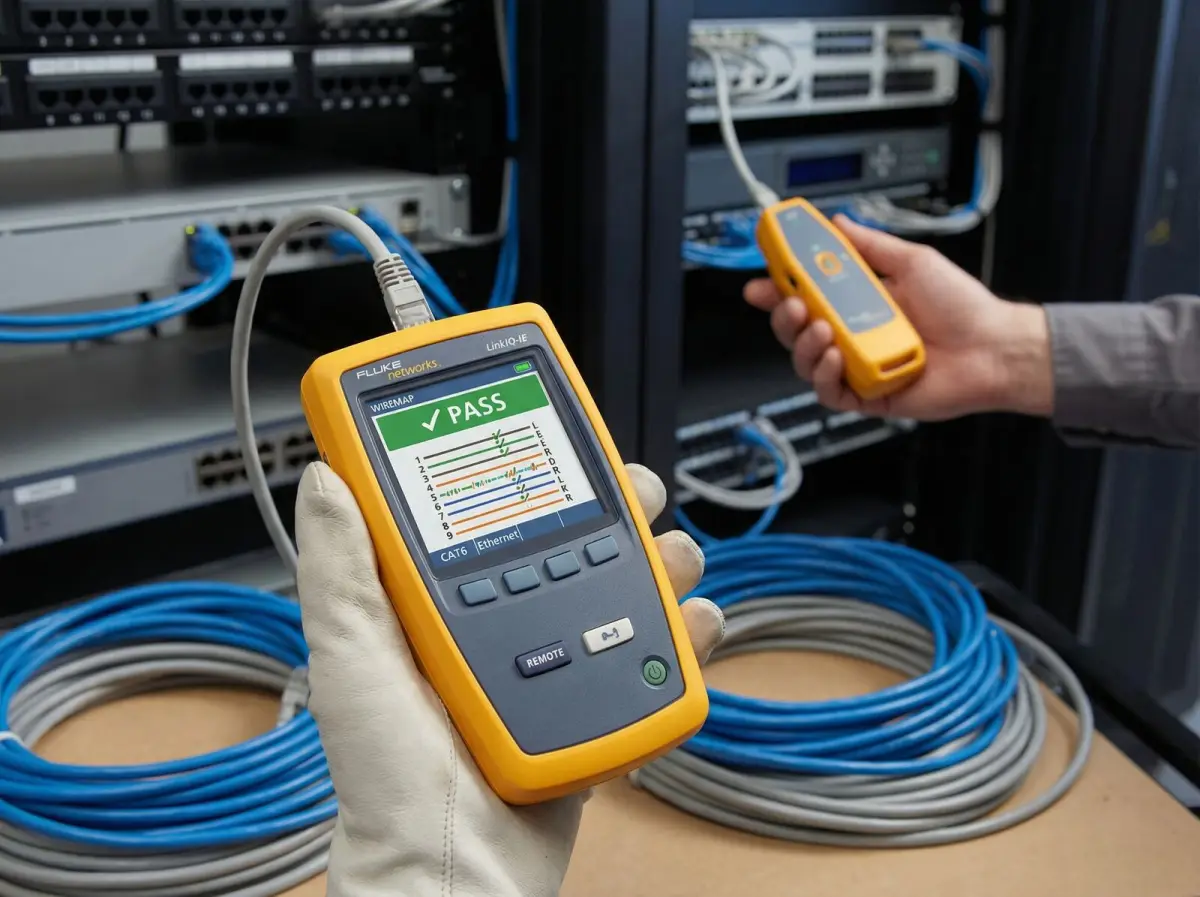
Diagnose before changing
Incident priority, evidence capture and root-cause investigation
Support priority follows business impact and agreed scope, while diagnosis follows the actual service path rather than the loudest assumption.
The incident record begins with affected site, users, devices, service, start time, frequency and business impact. It asks what still works and whether the symptom follows one device, location, network, provider or application. Safety, security and active construction conditions are checked before remote or onsite work. Priority definitions are agreed in advance—for example, a complete covered-site outage differs from a single old device that cannot join—without promising a restoration time that depends on third parties or replacement availability.
Evidence can include screenshots, client and controller history, access-point events, switch port and error counters, cable test results, addressing and DNS observations, gateway logs, internet measurements, provider references and application status. Logs are collected within authorised privacy and security boundaries. A hypothesis must explain how the observed condition creates the symptom and what test could disprove it. Rebooting is used only when it is an approved diagnostic or recovery step with state captured first, not as a substitute for understanding the failure.
When the cause belongs to an internet, application, power, electrical, building or equipment vendor, support packages the evidence and escalation question. It remains available to validate the local boundary after the third party acts, subject to scope. The incident is not closed simply because a dashboard turns green. The affected workflow is retested with a representative device or owner, and the record states confirmed cause, contributing factors, corrective action, evidence, result and any unresolved risk.
- Prioritise by defined business impact, coverage hours and customer safety obligations.
- Capture state before disruptive resets or changes where practical.
- Test a cause across client, RF, cable, LAN, provider and application boundaries.
- Close against the affected workflow and record unresolved dependencies explicitly.
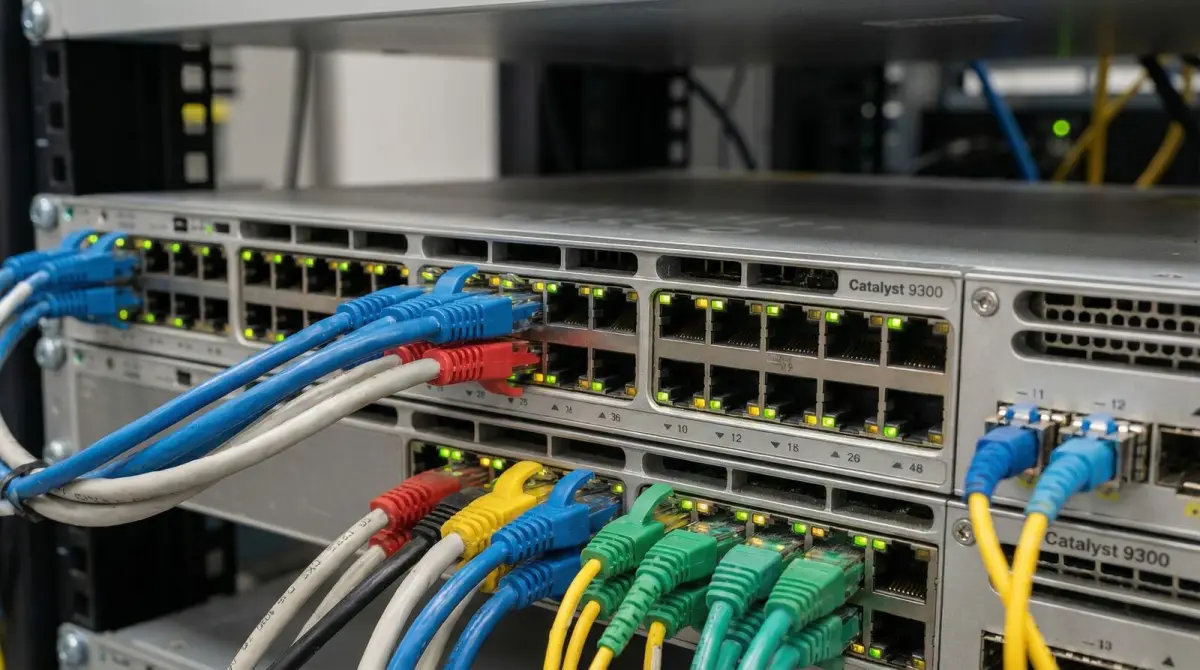
Control the network state
Configuration backups, approved changes, patching and rollback
The running network should not be the only copy of its own configuration, and every material change should have an owner and validation plan.
Configuration management identifies an approved baseline and stores protected exports or controller backups where the platform supports them. Backups are captured before and after material changes, tagged to the device, version and date and tested for practical restoration when feasible. Secrets and certificates require special handling; an export is not assumed safe merely because it is called a backup. CISA guidance recommends storing configurations centrally, monitoring unexpected modifications and using a robust change-management process with periodic audits.
A change request describes the business reason, affected services, technical steps, risk, dependencies, window, approval, validation and rollback. Routine wireless tuning can still affect roaming or legacy devices, while firmware changes can alter features or require reboots. Vendor release notes, support advisories and known compatibility constraints are reviewed. Important changes can be tested at a pilot site or limited area before broader rollout. An emergency change is recorded after stabilisation rather than becoming an undocumented permanent exception.
Patching priority considers exposure, exploitability, business criticality, platform support and the organisation’s security process. Support does not claim that installing every newest version immediately is safe, nor does it indefinitely postpone known risks. The recommended or supported software train is validated against required features and hardware. End-of-life announcements trigger a lifecycle decision because unsupported devices may lack fixes. Network maintenance supports—but does not certify—the customer’s wider cybersecurity programme.
Reduce avoidable incidents
Preventive reviews, capacity trends and equipment lifecycle planning
Preventive work does not eliminate failure; it surfaces conditions that can be corrected during a planned window instead of a business interruption.
A scheduled review can compare inventory with the management platform, inspect cabinets and access points, check patching and labels, review device and uplink errors, verify controller and licence state, assess channel and client trends and confirm provider or backup health. Fibre and copper are not disturbed unnecessarily; visual or instrument checks follow the condition and scope. Findings are ranked by current impact, failure risk, security exposure, capacity and change effort so the customer can decide what to address.
Capacity planning examines busy-period evidence instead of averaging the whole month. Rising client counts, airtime, uplink utilisation, PoE use, address-pool pressure or internet demand may justify a survey or design change. A trend is not itself a root cause, and a threshold is not a promise of user experience. Significant renovations, new walls, more staff, changed applications, added CCTV, warehouse racking or a new tenant can trigger a fresh site assessment because the network environment has materially changed.
Lifecycle planning tracks vendor support, warranty, licences, spares, power and physical condition. Replacement is organised by dependency and risk rather than the age printed on a device alone. A gateway or core switch may need staged migration and rollback; an isolated access point may have a simpler path. Budget options can separate immediate remediation, next-cycle work and monitored acceptance. The record also identifies single points of failure that cannot be removed without a separately approved resilience project.
- Review inventory, physical condition, errors, RF trends, licences and backup health on an agreed schedule.
- Use busy-period evidence and business changes to trigger capacity or survey work.
- Track vendor support and replacement dependencies before equipment becomes an emergency.
- Separate monitoring, accepted risk and approved remediation in the maintenance record.
Support wider risk management
Secure administration, network visibility, backups and recovery exercises
Network support contributes to protection and recovery, but cybersecurity governance and business continuity remain organisation-wide responsibilities.
Management interfaces are restricted to authorised paths and users according to the platform and organisation policy. Unused or insecure services are disabled where safe, administrator activity is logged where supported and internet exposure is reduced. CISA’s communications-infrastructure guidance recommends trusted management paths, current inventories, central logging, monitoring configuration changes and reviewing inactive accounts. The exact controls are adapted to the customer network and do not create an automatic compliance certification.
Configuration and documentation backups support restoration after hardware failure, accidental change or a security incident. They are protected, retained and periodically reviewed according to customer policy. Recovery depends on more than possessing a file: compatible hardware or virtual capacity, licences, software images, keys, certificates, ISP details and an authorised operator may all be required. A restoration exercise can validate selected devices or procedures without disrupting production, and limitations remain recorded.
NIST Cybersecurity Framework 2.0 organises cybersecurity outcomes around Govern, Identify, Protect, Detect, Respond and Recover. A network support scope can supply evidence or operational activities within several functions, but it does not replace executive risk ownership, legal advice, endpoint security, identity governance, application controls, incident response or staff training. The support proposal names what Translife operates, what the customer retains and which specialists must be involved during a suspected compromise.

Write an operable agreement
Support hours, priorities, remote access, onsite work and reporting
A maintenance arrangement becomes credible when both parties can tell what happens after an alert or support request.
The service description lists covered sites, devices and network functions; contact channels; operating hours; priority definitions; target acknowledgement or response where offered; remote-access method; onsite conditions; travel or access assumptions; maintenance windows; reporting and escalation. It distinguishes response from restoration because a repair may depend on landlord entry, a carrier, replacement stock or another vendor. No 24-hour, seven-day or guaranteed restoration claim applies unless a signed scope explicitly provides it.
Customer responsibilities include maintaining authorised contacts, reporting useful incident details, providing safe and timely access, preserving power and environmental conditions, approving changes, supporting third-party escalation and notifying support before renovations or supplier work. Remote access is enabled only through an agreed secure method and can require customer approval per session. Unauthorised shared credentials or consumer remote-control tools are not silently adopted because they are convenient.
Regular reports can summarise incidents, confirmed causes, response evidence, changes, monitoring trends, lifecycle risks, pending approvals and recommendations. Metrics are interpreted carefully: a low ticket count may mean stability or poor reporting, and device availability does not prove every application worked. Review meetings decide actions and update the inventory or support scope as the business changes. At contract transition, current configurations, documents, accounts, open risks and support history are transferred according to the agreed ownership model.
- Define coverage, priority, response, restoration dependencies and exclusions separately.
- Use an approved remote-access and change-authorisation process.
- Report causes, evidence, changes, trends, open risks and customer decisions.
- Provide an orderly transition of accounts, records and unresolved work when support changes.
Decision guide
Choose support coverage by operational requirement
The appropriate model depends on site impact, internal capability, equipment, provider dependencies and when human response is actually required.
| Support need | Questions to answer | Suitable scope focus |
|---|---|---|
| Baseline and documentation | Is the inventory current, are accounts owned, and can the user-to-application path be traced? | Discovery, topology, account transfer, configuration backup, labels, provider map and risk register. |
| Scheduled preventive maintenance | Which sites and devices justify periodic physical, RF, capacity, error and lifecycle review? | Agreed review cycle, findings by priority, trend evidence, change proposals and tracked decisions. |
| Remote incident support | What platforms permit secure remote evidence, during which hours, and who approves changes? | Defined contact and priority path, protected access, diagnostics, provider escalation and recorded closure. |
| Onsite fault response | Which failures need instruments or physical access, and what travel, landlord, safety or spares constraints apply? | Quoted coverage, safe access, physical testing, replacement conditions and third-party coordination. |
| Custom critical-site coverage | Which services, hours, response targets, spares, resilience and external dependencies justify dedicated terms? | Site-specific service levels, monitoring and escalation design, named exclusions and tested operating procedures. |
Delivery process
A business WiFi maintenance onboarding sequence
Onboarding creates the operational baseline and support boundaries required before routine alerts or incidents can be handled consistently.
- 01
Business-impact discovery
Identify sites, critical workflows, operating hours, user groups, providers, vendors, internal capability and acceptable maintenance windows.
- 02
Inventory and ownership baseline
Document equipment, software, licences, topology, configurations, accounts, warranties, provider handoffs and known risks.
- 03
Monitoring and support design
Select meaningful telemetry, alert routing, priorities, covered hours, secure remote access, onsite conditions and escalation paths.
- 04
Initial remediation plan
Separate urgent risks, stabilisation, lifecycle work, documentation gaps and accepted limitations for customer approval.
- 05
Operate and validate
Triage incidents, capture evidence, control changes, test affected workflows and update configuration and service records.
- 06
Review and improve
Report trends, causes, lifecycle exposure and open decisions, then adjust monitoring and scope as the business changes.
Visual field guide
What the physical network work looks like
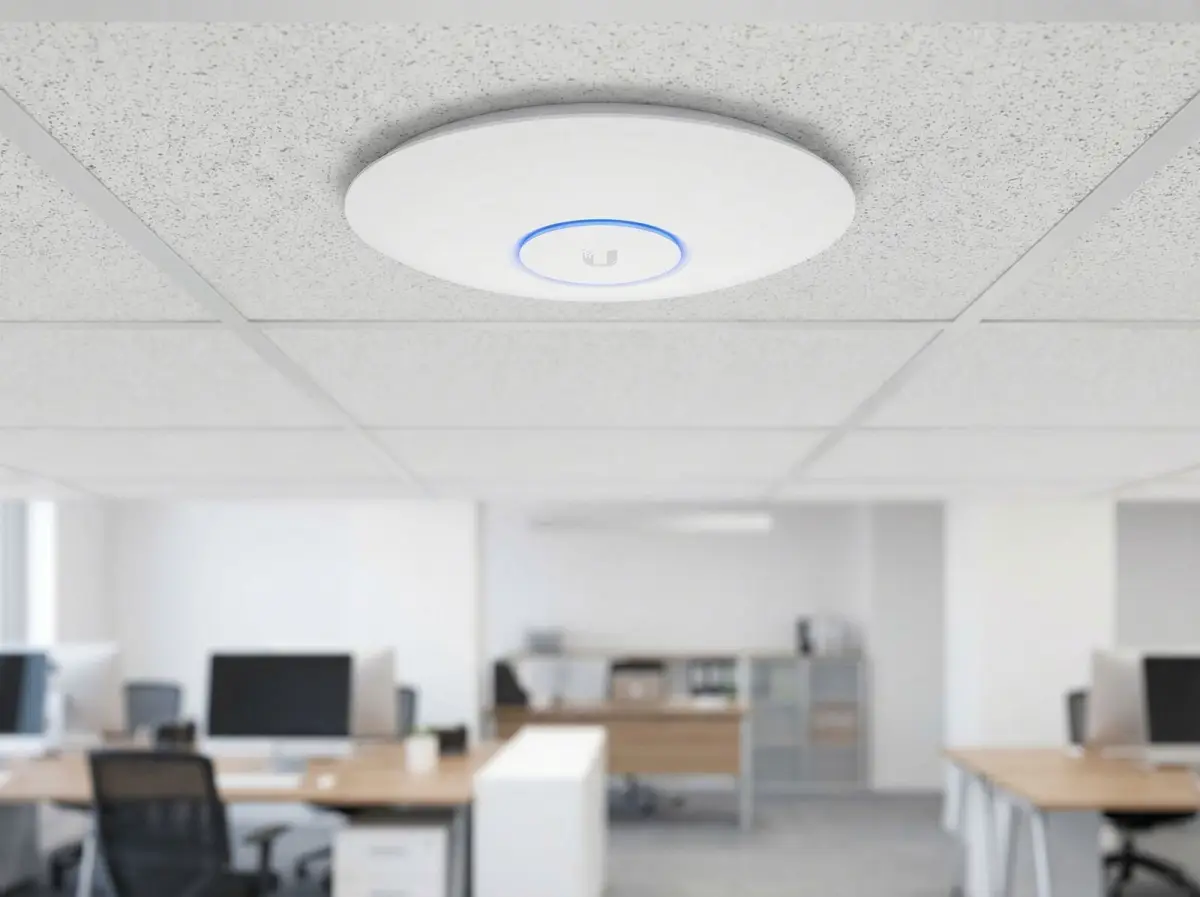
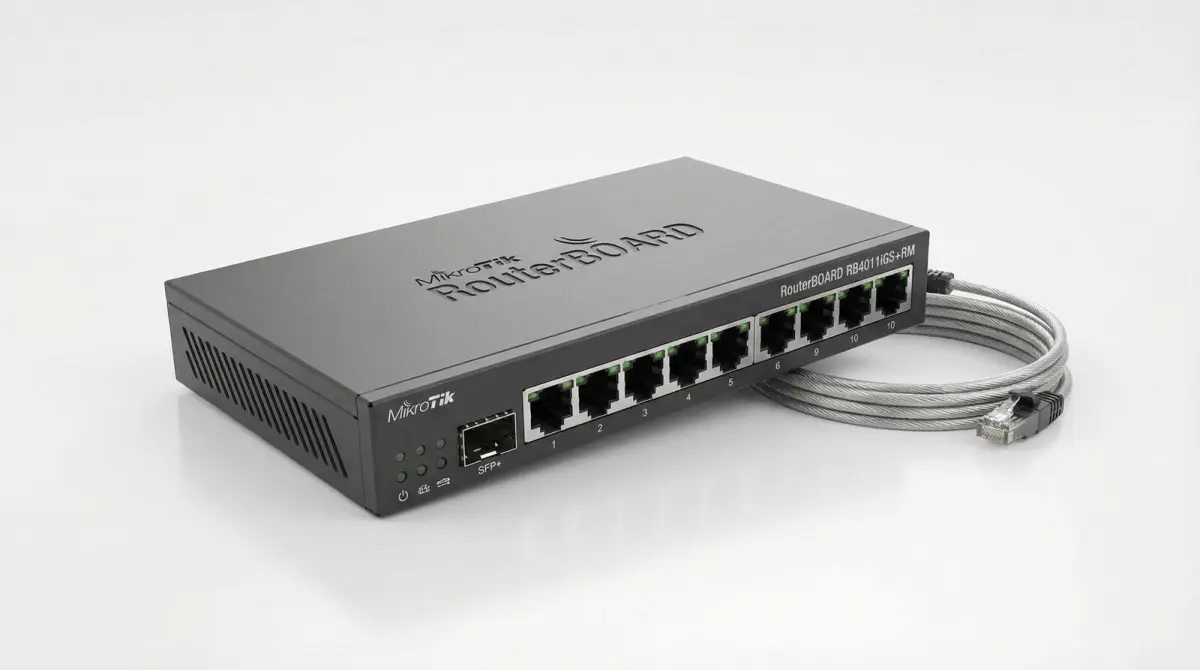
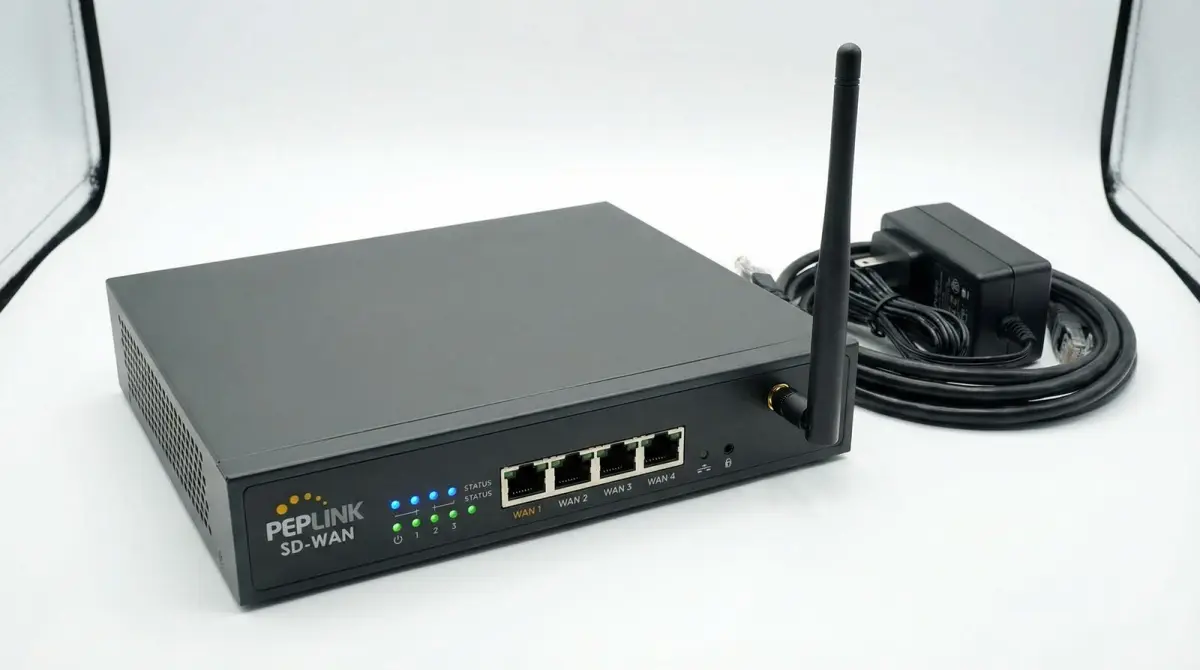
These illustrative installation views show the components and workmanship discussed on this page; final equipment and routes depend on the survey.
Known physical baseline
Labels, device roles and port records reduce rediscovery during an incident.
Platform visibility
Events and statistics become useful when thresholds and owners are defined.
Uplink and port evidence
Counters and configuration help separate local faults from provider and application issues.
Onsite diagnostics
Physical testing is used when the symptom or evidence points beyond remote telemetry.
Provider and failover paths
Backup connectivity needs monitoring, policy and periodic scenario validation.
Lifecycle and recovery
Support records connect equipment, software, configurations, dependencies and replacement decisions.
Evidence base
Technical references used for this guide
- Enhanced visibility and hardening guidance
Cybersecurity and Infrastructure Security Agency
Used for current inventory, central configuration storage, change monitoring, protected management access, logging, account review, patching and end-of-life practices for network infrastructure.
- Monitor wireless networks
Cisco
Used as a vendor reference for events, statistics, radio-resource information and troubleshooting visibility, with platform-specific limits kept explicit.
- Cybersecurity Framework 2.0
National Institute of Standards and Technology
Used to place network operations inside the wider Govern, Identify, Protect, Detect, Respond and Recover risk-management lifecycle without claiming certification.
FAQ
Questions Malaysian organisations ask before improving WiFi
Straight answers about scope, evidence, disruption and long-term operation.
What is included in business WiFi maintenance?
A scope may include inventory, topology and account ownership, monitoring, incident triage, configuration backups, controlled changes, firmware and lifecycle review, preventive site checks, provider escalation, reporting and documentation. Exact sites, devices, hours and onsite coverage are written into the quotation.
Does Translife provide 24/7 WiFi support?
No universal 24/7 claim applies. Business-hours, scheduled, project-based or custom critical-site coverage can be scoped. Any after-hours monitoring, acknowledgement, remote or onsite response and target times must be explicitly written into the selected agreement.
How quickly will a network fault be fixed?
Response and restoration are different. A quoted response target can govern triage, while restoration may depend on diagnosis, access, replacement stock, a carrier, landlord, power or another vendor. Priorities, hours, targets and exclusions should be agreed before an incident.
Can WiFi be monitored remotely?
Often, where the selected platform exposes suitable telemetry and the organisation approves secure management access. Monitoring may show device, client, RF, uplink, internet or configuration signals, but it does not reproduce every user or application experience.
Why is configuration backup part of network maintenance?
A protected, identified backup helps compare authorised state, recover from hardware failure or an incorrect change and document what was operating. Restoration still depends on compatible equipment, software, licences, keys and a tested procedure; possessing an export alone is not enough.
Will support replace old network equipment automatically?
No. Lifecycle review identifies support, security, capacity, warranty and failure risks and proposes priorities. Replacement follows customer approval, budget, migration dependencies and an appropriate change window unless a pre-authorised spare arrangement says otherwise.
Can Translife support equipment installed by another contractor?
Potentially, after discovery confirms access, ownership, condition, platform support, licensing and documentation. Unsupported, unsafe, locked or unknown equipment may require remediation or remain an explicit limitation before routine support can be accepted.
Does network maintenance include the ISP and cloud applications?
Support can test and document the customer-side boundary and assist escalation when included, but the carrier and application provider remain responsible for their services. Their commercial response and restoration commitments are not replaced by the local network agreement.
How should staff report intermittent WiFi?
Useful details include site, exact location, date and time, affected device, network name, application, observed error, whether other devices or services worked and a screenshot where appropriate. This allows historical telemetry and service-path evidence to be correlated.
Does maintenance make a business cybersecurity-compliant?
No. Secure administration, monitoring, patching, configuration control and recovery evidence can support a wider programme, but compliance and cybersecurity also involve governance, endpoints, identity, applications, data, legal duties, staff and incident response.
When should a new WiFi site survey be performed?
A survey can be triggered by persistent RF evidence, new walls or renovations, changed occupancy, new applications, additional racking or machinery, new tenants, expanded outdoor areas, equipment migration or a materially different performance requirement.
What is needed for a WiFi maintenance quotation?
Useful inputs include site count and hours, equipment inventory, floor plans and topology, management platforms, internet services, critical workflows, current support and licences, known incidents, desired coverage, remote-access policy, onsite constraints and internal escalation contacts.
Explore more
Continue planning your connectivity project
Use the service page that matches the next decision in your network plan.
Testimonials
What Our Clients Say
Trusted by corporations, SMEs, and government agencies in Malaysia and Singapore.
“Great suggestion of the output format of translation which I never thought of. It helps our people at site understand the translation much easier.”
DHL Malaysia
Plan with evidence
Request a business WiFi support assessment
Share the sites and operating hours, equipment and management platforms, internet services, critical workflows, current incidents, desired monitoring and response coverage, remote-access policy and onsite constraints. We will use those inputs to define an onboarding and support scope.
Prefer to provide drawings first? Use the contact page and describe the premises, operating hours, known dead zones and approximate user or device count.