If you have ever stood at the far end of a warehouse, a plantation block, a resort pool deck or the back gate of a gated community and watched your phone drop to a single bar, you already understand the problem. Getting reliable large area WiFi in Malaysia is not about buying a more powerful router. It is about designing a coverage system that carries internet from wherever it enters your land, distributes it across the whole property, and hands it to users through access points placed exactly where people and devices actually are. This guide walks through the entire discipline of WiFi for a large property — the layered architecture, the trade-offs between mesh, wireless bridges and cabling, how to cover multiple buildings and outdoor spaces, warehouse-specific challenges, what to do when there is no fixed line, and how to plan capacity so the network holds up when it is busy. Everything below is written for the Malaysian context: the heat, the rain, the metal roofs, the sprawling sites and the fibre gaps.
Why a Single Router Never Covers a Large Property
The single most common mistake we see on Malaysian sites is treating a large property the way you would treat a small apartment: one internet line, one all-in-one router from the ISP, and an expectation that the signal will somehow reach the whole compound. It never does, and the reason is not that the router is cheap or broken. The reason is physics, and no amount of firmware, antenna boosters bought online, or "high-power" marketing can change it.
The Physics You Are Fighting
WiFi is radio, and radio signal weakens rapidly with distance. In free space, signal strength falls off with the square of the distance — double the range and you have a quarter of the power. In the real world it is far worse, because the signal has to punch through walls, roofs, racking, rain and vegetation, each of which absorbs energy. A 2.4 GHz signal penetrates obstacles better but is slower and painfully congested; a 5 GHz or 6 GHz signal is faster and cleaner but dies quickly when it meets a concrete wall or a steel shed. There is a second, less obvious problem: WiFi is a two-way conversation. Your phone is a small device with a tiny antenna and a battery that limits how loudly it can "shout" back. So even if a rooftop router could somehow blast a signal 200 metres to the far fence, the phone at the fence cannot reply loudly enough to complete the link. This is why the honest working range of a single indoor access point is measured in tens of metres, not hundreds.
Malaysian conditions make all of this harder. Heavy tropical rain attenuates higher-frequency signals. Metal roofing and steel-framed sheds — standard on farms, factories and warehouses — reflect and block WiFi ruthlessly. Dense oil palm, rubber and fruit tree canopies soak up signal like a sponge. And the buildings themselves, built for the climate with thick masonry and reinforced concrete, are far less forgiving than the drywall partitions you find in temperate-climate homes. The upshot is simple: a large area demands multiple radios placed deliberately, not one radio placed hopefully.
The Symptoms You Already Recognise
- •Strong signal near the office, nothing at the loading bay, guardhouse or far block.
- •CCTV cameras at the perimeter that constantly drop offline or lag.
- •Handheld scanners in the warehouse that lose connection between aisles, forcing staff to re-scan.
- •Guests at a resort or event complaining about WiFi the moment they leave the lobby.
- •A patchwork of consumer routers and range extenders that each need a different password and drop the connection every time you walk between them.
- •"Boosters" and powerline adapters that helped for a week and then made things worse.
If two or more of those describe your site, you do not have a router problem. You have a coverage architecture problem, and the fix is a properly layered network. Let us build that up from the ground.
The Layered Approach: Backhaul, Distribution, Access
Every reliable large-area network — whether it covers a 50-acre plantation or a four-block office campus — is built from three distinct layers. Confusing these layers, or trying to make one device do all three jobs, is the root cause of most failed installations. Think of it the way you would think of getting water across a property: you have a source (the mains), a distribution system (the buried pipes), and the taps people actually use. WiFi is identical.
Layer 1 — Backhaul: Getting Internet to the Site
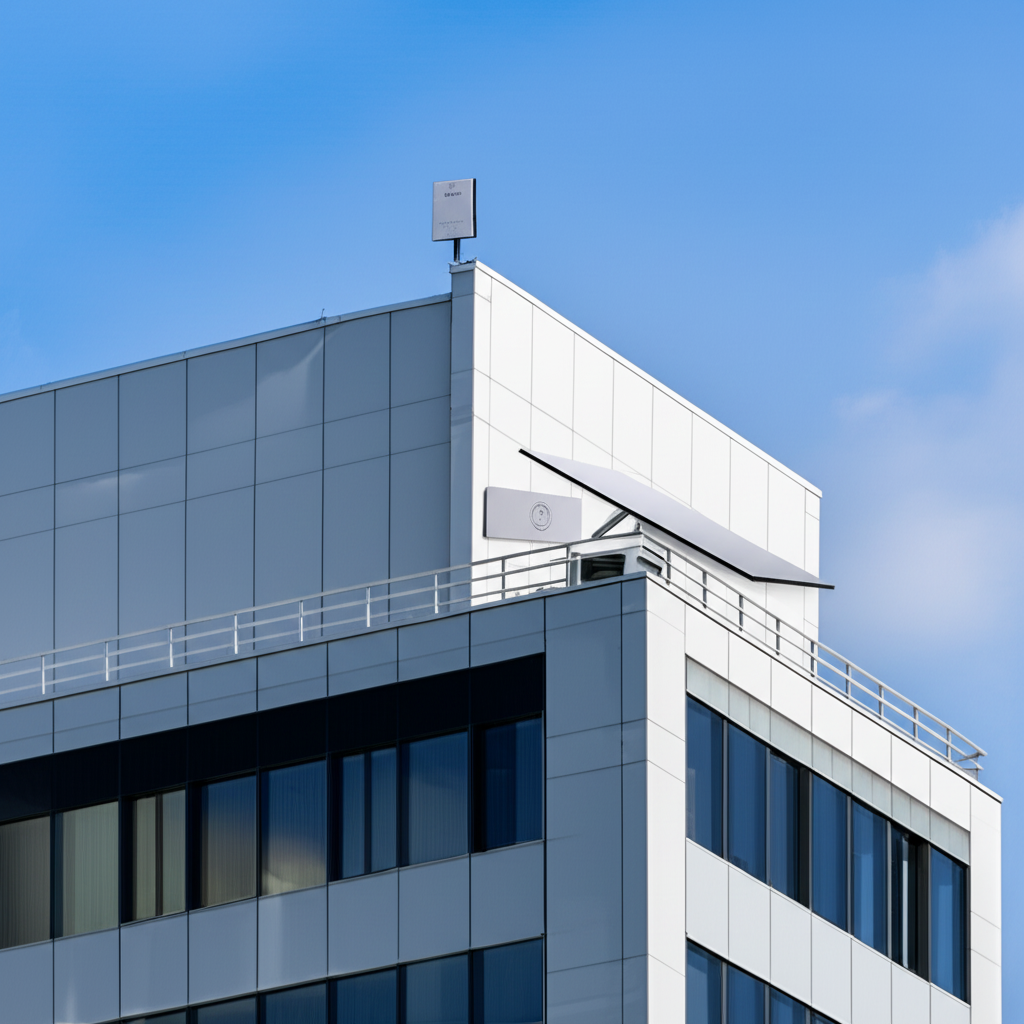
Backhaul is the single link that brings internet onto your property in the first place. On a city-edge site this might be a fibre line from Unifi, TIME or Maxis. On a remote plantation or a new construction site with no fixed line, it might be a 4G/5G router with a good outdoor antenna, or a Starlink dish. The key point is that backhaul is one connection with one job: deliver a reliable pipe of internet to a single point on your land. Everything else in the network exists to spread that pipe out. If your backhaul is weak or unreliable, no amount of distribution or access-point wizardry downstream will save you — the whole site inherits the weakness of that one link. We cover backhaul choices in depth in our remote-site and industrial internet guide and through our wireless connectivity service.
Layer 2 — Distribution: Moving Signal Across the Property
Distribution is the backbone that carries the internet from the backhaul point out to the different corners and buildings of your site. This is where large-area design lives or dies. Distribution can be physical (fibre or Ethernet cable buried in conduit, running to each building) or wireless (point-to-point and point-to-multipoint radio bridges beaming a high-bandwidth link across open ground). Most real sites use a mix: cable where trenching is practical and buildings are close, wireless bridges to leap across a car park, a field, a river or a road that you cannot dig up. The distribution layer is deliberately kept separate from the WiFi that users connect to — it is a high-capacity, dedicated backbone whose only customers are your access points and your wired devices like CCTV recorders.
Layer 3 — Access: The WiFi Users Actually Touch
The access layer is the set of WiFi access points (APs) that phones, laptops, scanners, tablets and IoT devices connect to. Each AP covers a modest area very well, and you deploy as many as the property needs — inside the warehouse, along the corridors, on the pool deck, at the guardhouse, in each villa. Because each AP has short work to do, it does it reliably. The APs are fed by the distribution backbone, so every one of them offers the full internet connection, one seamless WiFi network name, and one password across the whole site. This is the difference between a professional large-area network and a pile of consumer routers: one name, one login, seamless movement, and coverage wherever you put an AP. When people say a property has "good WiFi everywhere," this three-layer design is what they are describing, whether they know it or not.
The one sentence to remember
Backhaul brings the internet to the property; distribution carries it across the property; access hands it to the user. Every large-area project is just deciding, for your specific site, what technology fills each of those three layers.
Mesh vs Wireless Bridges vs Cabling: When to Use Each
Three technologies dominate the distribution layer, and choosing the wrong one is the most expensive mistake in large-area WiFi. They are not competitors so much as tools for different jobs. A good designer uses all three on the same site where each fits. Here is how to tell them apart and when each earns its place.
When Wireless Mesh Makes Sense
In a mesh network, access points talk to each other wirelessly and relay traffic hop-by-hop back to the wired uplink. Mesh is genuinely useful when you physically cannot run a cable to an AP — an outbuilding across a courtyard, a temporary structure, a heritage building where you are not allowed to drill. Modern mesh from Ubiquiti UniFi or TP-Link Omada is far better than the consumer mesh kits sold in electronics shops, because it is centrally managed and uses a dedicated radio for the backhaul hop. But mesh has a hard limit you must respect: every wireless hop roughly halves throughput and adds latency, because the same radio is both serving clients and relaying to the next node. One hop is fine. Two hops is a compromise. Three or more hops is a network that looks connected but performs terribly under load. Mesh is a convenience for filling gaps, never the primary backbone of a genuinely large site.
When a Wireless Bridge Is the Right Tool
A wireless bridge is a dedicated pair (or set) of directional radios whose only job is to replace a cable across a gap you cannot trench. Unlike mesh, a bridge does not serve client devices — it is a private, high-capacity, point-to-point link between two fixed antennas that you aim at each other. This is the workhorse of multi-building and large-outdoor sites in Malaysia. Need to get a full internet connection from the main office to a warehouse 300 metres away across a car park? A wireless bridge from Ubiquiti (the airMAX and UniFi Building-to-Building ranges) or Cambium does it in a day, with no digging, delivering hundreds of megabits or more across the gap. Because the bridge is a clean point-to-point link with clear line of sight, it holds up far better than a mesh hop. We go deep on distances, frequencies and antenna aiming in our point-to-point long-distance internet guide — essential reading if your buildings are hundreds of metres or kilometres apart.
When You Should Just Run Cable
Whenever you reasonably can, cable wins. A buried fibre or Ethernet run is immune to rain, interference and line-of-sight problems; it delivers full, symmetrical bandwidth with negligible latency; and it will still be working in ten years when wireless standards have moved on twice. Ethernet also carries power (Power over Ethernet, or PoE), so a single cable both connects and powers an outdoor AP or camera — a huge simplification. The practical limit for standard Ethernet is 100 metres per run; beyond that you either place a switch partway or switch to fibre, which comfortably runs hundreds of metres to kilometres. The reason people avoid cable is trenching cost and disruption — but on a site where you are already doing groundworks, or where two buildings are close, structured cabling is almost always the right long-term answer. Our network cabling and WiFi installation service handles trenching, conduit, fibre termination and the full structured backbone.
| Technology | Best for | Watch out for |
|---|---|---|
| Cabling (Ethernet / fibre) | The permanent backbone; anywhere you can trench or already have conduit. | Trenching cost; 100 m Ethernet limit before you need fibre or a switch. |
| Wireless bridge (PtP / PtMP) | Crossing a gap you cannot dig — car park, field, road, river; multi-building. | Needs clear line of sight; rain fade at high frequencies; correct aiming. |
| Wireless mesh | Filling a single gap where no cable can reach; temporary setups. | Every hop halves throughput; never use as the main backbone of a large site. |
Covering Multiple Buildings: Point-to-Multipoint
Many Malaysian sites are not one big building but several scattered ones: a main office, a warehouse, a workshop, a guardhouse, staff quarters. Running a separate internet line to each is expensive and often impossible where fibre does not reach. This is the classic case for a point-to-multipoint (PtMP) wireless distribution system.
How Point-to-Multipoint Works
In a PtMP layout you install one central radio — usually on the tallest structure, with a sector antenna that broadcasts across a wide arc — and a small dish or panel on each of the surrounding buildings, all aimed back at the centre. The central site has the internet backhaul; every building becomes a "client" of that hub, receiving a full internet feed wirelessly. Inside each building you then place ordinary access points fed by that link. The beauty of PtMP is efficiency: one hub serves five, ten or more buildings, sharing the backhaul intelligently between them. Ubiquiti's airMAX, Cambium's cnMatrix and PMP ranges, and similar platforms are purpose-built for exactly this. A single well-placed hub can turn a scattered compound into one unified network without a single trench between buildings.
Line of Sight, Fresnel Zones and Real Obstacles
Every wireless bridge and PtMP link depends on line of sight between the antennas, and here is where good intentions meet Malaysian reality. It is not enough for the two antennas to "see" each other in a straight line; radio needs a clear elliptical zone around that line — the Fresnel zone — to remain mostly unobstructed. A tree, a new building, a water tank or even a growing oil palm canopy poking into that zone can quietly degrade a link that worked perfectly on install day. This is why professional installers mount antennas high (on poles, towers or rooftops), survey the path carefully, and plan for future growth of vegetation. On plantations especially, we account for the fact that trees grow — an antenna that clears the canopy today may be buried in leaves in three years. Getting mounting height and path clearance right at design time is far cheaper than climbing back up to fix it later.
Outdoor Coverage: Weatherproofing and Antennas
Covering open ground — a resort garden, a car park, a plantation nursery, an event field, a construction yard — is a completely different discipline from covering an air conditioned office. Outdoor equipment lives in the Malaysian climate 24 hours a day: driving rain, UV that cooks plastic, humidity that corrodes connectors, and heat that shortens the life of cheap electronics. Using indoor gear outdoors, even under an eave, is a false economy that fails within a monsoon or two.
IP-Rated Access Points and What the Rating Means
Outdoor access points carry an IP (Ingress Protection) rating — you will see numbers like IP65, IP66 or IP67. The first digit is protection against dust (6 means dust-tight); the second is protection against water (5 means protected against water jets, 6 against powerful jets, 7 against temporary immersion). For Malaysian outdoor use, IP65 or better is the sensible floor, and IP66/IP67 for exposed rooftop and pole mounts that take the full force of tropical storms. Ubiquiti's UniFi outdoor and Mesh Pro units, TP-Link's Omada outdoor EAP range, Ruckus outdoor APs and Cambium's hardened units are all built for this. Beyond the AP itself, the installation matters just as much: drip loops on cables so water runs away rather than into the connector, quality outdoor-rated cable, proper glanding, and surge protection or grounding, because Malaysia has some of the highest lightning activity in the world. An ungrounded rooftop AP is a lightning casualty waiting to happen.
Directional vs Omnidirectional Antennas
Antenna choice shapes where your signal goes. An omnidirectional antenna radiates equally in all horizontal directions — perfect for an AP in the middle of an area you want covered on all sides, like a courtyard or a central pole in a car park. A directional antenna (a panel, sector or dish) focuses its energy into a beam, trading width for reach. You use directional antennas to push coverage along a driveway, down a row of villas, across a field toward a far building, or to form the bridge and PtMP links discussed above. A common professional pattern is a sector antenna covering a wide arc from a central mast, with the beam tilted slightly downward so the signal lands on the ground where people are rather than sailing over their heads. Matching antenna pattern to the shape of the area you are covering is one of the highest-leverage decisions in outdoor design, and it costs nothing extra — it is simply knowing which antenna to choose.
Large Indoor Spaces: Warehouses and Factories
Warehouse WiFi in Malaysia deserves its own treatment because it breaks the rules people learn from office and home WiFi. A warehouse is a large, open, metal-filled, ever-changing box, and covering it reliably enough for barcode scanners, forklift terminals, tablets and voice-picking headsets is a specialist job.
High Ceilings, Racking and Metal
In a home, you mount an AP on the ceiling and it sprays signal down onto everyone below. In a warehouse with a 12-metre ceiling, an AP mounted at the roof is so far from the floor that its signal is weak by the time it arrives, and everything in between — steel racking, stacked pallets, metal shelving, machinery — reflects and blocks it. Worse, the contents change daily: an aisle that was empty when you surveyed becomes a wall of stacked goods next week, and coverage that tested fine now has dead spots. The professional answer is to bring APs down lower, often mounted on the racking or on lowered mounts, using directional or specialised warehouse antennas that aim signal down the aisles rather than across them, and to place APs so that coverage overlaps and no single blocked aisle creates a dead zone. Site surveys for warehouses assume the space is full, not empty, because empty-warehouse coverage is meaningless the moment stock arrives. This is exactly the kind of environment where consumer gear and guesswork fail and a designed system pays for itself in fewer re-scans and no lost forklift time.
Seamless Roaming for Moving Users and Devices
A picker walking the length of a warehouse, a guest strolling a resort, a security guard patrolling a campus — all of them move continuously across the coverage of many access points. If the network is not configured for seamless roaming, their device clings stubbornly to the first AP it joined, the signal fades as they walk away, and the connection stutters or drops before the phone reluctantly re-joins a nearer AP. The fix is centrally managed WiFi with fast roaming standards (802.11k/v/r) enabled, tuned power levels so devices are nudged to hand over cleanly, and one consistent network name across every AP. This is where controller-based platforms — UniFi, Omada, Ruckus, Aruba — earn their keep over standalone routers: they orchestrate all the APs as one system so movement is invisible to the user. For a warehouse running warehouse-management software, seamless roaming is not a luxury; a scanner that disconnects mid-aisle is lost productivity on every single pick.
Coverage vs capacity — the distinction that trips people up
"I can see the WiFi" is coverage. "The WiFi is fast even when 200 people are on it" is capacity. A large area needs both, and they are solved differently: coverage with placement and antennas, capacity with more APs each serving fewer devices. A resort ballroom might need six APs in one room not for coverage but purely to share the load of hundreds of guests.
When There Is No Fixed Line: Starlink and Alternatives
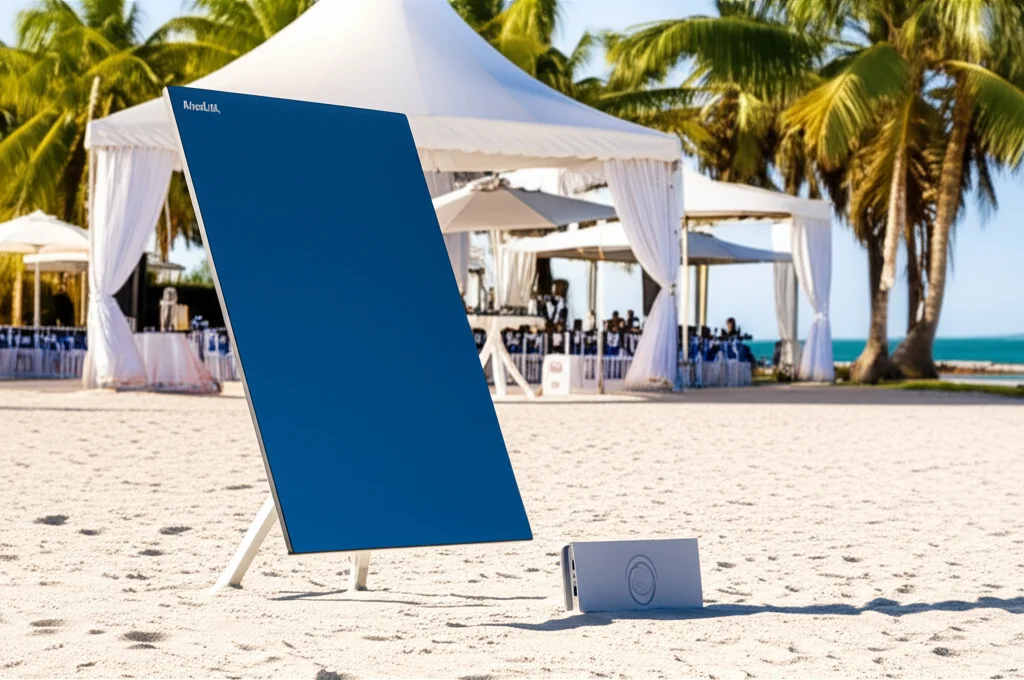
A large property is often large precisely because it is out of town — a plantation, a farm, an eco-resort, a quarry, a new development site — and out of town is exactly where fibre has not reached. For decades this meant either no internet or a weak, expensive satellite link with terrible latency. Starlink changed that completely. A single Starlink dish delivers genuinely usable broadband — often 100 Mbps or more with low enough latency for video calls — almost anywhere with a clear view of the sky, and it can be set up in an afternoon. For large-area coverage, Starlink slots straight into the backhaul layer: the dish brings the internet onto the property, and your distribution and access layers spread it across the site exactly as they would with a fibre feed. We keep Starlink units available for rental as well as permanent installation, which is ideal for construction sites, temporary operations, and properties waiting for fibre. Where a single fixed line would be a single point of failure, some sites also keep a 4G/5G router as automatic failover, so if one path drops the site stays online. The important idea is that how the internet arrives (Starlink, 4G/5G, fibre) is a separate decision from how you spread it across the property — solve them independently and any combination works.
Network Segmentation: Guest, Operations, IoT and CCTV
Once one network blankets your whole property, a new question appears: should the guest on the pool deck, the forklift terminal in the warehouse, the CCTV camera on the perimeter and the accounts PC in the office all really share the same network? Almost never. Proper large-area design separates traffic into segments (VLANs), each with its own rules, running over the same physical infrastructure. A typical Malaysian commercial site runs at least four:
- •Operations — staff devices, point-of-sale, warehouse scanners, business systems. Trusted, prioritised, tightly controlled.
- •Guest — visitors, customers, tenants. Isolated from everything else, bandwidth-limited, with a captive portal if you want branding or terms of use. A hacked guest laptop must never be able to reach your CCTV or accounts.
- •IoT and building systems — access control, sensors, smart meters, HVAC. Often insecure by design, so they are quarantined on their own segment where a compromised device cannot spread.
- •CCTV and security — cameras and recorders generate heavy, constant traffic and are a favourite attack target. Isolating them protects both their bandwidth and the rest of your network.
Segmentation costs nothing extra in hardware on a properly chosen platform — it is a configuration decision — but it is the difference between a network that is merely connected and one that is secure and manageable. It also makes troubleshooting sane: when the guest WiFi is saturated by someone streaming, your operations and CCTV traffic are untouched because they live on separate lanes of the same road.
Capacity and Density: Coverage Is Not Enough
The hardest lesson in large-area WiFi is that coverage and capacity are different problems. You can have a perfect signal everywhere and still have a network that crawls the moment it gets busy, because too many devices are fighting over the same radio. Every access point is a shared medium: the devices connected to it take turns, and the more devices, the smaller each one's share and the more time is lost to contention. This is why an event field that is dead quiet on a survey becomes unusable when 500 phones arrive, and why a warehouse with a hundred scanners needs more APs than its floor area alone would suggest.
Density planning means counting devices, not just square metres. A quiet plantation office with ten users is a light load; a resort at full occupancy, a factory floor at shift change, a conference or an event with high-density WiFi needs can put thousands of devices in a small footprint. The answer to density is not bigger APs but more APs, each turned down in power so they cover a smaller area and therefore serve fewer devices each — the opposite of the home-WiFi instinct to crank everything to maximum. Getting this wrong is the most common reason a network that "tested fine" disappoints on the busy day it was actually built for. If your site has predictable peak events — a sale, a festival, a shift change, a conference — the network must be sized for the peak, not the average.
Power and Cabling: The Part Everyone Underestimates
A WiFi design on paper says nothing about the two things that actually determine whether it can be built: can you get power to each device, and can you get a cable there too? On a large property these are real engineering questions. A perimeter camera or outdoor AP 400 metres from the nearest plug is not powered by hope. The elegant answer for most devices is Power over Ethernet — the same Ethernet cable that connects an AP or camera also powers it, so one cable does two jobs, up to 100 metres. Beyond 100 metres you place a small weatherproof cabinet with a switch partway, or run fibre for data and arrange local power. On genuinely remote points — a far gate, a field camera, a hilltop relay — you may need solar with a battery, which we design in where mains simply does not reach.
Cabling choices ripple through the whole budget and timeline. Outdoor and buried cable must be the correct type — UV-resistant, gel-filled or armoured for direct burial, pulled through conduit — because ordinary indoor cable degrades and fails fast in the Malaysian environment. Conduit and trenching, if needed, are often the largest single line item on a large-area quote, which is precisely why wireless bridges are so attractive for crossing the expensive-to-dig gaps. A good design consciously balances the two: cable where it is cheap and permanent, wireless where trenching would cost more than the link is worth. Our structured cabling team handles conduit, fibre, PoE switching and outdoor power as one coordinated package so these details do not become nasty surprises halfway through the job.
Site-Specific Playbooks
The three-layer framework is universal, but the way it lands depends heavily on the kind of property. Here is how the same principles play out across the sites we most commonly cover in Malaysia.
The Warehouse or Distribution Centre
One fibre or Starlink backhaul into the office, a cabled or single-hop distribution to the far end of the shed, and a dense grid of ceiling-and-rack-mounted APs with down-tilted or directional coverage along the aisles. Design for the shelves full, not empty; enable seamless roaming so scanners never drop between aisles; segment the warehouse-management devices away from guest and CCTV traffic. Add outdoor APs at the loading bays and yard so trucks and forklifts stay connected outside as well. The measurable payoff here is fewer re-scans, no lost forklift minutes, and warehouse software that just works.
The Plantation or Farm
Almost always off the fibre grid, so Starlink or 4G/5G provides backhaul at the estate office. From a tall mast, a point-to-multipoint hub beams the connection out to the manager's house, the workers' quarters, the weighbridge, the store and the guardhouse — no trenching across the estate. Outdoor, IP-rated, lightning-protected gear is non-negotiable, and antenna mounts are planned above the current and future canopy height. CCTV over the wireless backbone secures remote gates and stores. This is the archetypal plantation and farm WiFi in Malaysia problem, and it is squarely what our wireless connectivity service was built for. Our remote-site guide covers the off-grid backhaul side in more depth.
The Resort or Hotel Grounds
Resorts are the ultimate test of guest experience over a large, beautiful, and often awkward area — villas spread across gardens, pool decks, restaurants, beachfronts and function spaces. Backhaul is usually fibre where available; distribution reaches each villa cluster by buried fibre or discreet wireless bridges; access points, chosen to be visually unobtrusive and weatherproofed for outdoor zones, cover every guest area with one seamless network name. Guest, staff and operations traffic are strictly segmented, a captive portal carries the resort's branding, and function rooms get extra APs for capacity during events and conferences. The goal is that a guest can walk from their villa to the beach bar without ever noticing the WiFi handing them from one AP to the next.
The Campus or Multi-Block Office
A school, college, corporate park or multi-block office shares one internet feed across several buildings via a fibre or wireless-bridge backbone, then blankets classrooms, offices and common areas with controller-managed APs. Capacity planning dominates here: a lecture hall or open-plan floor at full occupancy is a high-density challenge, so APs are placed for load-sharing, not just coverage. Strong segmentation separates student or visitor traffic from staff and administrative systems, and centralised management lets a small IT team oversee the whole campus from one dashboard — a decisive advantage of the UniFi, Omada, Ruckus and Aruba platforms over a scatter of independent routers.
The Gated Community
A gated community or high-rise development typically wants coverage of shared amenities — clubhouse, gym, pool, function room, playground — plus reliable connectivity for the guardhouse, barrier systems and the ring of CCTV that is central to security. A wireless or cabled backbone links the guardhouse, management office and amenity buildings; outdoor APs cover common outdoor areas; and the entire security segment (cameras, access control, intercom) is isolated on its own network so a breach of the guest WiFi can never touch the gates or the cameras. Reliability of the CCTV backhaul is often the single most important requirement, because in a gated community the network is part of the security system, not just a convenience.
DIY vs Professional: An Honest Assessment
Not every situation needs an installer, and it would be dishonest to pretend otherwise. If your "large" area is a single medium house or a small shop, a good two-pack or three-pack mesh system that you install yourself may genuinely be enough, and paying for a professional design would be over-engineering. The DIY line is roughly this: one building, one floor level of complexity, no outdoor runs, no line-of-sight bridges, no metal warehouse, no dozens of simultaneous users, and no CCTV or business systems whose downtime costs money. Inside that box, buy quality prosumer gear and enjoy it.
Cross any of those lines and the economics flip. The moment you need to cross open ground with a bridge, waterproof and ground outdoor equipment against tropical storms, cover a metal-filled warehouse, plan for hundreds of devices, or segment traffic for security, the cost of getting it wrong — repeat site visits, gear bought that turns out to be inadequate, downtime on a system your business depends on — quickly exceeds the cost of a design done right the first time. Line-of-sight surveys, Fresnel-zone planning, lightning protection, PoE and power budgeting, and capacity modelling are genuinely specialist, and mistakes in them are expensive and often dangerous (an ungrounded rooftop mast is a real hazard). The honest rule of thumb: if the network is load-bearing for your operation — if people or money depend on it — have it designed and installed properly, and keep DIY for the low-stakes edges.
How Translife Plans and Deploys Large-Area Coverage
Translife Group has been solving connectivity problems for businesses across Malaysia and Singapore since 2005, and large-area coverage is one of the things we do end to end. We are KL-based and work as a turnkey partner, which means one team owns the whole chain from first site visit to ongoing support, so you are never left stitching together a cabling contractor, an equipment supplier and an IT person who each blame the other when something drops.
Our process follows the same four steps on every job, scaled to the site: survey — we walk the property, map buildings and obstacles, check line of sight for any wireless links, test where fibre or Starlink backhaul can land, and count the real device load you expect at peak; design — we choose the technology for each of the three layers, place every AP and bridge, plan power and cabling, and design the segmentation, then show you exactly what goes where and why; deploy — our team installs the cabling, mounts and grounds the outdoor equipment, aims the wireless links, configures the managed network and tests coverage and capacity across the whole site; and support — because everything is centrally managed, we can monitor and adjust the network remotely, catching problems before you notice them. We work vendor-neutrally across Ubiquiti UniFi, TP-Link Omada, Ruckus, Aruba, Cambium and Starlink, recommending equipment by fit and budget rather than by whatever we happen to stock. If you want to understand the equipment choices in more detail, our enterprise WiFi brand comparison lays out the strengths of each platform, and for temporary large-area needs our event WiFi service and Starlink rental cover the short-term end of the spectrum. Pricing is always project-based against your actual site — there is no honest way to quote large-area coverage without seeing the property first.
Your Large-Area Coverage Planning Checklist
Whether you brief a professional or scope a small DIY job, work through these questions first. Having the answers turns a vague "we need better WiFi" into a buildable plan.
- •Backhaul: Is there a fixed line? If not, is Starlink or 4G/5G the realistic source? Do you need failover so a single drop does not take the whole site offline?
- •The map: How many buildings and outdoor zones, how far apart, and what is between them — open ground, trees, roads, metal sheds?
- •Line of sight: For any gap you cannot trench, can two antennas see each other clearly now and after a few years of tree growth or construction?
- •Indoor challenges: High ceilings, metal racking, changing stock, thick walls? These decide AP placement and count.
- •Device load at peak: How many devices at the busiest realistic moment, not the average day? This sizes capacity.
- •Segmentation: Which traffic must be separated — guest, operations, IoT, CCTV — for security and performance?
- •Power and cable: Can PoE reach every device within 100 m, or do you need midway switches, fibre or solar at remote points?
- •Weather and lightning: Is every outdoor unit IP-rated for the tropics and properly grounded against Malaysia's intense lightning?
- •Management and support: Who watches the network after install, and can it be monitored and fixed remotely?
Conclusion: Coverage Is a System, Not a Box
The instinct to solve a large-area WiFi problem by buying a bigger, more powerful box is understandable and completely wrong. Coverage across a warehouse, a plantation, a resort, a campus or a gated community is a system with three layers — backhaul to bring the internet in, distribution to carry it across the property, and access points to hand it to users — and the craft is in choosing the right technology for each layer of your specific site: cable where you can trench, wireless bridges to cross the gaps, mesh only to fill the awkward corners, IP-rated hardware and grounding outdoors, dense APs and segmentation where load and security demand it, and Starlink or 4G/5G when no line reaches. Get the design right and the result feels effortless: one network name, full speed everywhere, connectivity that holds up on the busy day it was built for. Get it wrong and you spend years chasing dead spots with boosters that never quite work. Whether you plan it yourself or bring in a partner, treat coverage as the engineered system it is — that single shift in thinking is what separates a property with reliable WiFi everywhere from one that never quite gets there.
Need WiFi across your whole property?
From warehouses and plantations to resorts, campuses and gated communities, Translife surveys, designs, deploys and supports large-area coverage across Malaysia and Singapore — turnkey, vendor-neutral, built for the tropics. Tell us about your site and we'll design a coverage plan around it.
Request a Quote →